How to Change Your FameEX Account Email Address? (Web)
2026-09-18 07:15:24If you need to change the email address currently linked to your FameEX account, update it in your account security settings. Before making the change, your account must have either a phone number or Google Authenticator linked for security verification.
How to Change Your FameEX Account Email Address?
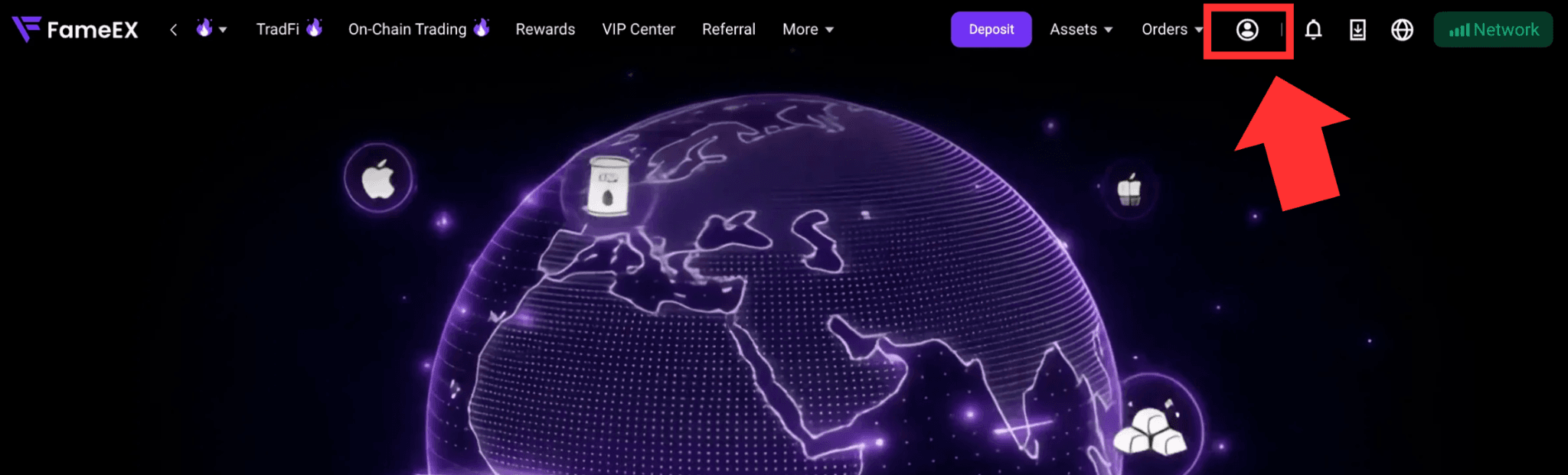
1) Go to the FameEX website and log in to your account. Click the [User Center] icon in the upper-right corner and go to [Account Management].
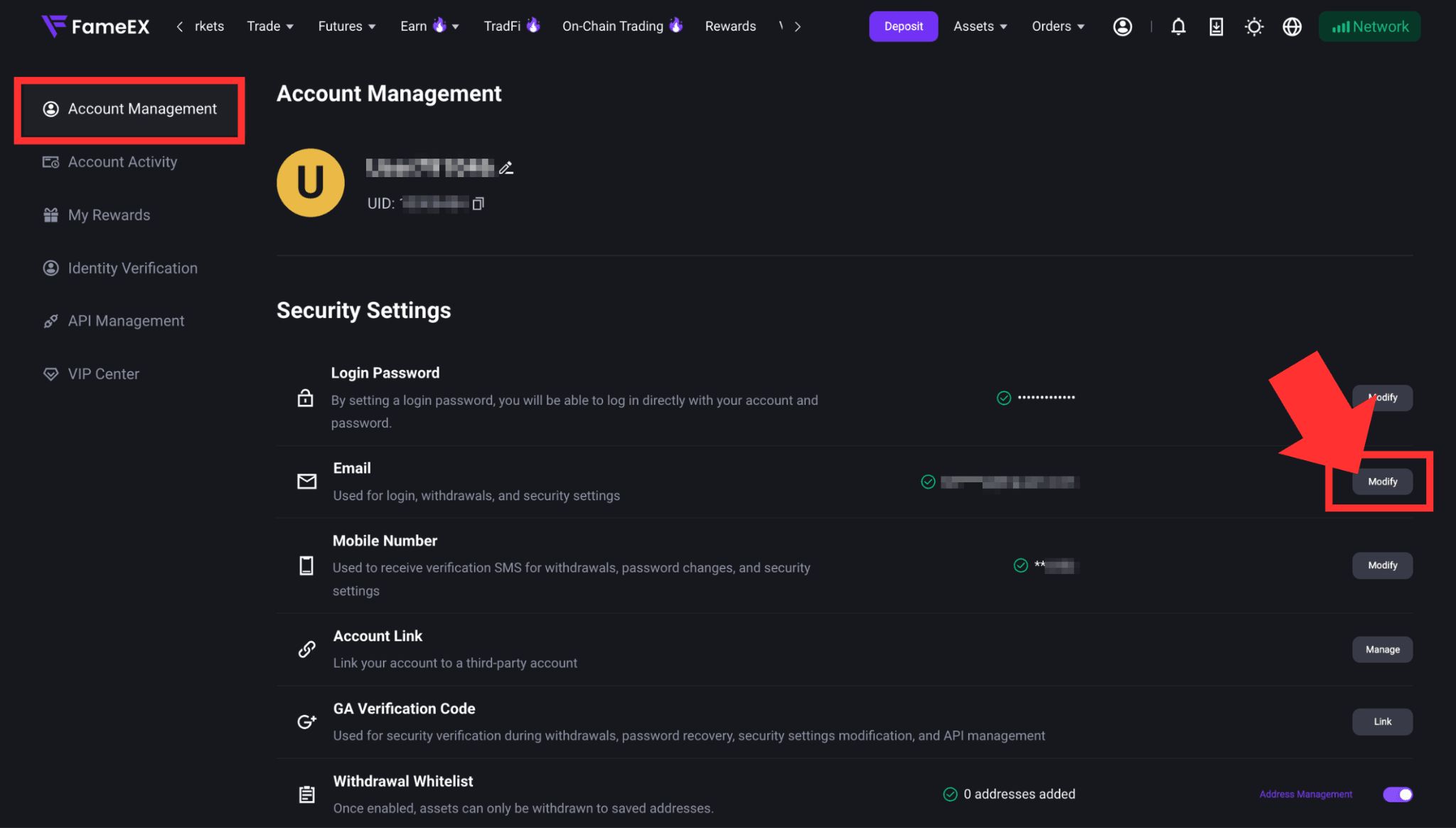
2) Under [Security Settings], you can find [Email] and click [Modify] on the right.
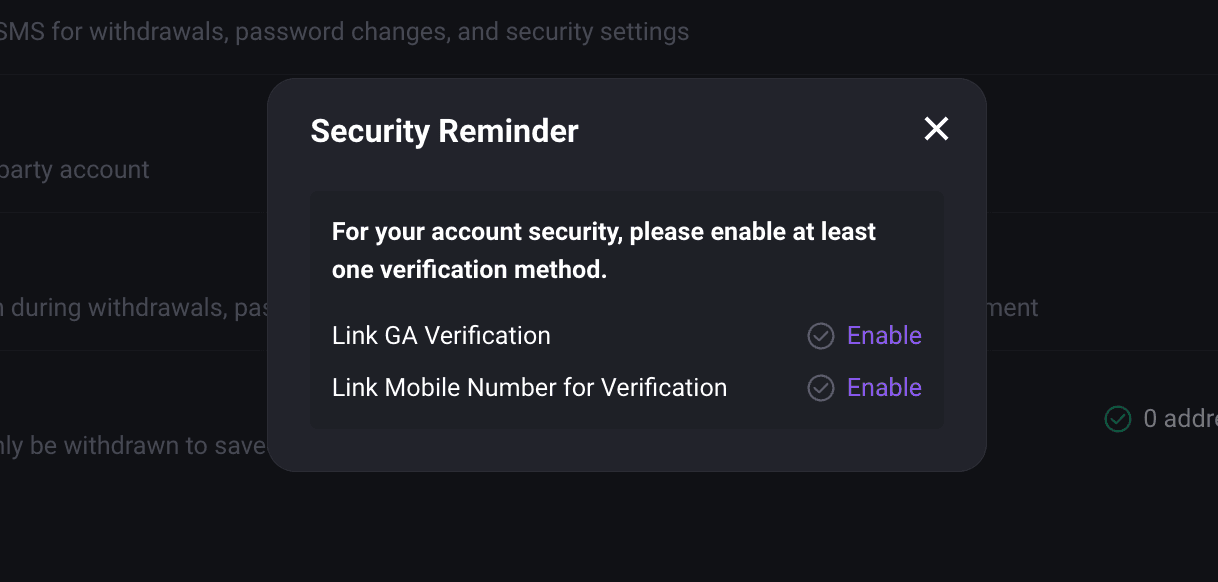
3) Before changing your email address, please make sure your account has either a phone number or Google Authenticator linked. If neither is set up, follow the pop-up instructions to complete the required security setup first.
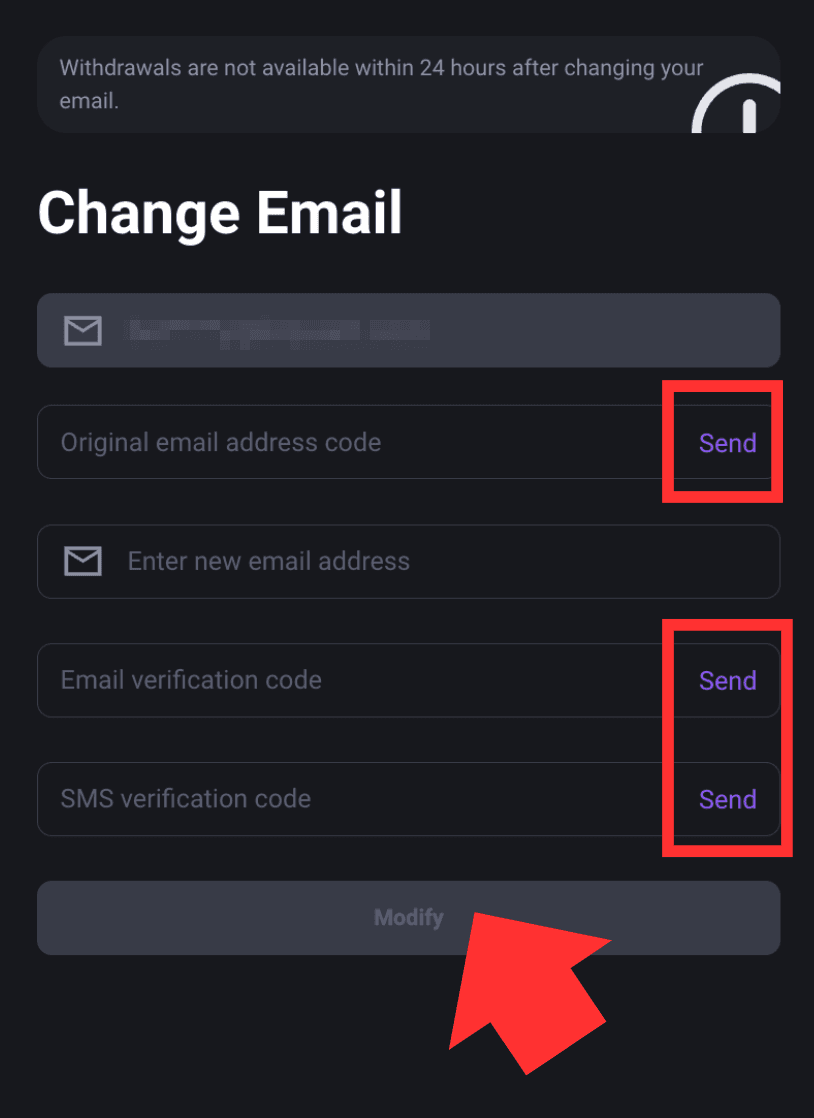
4) On the [Change Email] page, obtain and enter the verification code sent to your current email address. Then enter your new email address and complete the required verification for the new email and your phone. After confirming that all information is correct, click [Modify] to complete the change.
Notes
- Before changing your email address, your FameEX account must have either a phone number or Google Authenticator linked for security verification.
- Make sure both your current and new email addresses can receive verification emails. Complete the verification within the valid period of each code.
- After your email address is successfully changed, withdrawals from the account will be suspended for 24 hours to protect your account and assets.
- If you cannot receive the verification code at your current email address or complete the required security verification, please contact FameEX Online Support for assistance.
*Feature names and page locations may change with platform updates. Please refer to the latest interface for the most current information.