How to Use FameEX On-Chain Trading? (Web)
2026-08-19 04:18:20FameEX On-Chain Trading lets users trade supported on-chain tokens directly through the FameEX platform. Instead of switching between DEXs, Web3 wallets, and market tools, users can buy or sell supported on-chain tokens with USDT held in their On-Chain Account.
1. What Is FameEX On-Chain Trading?
FameEX On-Chain Trading is a digital asset trading service that integrates access to on-chain markets into the FameEX platform. Users can buy supported on-chain tokens with USDT or sell tokens they hold for USDT. FameEX brings processes that would normally require switching between Web3 wallets and different DEXs into one platform. This allows users to access on-chain markets through a trading experience similar to standard exchange trading.
2. How Does On-Chain Trading Differ from Spot and Futures Trading?
FameEX On-Chain Trading, Spot Trading, and Futures Trading all provide ways to participate in the digital asset market. However, they differ in how trades are executed and how they are typically used.
Spot Trading is mainly used to buy and sell assets listed on the FameEX Spot Market. Futures Trading is designed for long and short positions and supports leverage. On-Chain Trading provides direct access to supported tokens in on-chain markets. On-chain tokens may have different levels of liquidity and price volatility compared with regular spot assets. Make sure you understand the relevant token and trading risks before placing an on-chain trade.
3. How to Start Using FameEX On-Chain Trading?
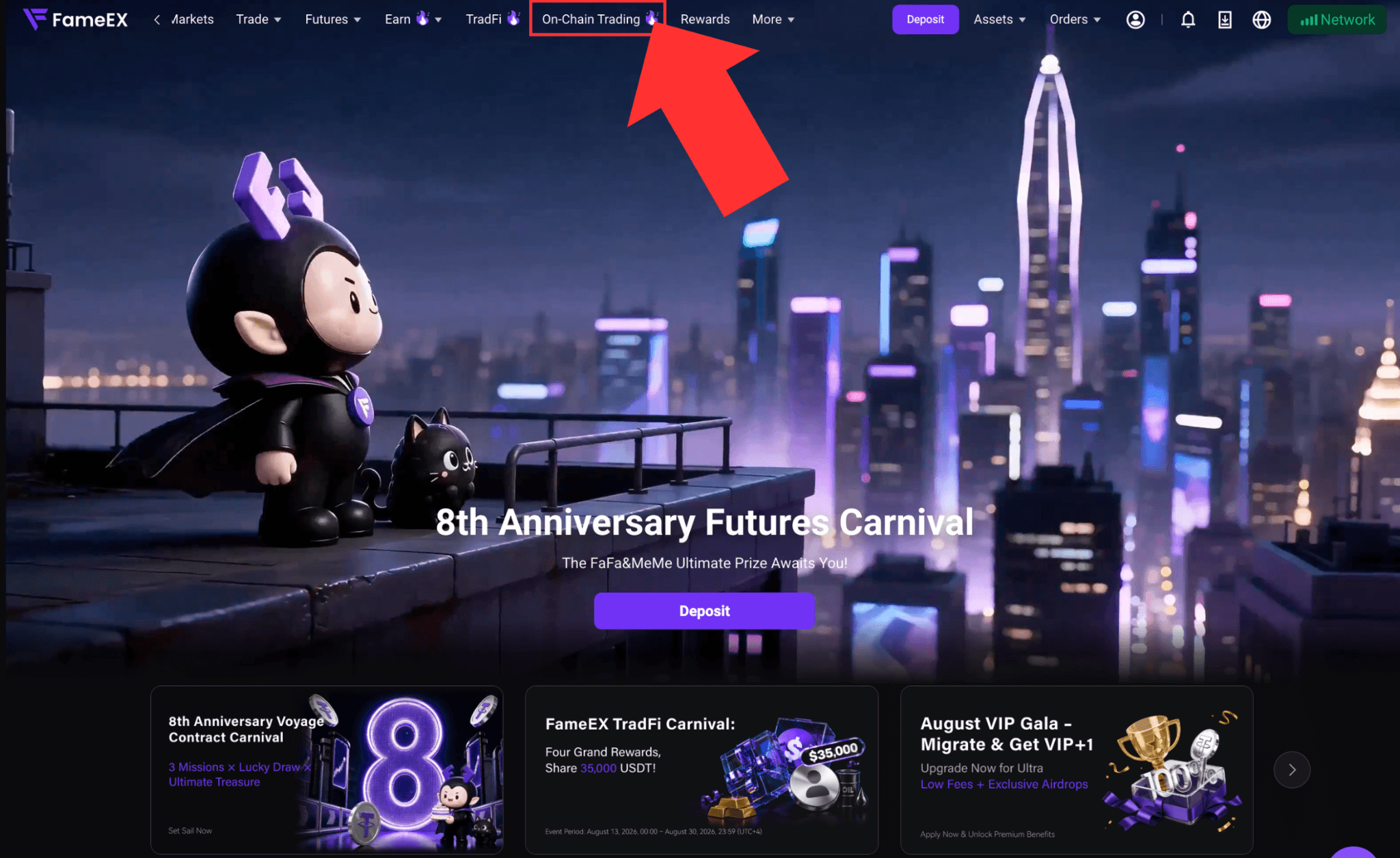
1) Visit the FameEX website and log in to your account. Click [On-Chain Trading] at the top to enter the trading page.
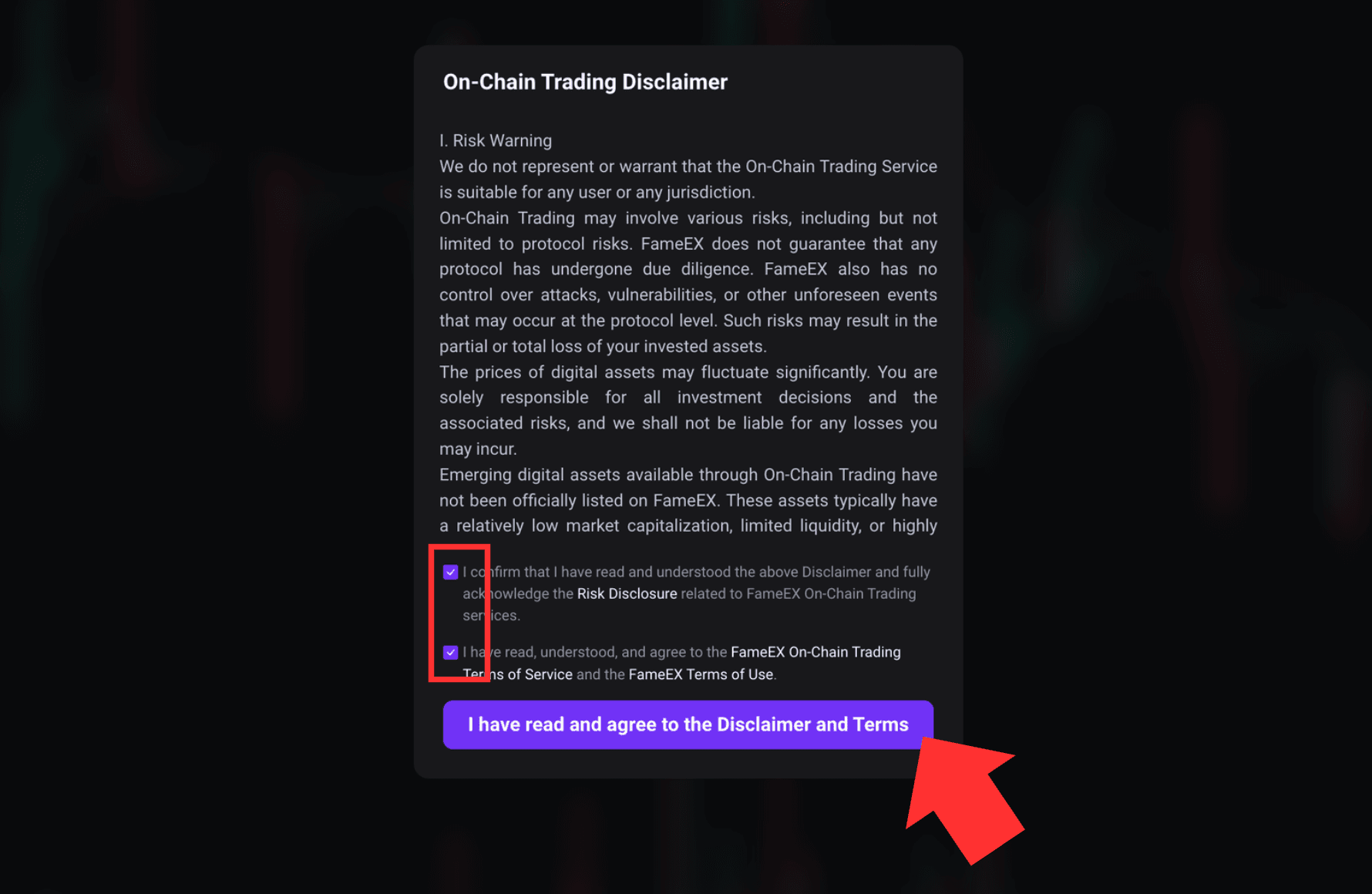
2) When using On-Chain Trading for the first time, you will be shown the FameEX On-Chain Trading Disclaimer and related risk notices. Read the information carefully, check both boxes and click “I have read and agree to the above disclaimer and terms,” then proceed to start trading.
3) Transfer USDT to Your On-Chain Account
The On-Chain Account only supports USDT transfers to and from the Funding Account. Before trading, you need to transfer USDT from your Funding Account to your On-Chain Account.
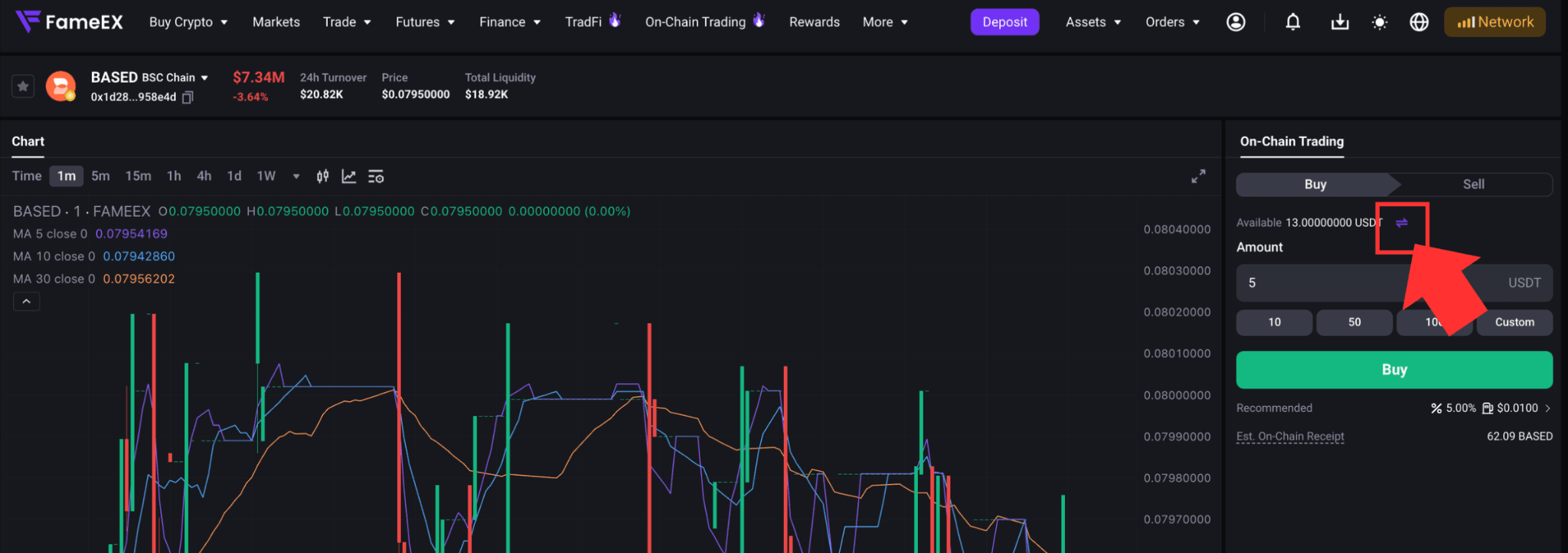
If your On-Chain Account does not have enough USDT, check the [Available] balance on the right side of the trading page. Click the [Transfer] icon next to the balance to open the transfer page.
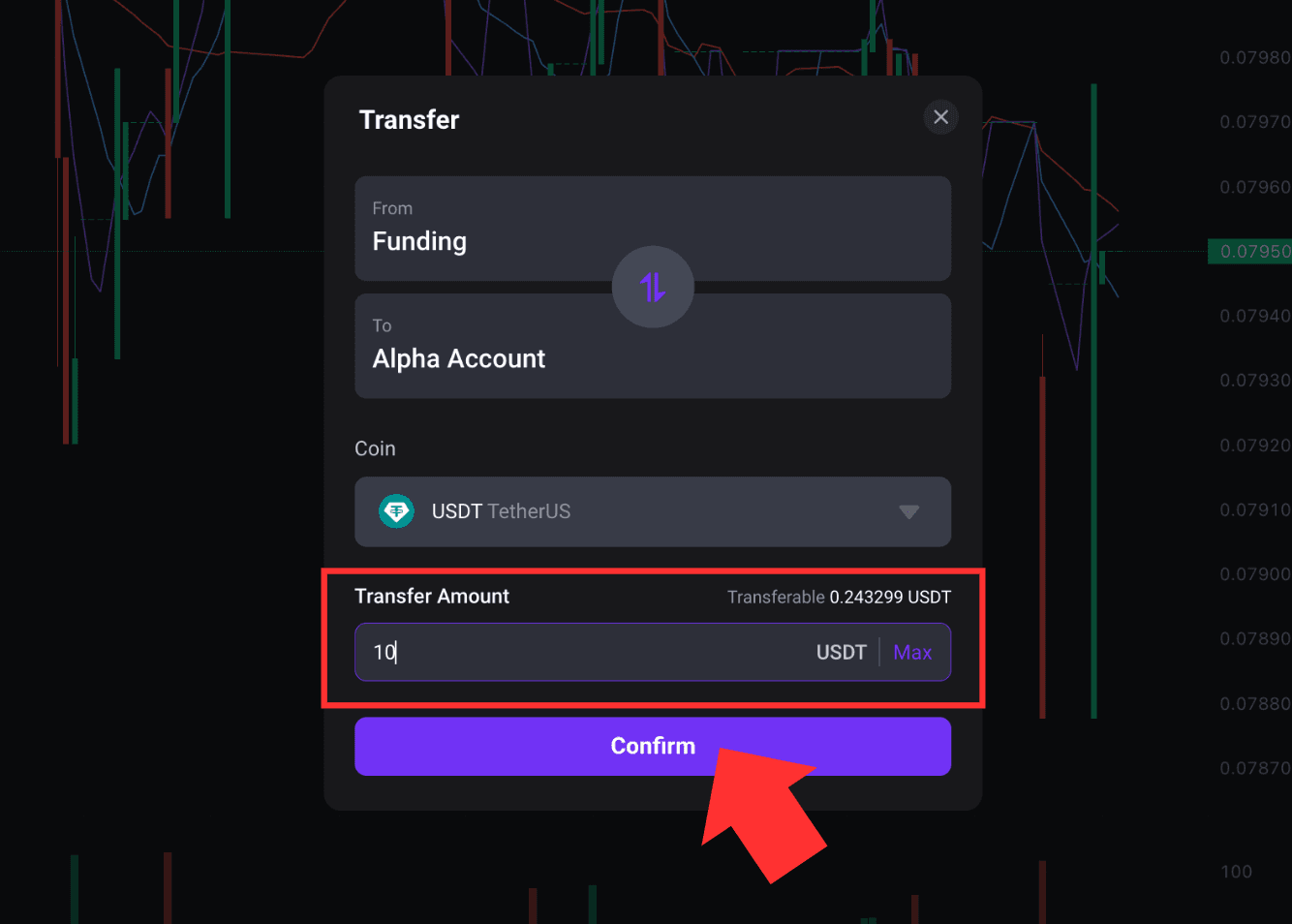
Select [Funding Account] as the account to transfer from and [Alpha On-Chain Account] as the account to transfer to. Select USDT, enter the amount, and confirm the transfer. Once the transfer is complete, you can use the USDT in your On-Chain Account to buy on-chain tokens.
4. How to Buy On-Chain Tokens?
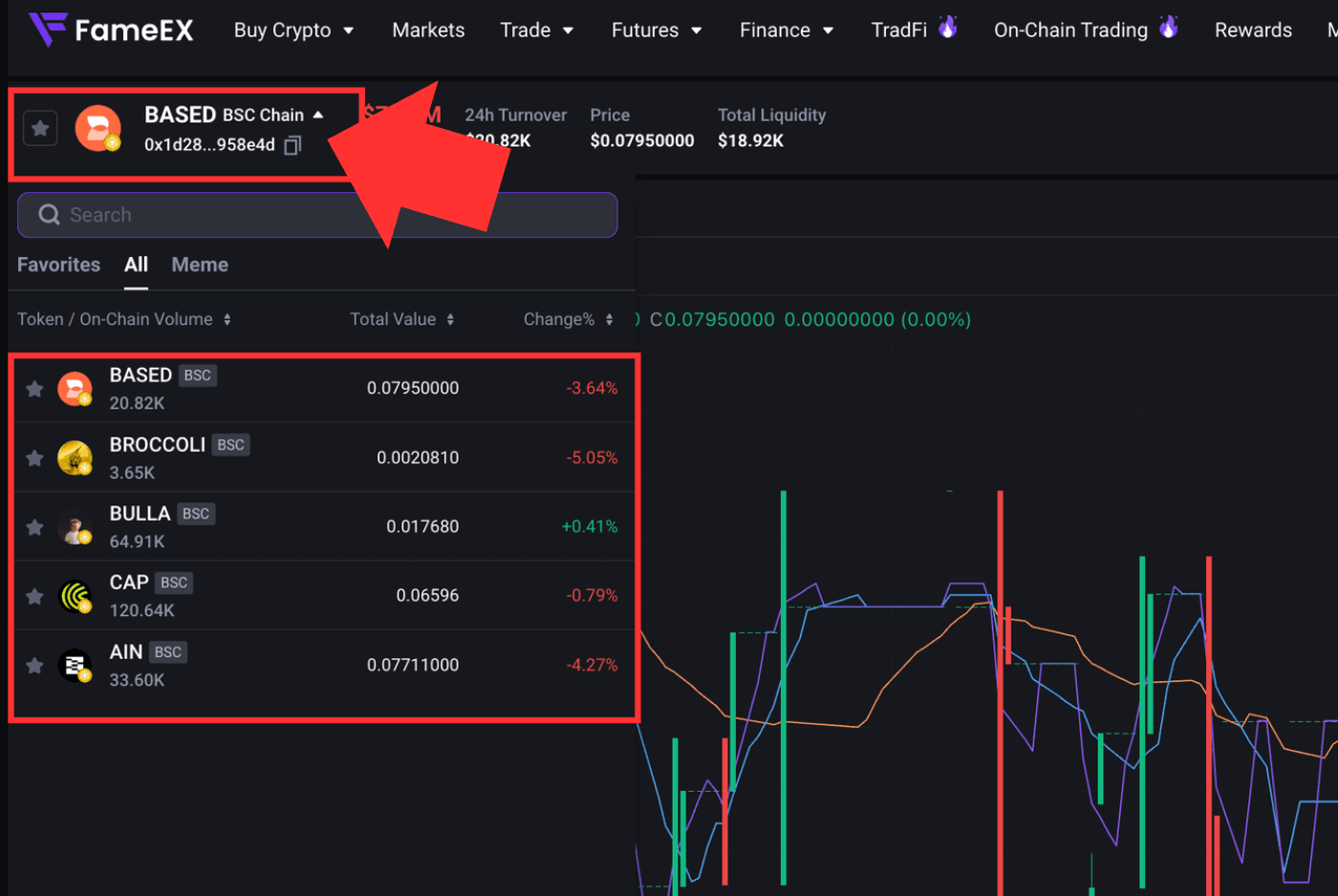
1) On the On-Chain Trading page, select the token you want to trade. The page displays information such as the token name, network, price, and total liquidity.
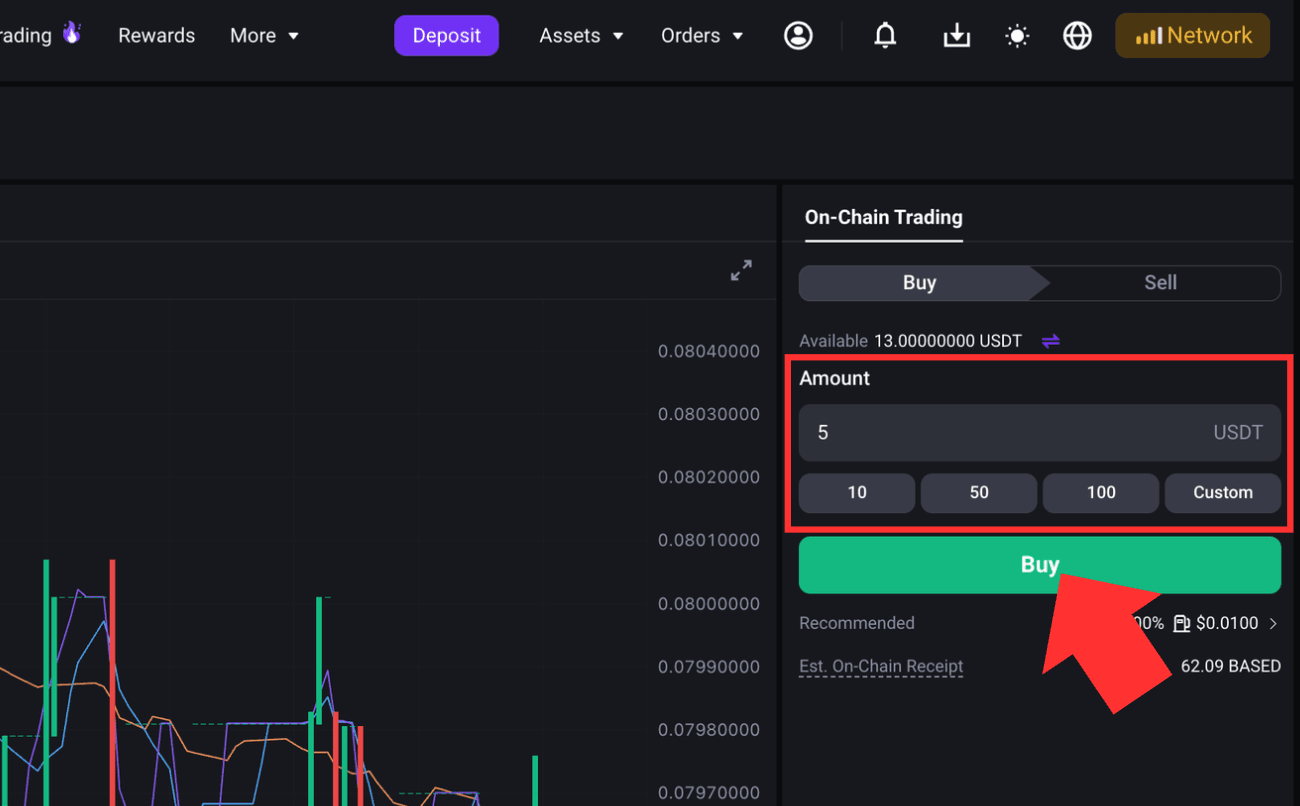
2) Enter the amount of USDT you want to spend in the trading panel on the right. You can enter the amount manually or use one of the amount options shown on the page. The system will calculate the estimated amount to be received to your On-Chain Account based on the current on-chain quote. Review the amount and click [Buy].
3) Check Slippage and Adjust Priority Mode
After entering the trading amount, click the [More] icon to view additional order details. The page will show the slippage, estimated network fee, and minimum amount to receive.
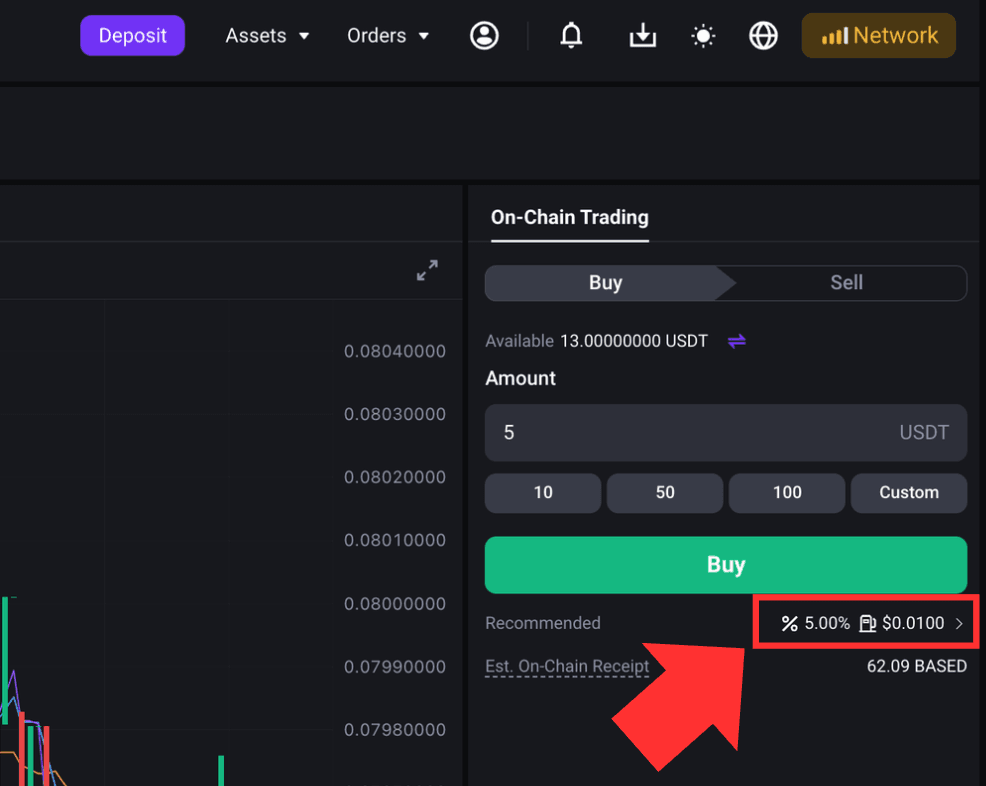
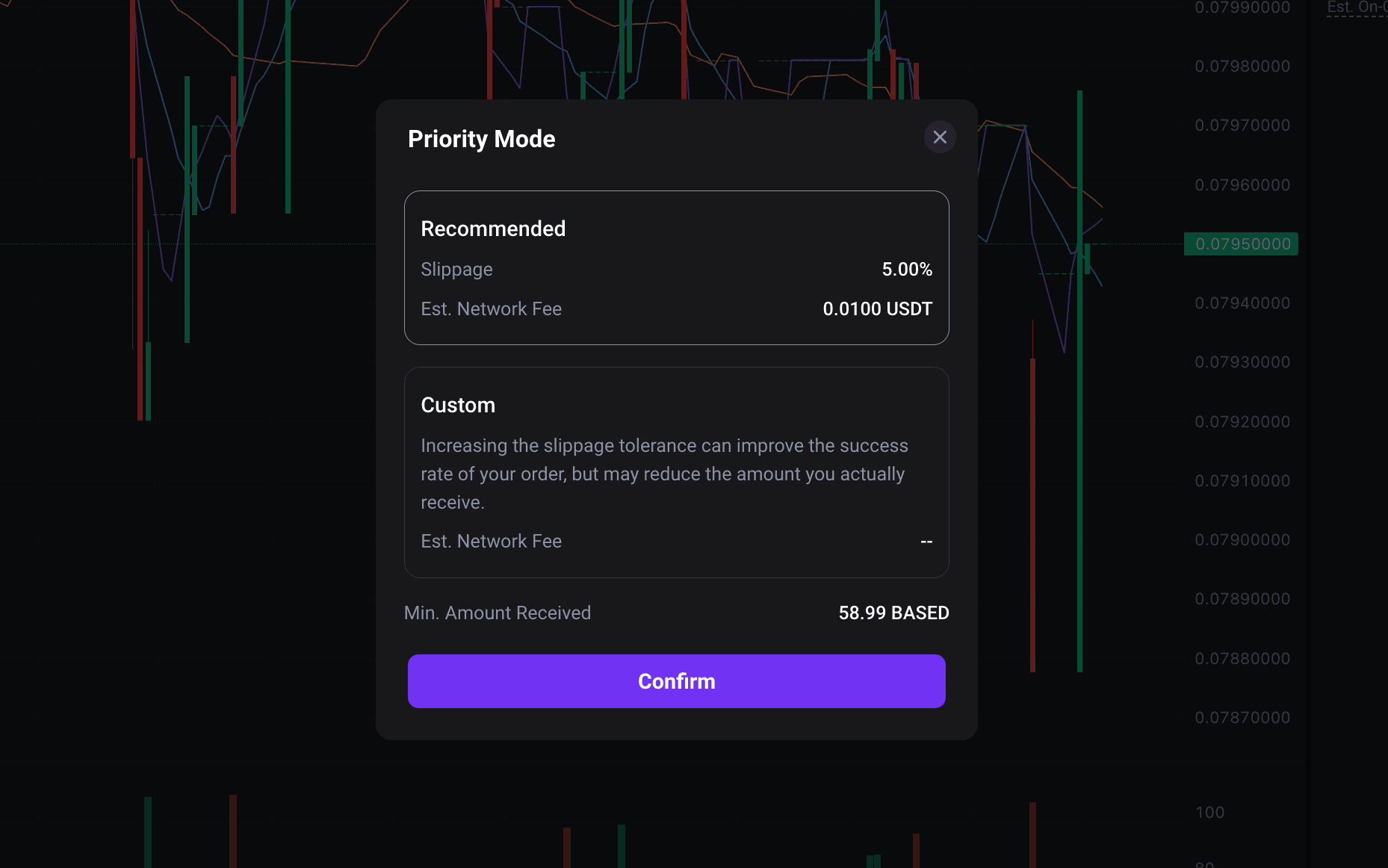
FameEX applies [Recommended] by default under Priority Mode. The system calculates the appropriate slippage based on current on-chain market conditions and price impact. You can also switch to [Custom] to set the slippage manually. After you change the slippage, the system will refresh the quote and recalculate the minimum amount to receive and other estimated values.
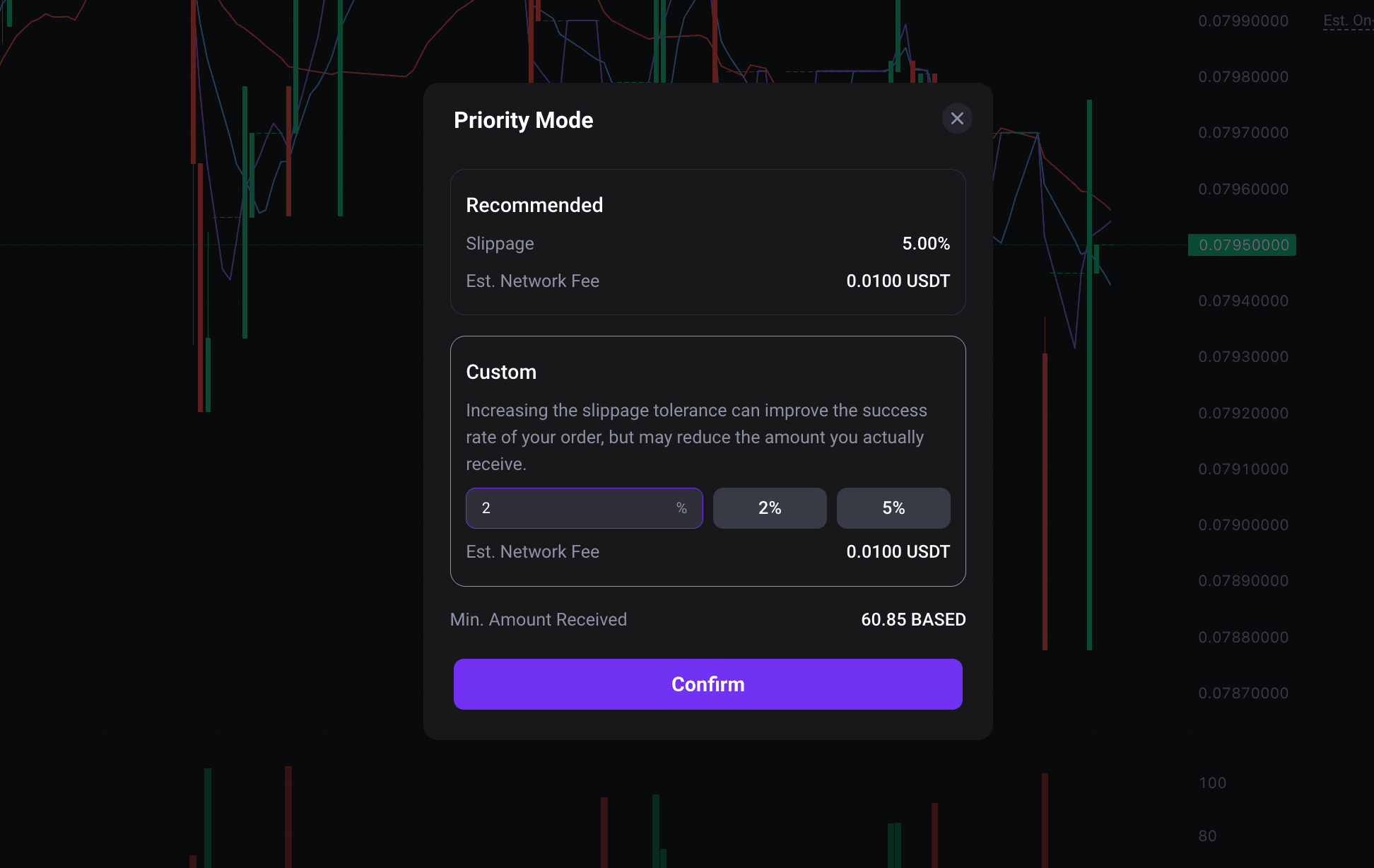
*What Is Slippage?
Slippage is the difference that may occur between the quoted price and the actual execution price due to market changes before an on-chain trade is executed. When market volatility is high or liquidity is low, setting the slippage too low may prevent the trade from being completed. Setting it too high may result in a larger difference between the quoted price and the final execution price.
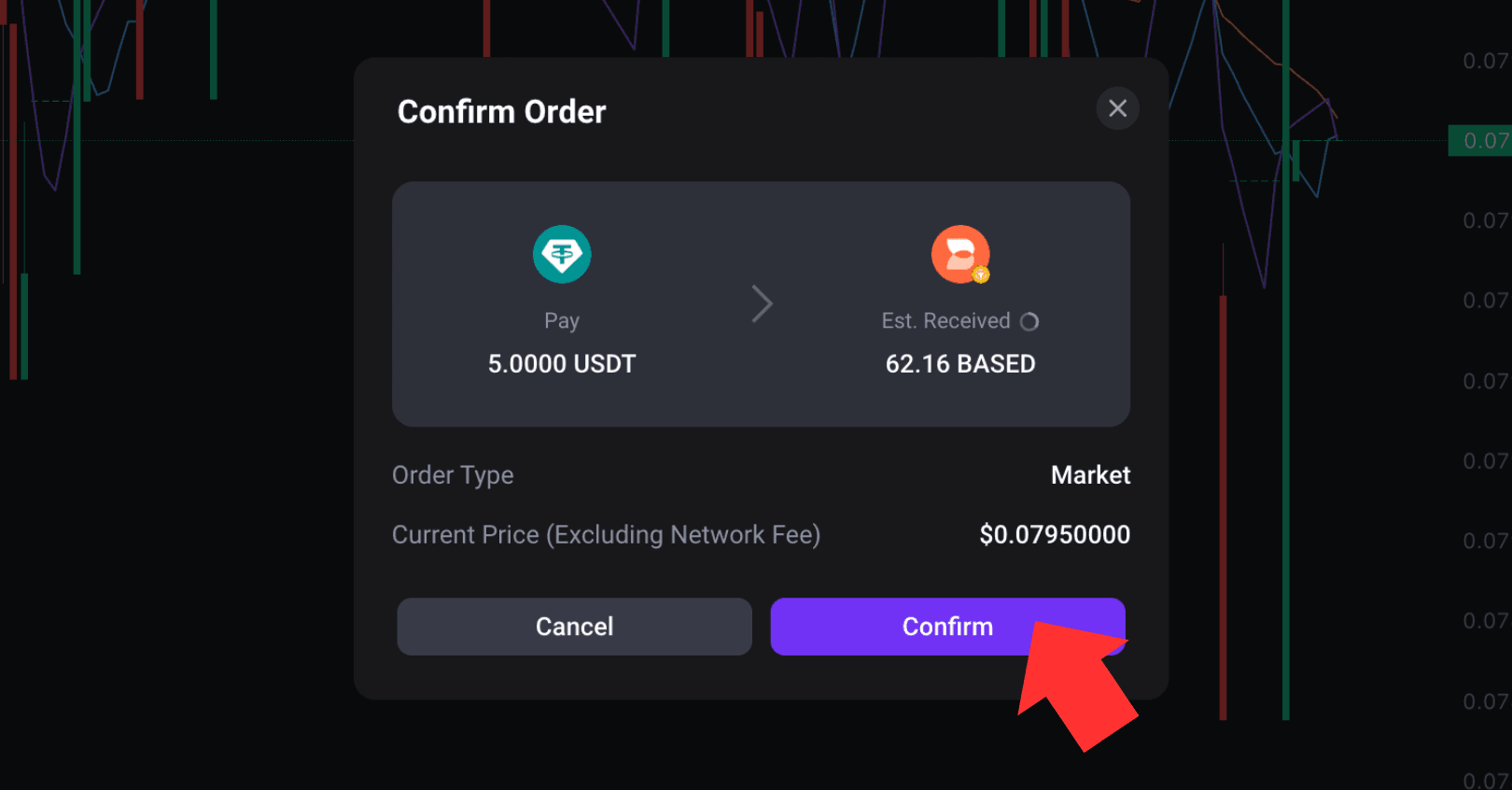
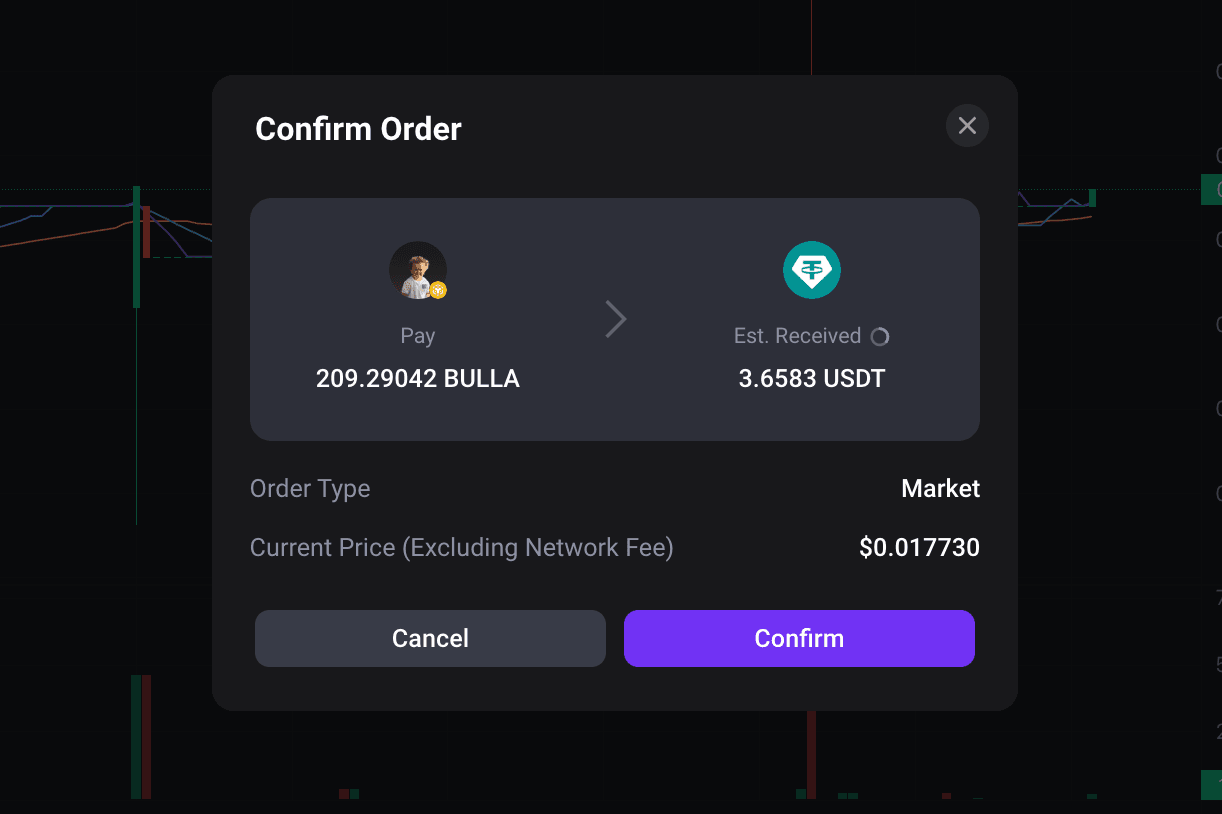
4) After clicking [Buy], an order confirmation pop-up window will appear. Review the payment amount, estimated amount to receive, and current price. On-chain market prices can change quickly. The quote and estimated amount to receive on the confirmation page may update with the market. If all information is correct, click [Confirm] to submit the trade.
5) After the order is submitted, the transaction must be processed and confirmed by the blockchain network. Before the trade is completed, you can check its status under [Open Orders]. Once the on-chain transaction is successfully completed, the purchased tokens will be credited to your On-Chain Account.
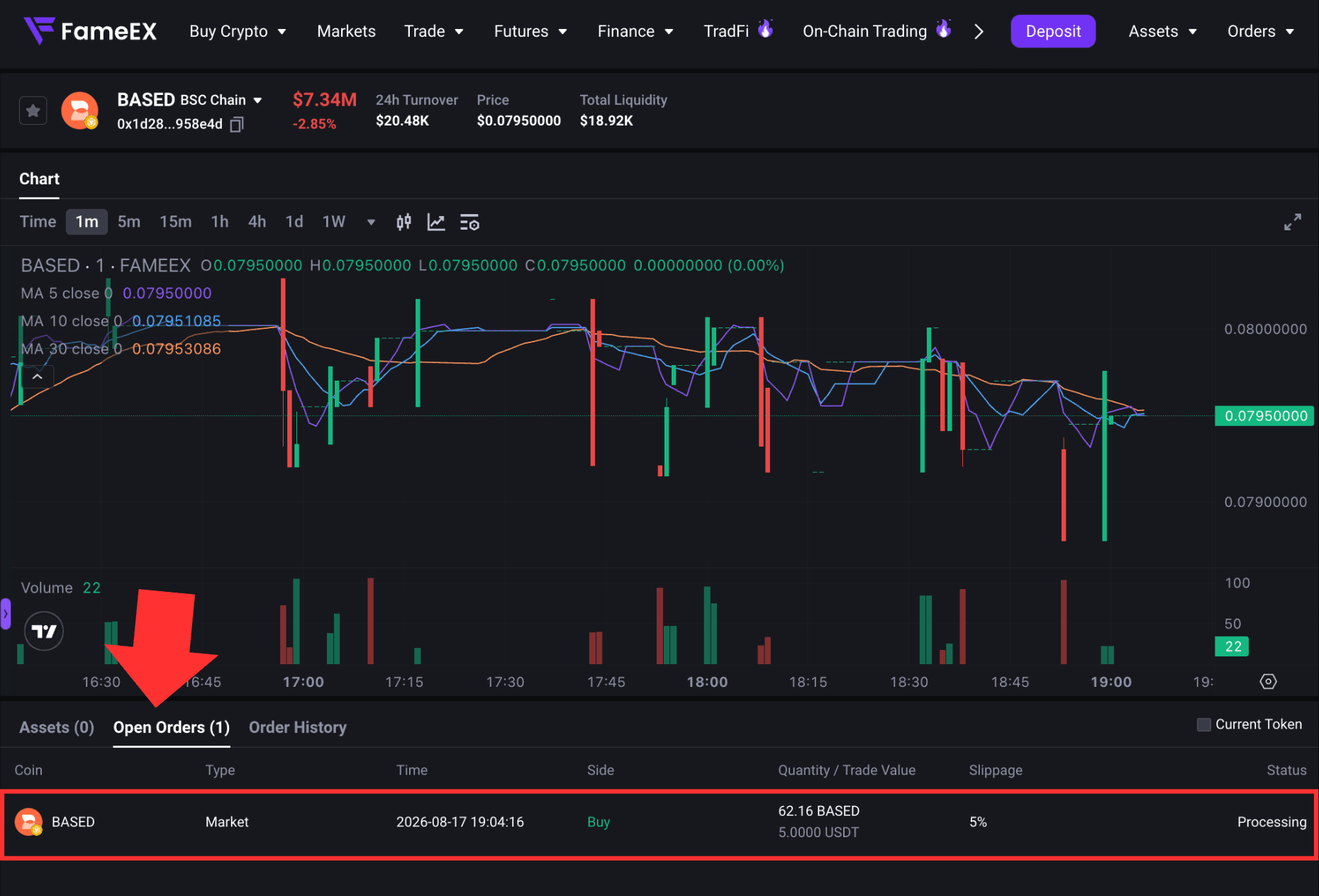
*Blockchain confirmation times may vary depending on the network and current network conditions. Please refer to the final on-chain transaction result.
5. How to Sell On-Chain Tokens?
1) Select the token you want to trade. In the trading panel on the right, switch to the [Sell] panel.
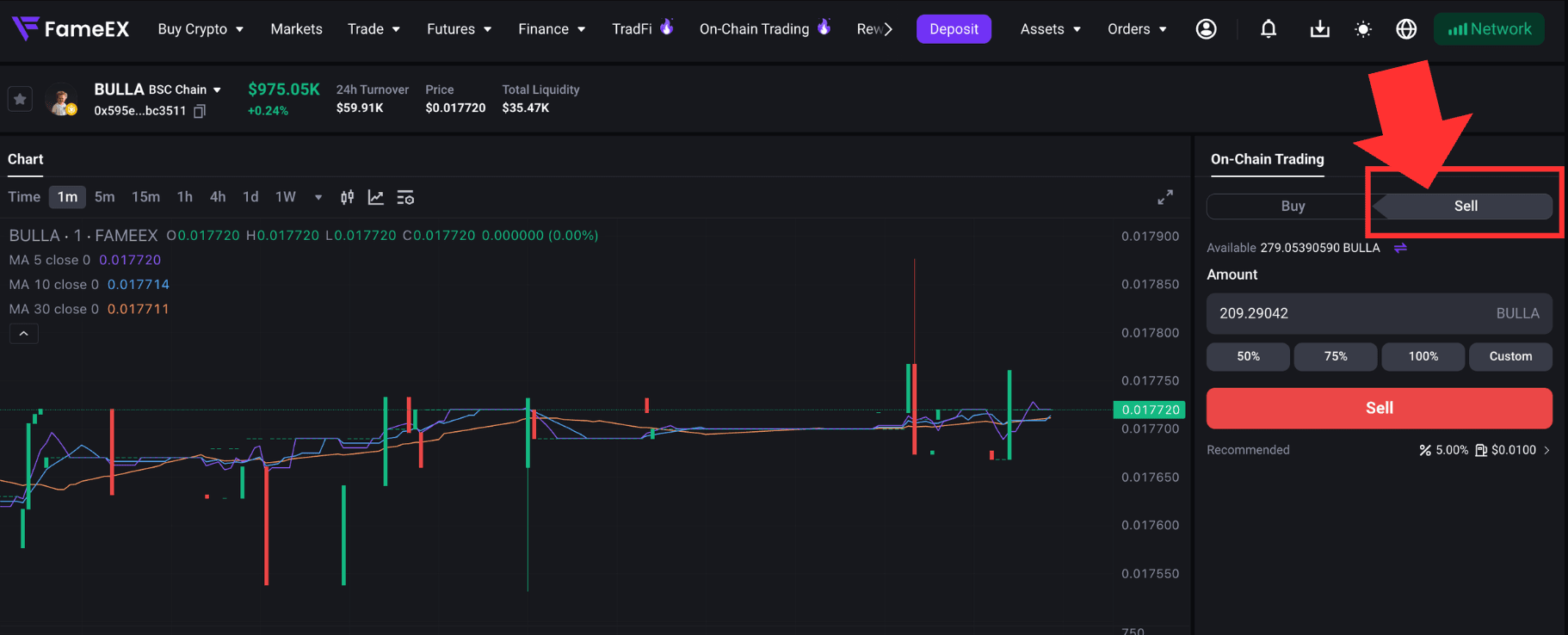
2) Enter the amount of tokens you want to sell. The system will calculate the estimated amount of USDT you will receive based on the current on-chain quote. It will also display the slippage, estimated network fee, and minimum amount to receive.
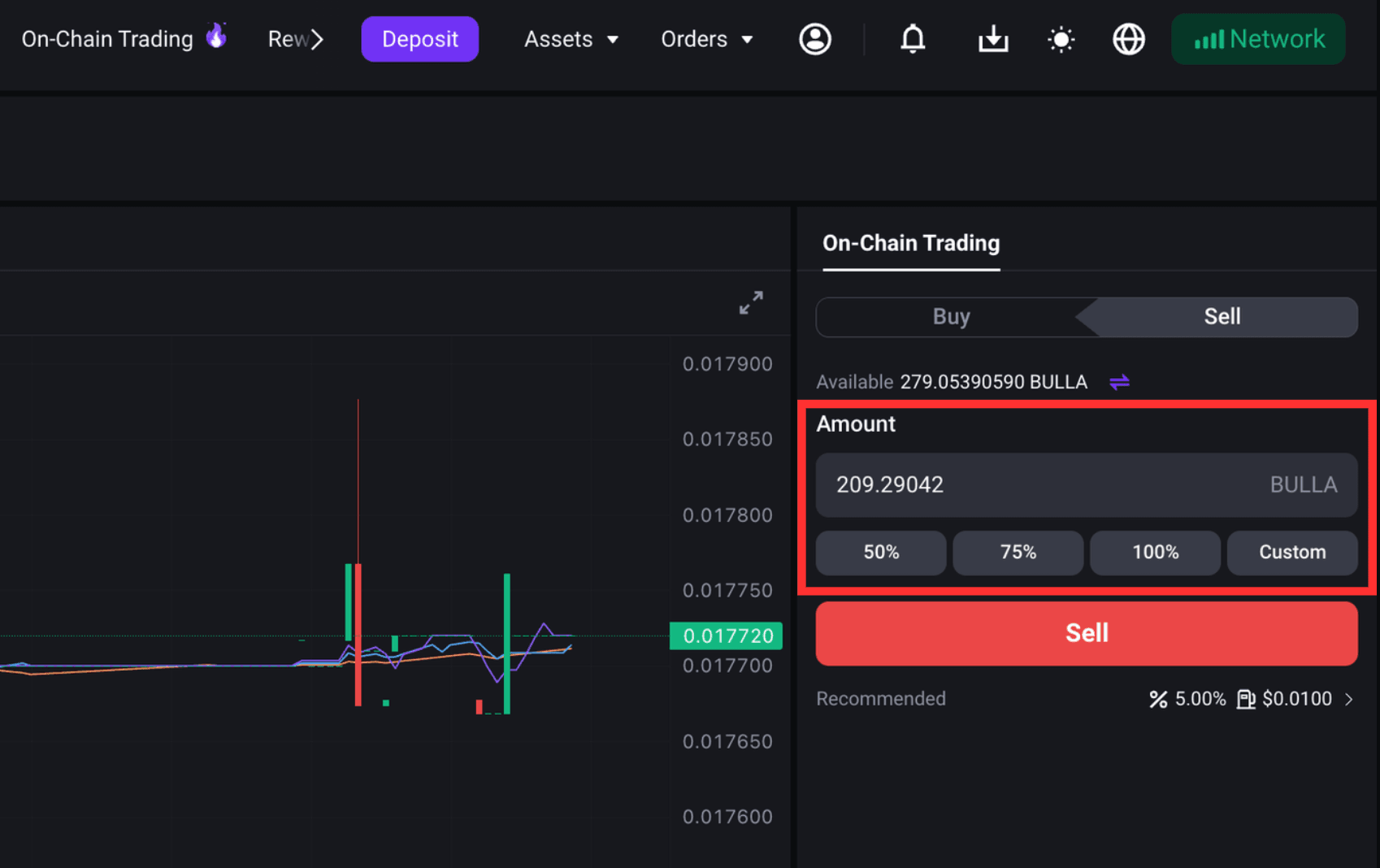
3) Review the order information and click [Sell]. Check the token amount to be sold and the estimated USDT to receive. If all information is correct, submit the order. Once the on-chain transaction is successfully completed, the estimated received USDT will be credited to your On-Chain Account.
*How to Use Quick Sell?
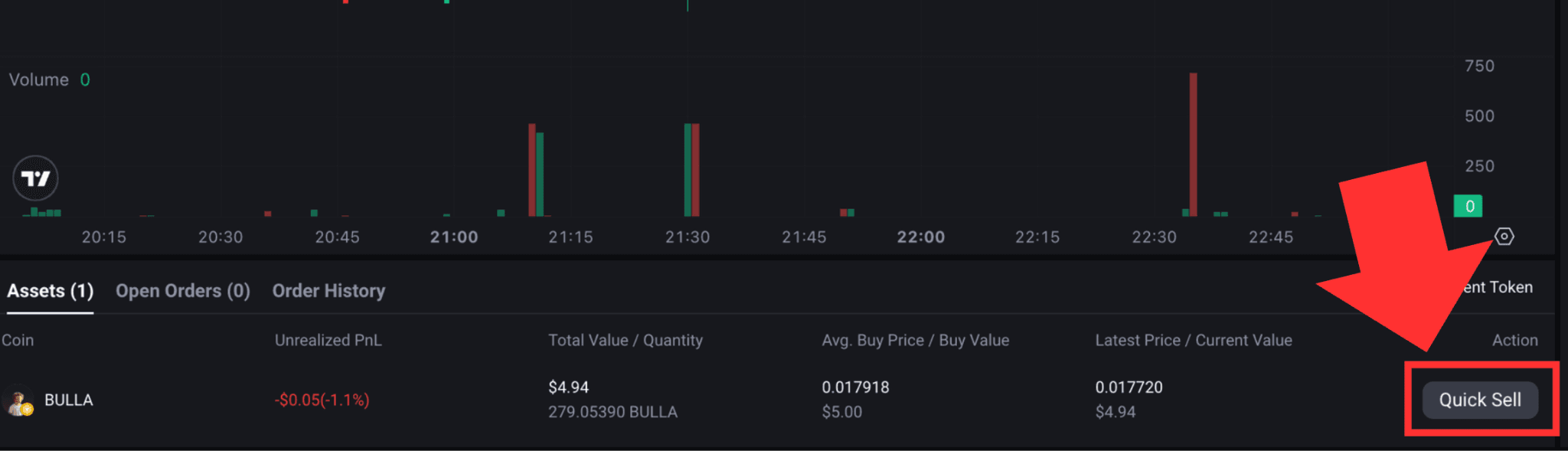
To quickly sell an on-chain token you currently hold, find the token under [Assets] at the bottom of the On-Chain Trading page and click [Quick Sell].
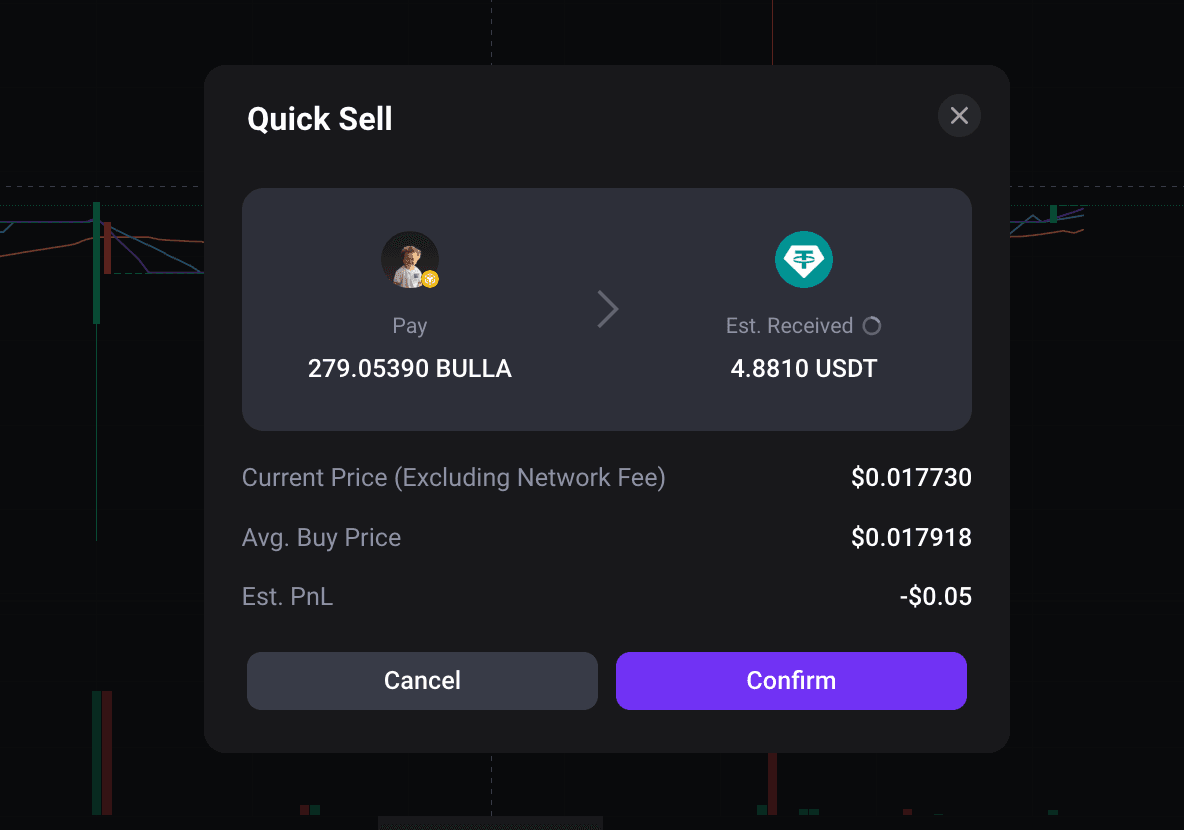
The page will show the token amount to sell, estimated amount to receive, current price, average buy price, and estimated PnL. Review the information and click [Confirm] to submit the sell order.
6. How to Check Your On-Chain Assets and Order History?
After placing an on-chain trade, you can check [Assets], [Open Orders], and [Order History] at the bottom of the trading page. These sections let you track your holdings, order progress, and past transactions.
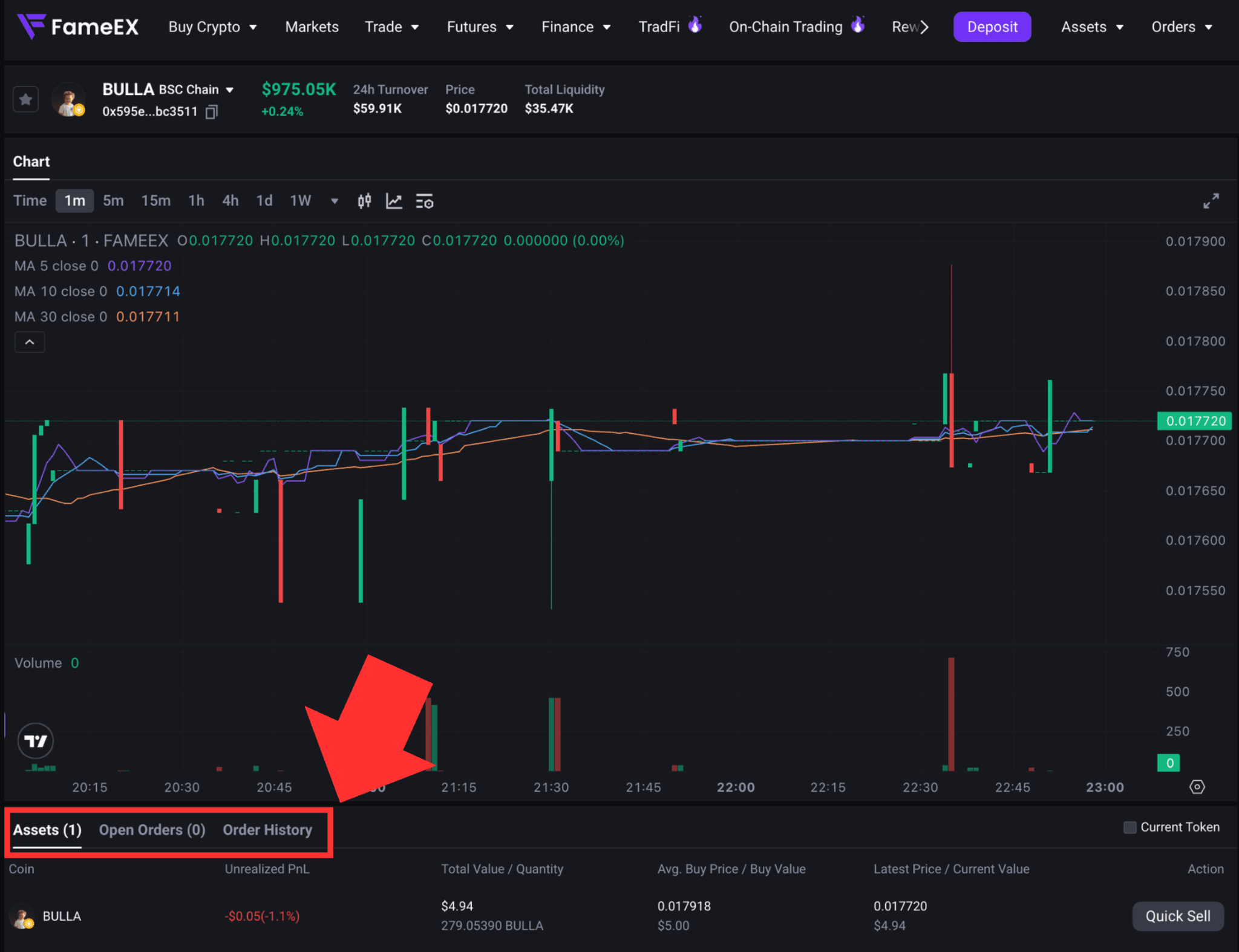
Under [Assets], you can view your current on-chain token holdings together with the holding coins, unrealized PnL, total value, average buy price, and latest price. These figures are provided to help you track the performance of your holdings. They do not represent your final realized returns. Actual sell results may still be affected by the latest on-chain quote, liquidity, slippage, and applicable fees.
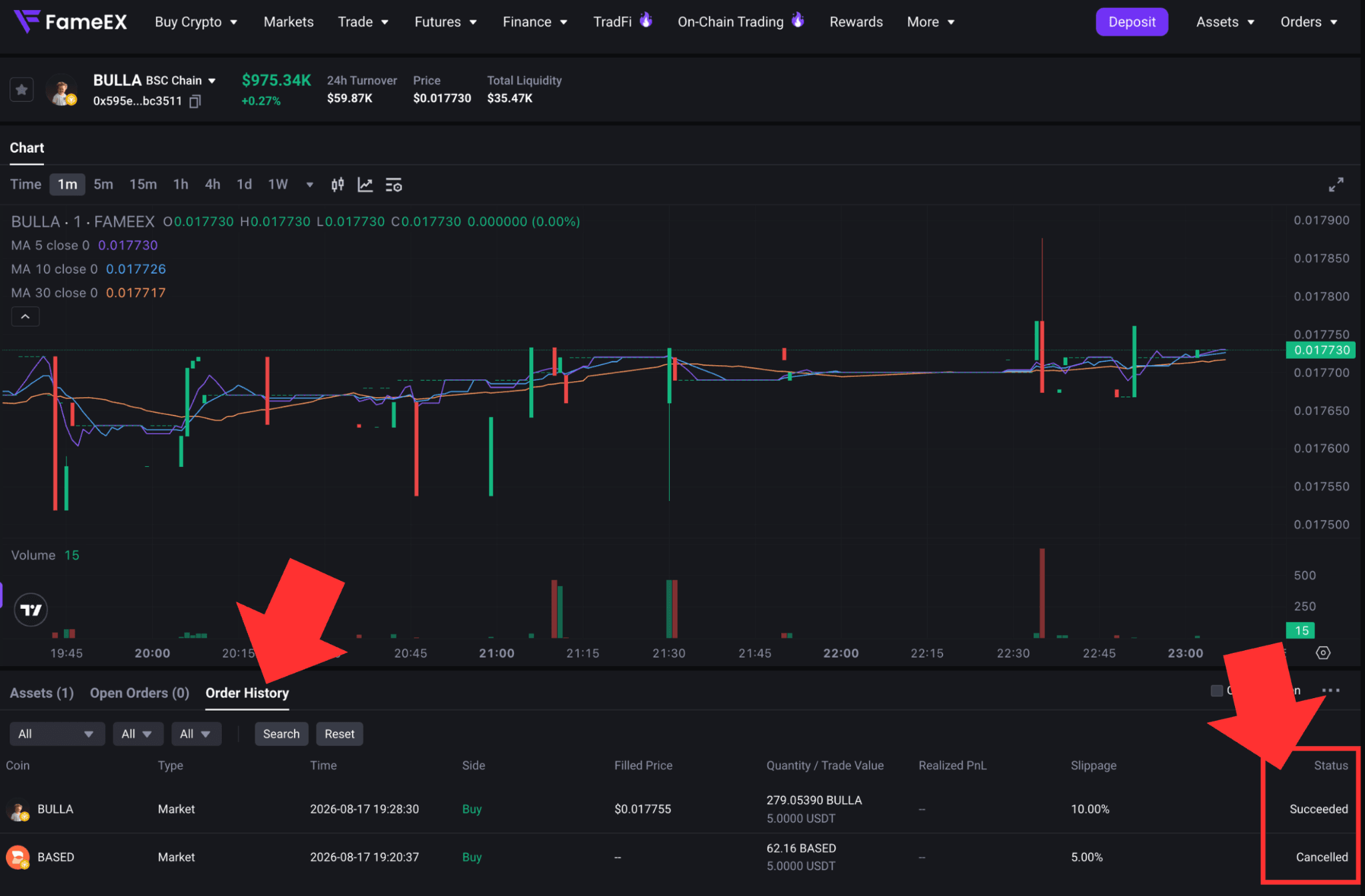
After you submit a buy or sell order, transactions that are still being processed on-chain will appear under [Open Orders]. Once a transaction is completed or canceled, it will appear under [Order History]. The [Succeeded] status means the transaction was successfully executed on-chain. The [Canceled] status means the transaction could not be completed due to an on-chain execution failure, network conditions, or other reasons.
7. Why Is the Estimated Amount Different from the Actual Amount Received?
The estimated amount shown on the On-Chain Trading page is calculated using the on-chain market price and applicable fees at the time the quote is obtained. Market prices, liquidity, and network fees may change between the time you receive the quote and the time the transaction is executed on-chain. Therefore, the final execution may differ from the estimate shown when you placed the order.
The final amount received may be affected by price changes, slippage, and price impact. On-chain liquidity, network fees, and token taxes may also affect the result. The estimated amount shown before placing an order is for reference only. Please refer to the final order history for the actual execution price, amount paid, and amount received.
Notes:
- On-chain transactions must be processed and confirmed by the blockchain network. Execution times may be affected by network congestion, Gas Fee fluctuations, and blockchain confirmation speed. If an order remains [Processing], check its status under [Open Orders] first and avoid submitting the same order again.
- On-Chain Trading may also be affected by price volatility, liquidity, slippage, network fees, and smart contract risks. The final execution result may differ from the estimate. Network fees already incurred may still be charged even if a transaction fails.
*Make sure you understand the relevant risks before using on-chain trading. Feature names and page locations may change with platform updates. Please refer to the latest interface for the most accurate information.