Prediction Market Early Selling, Order Cancellation, and Position History
2026-09-01 07:39:15After buying YES or NO in the FameEX Prediction Market, you can hold your position until the event is settled. You can also sell your holding early while the market remains open for trading.
1. How to Sell Your Prediction Market Holding Early?
If you do not wish to wait for the final event settlement, you may sell your current holding early while the market remains open for trading.
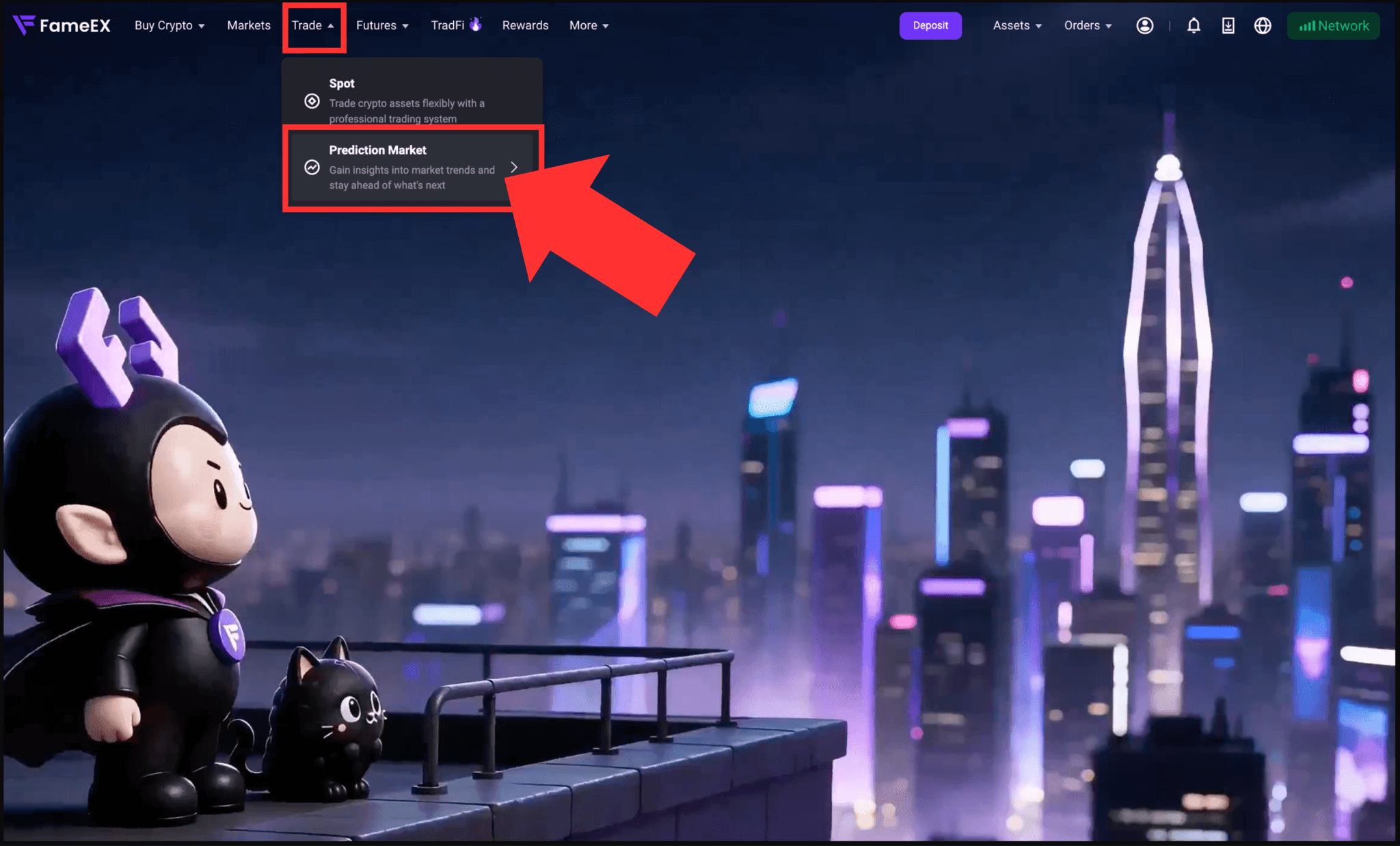
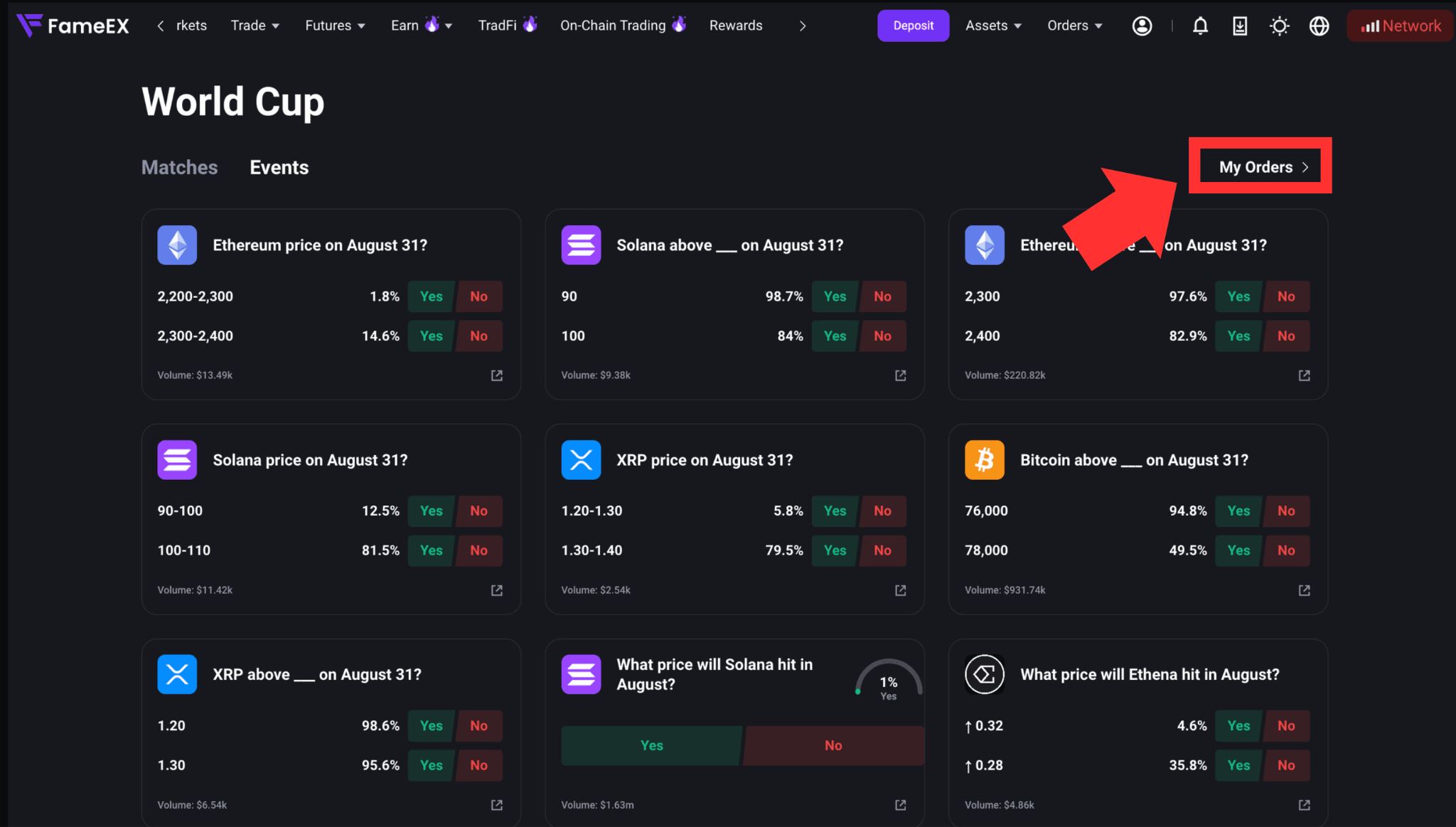
1) Go to the FameEX website and log in to your account. Click [Trade] > [Prediction Market] to enter the Prediction Market page, then go to [My Orders].
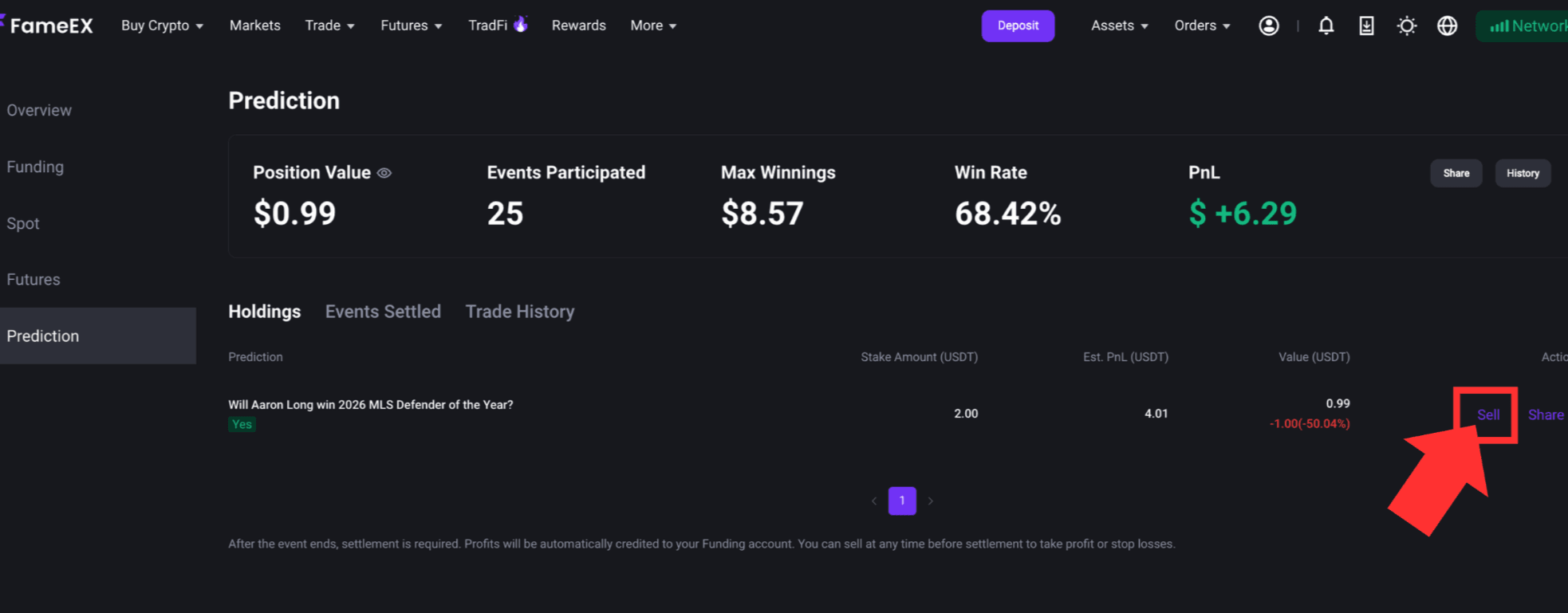
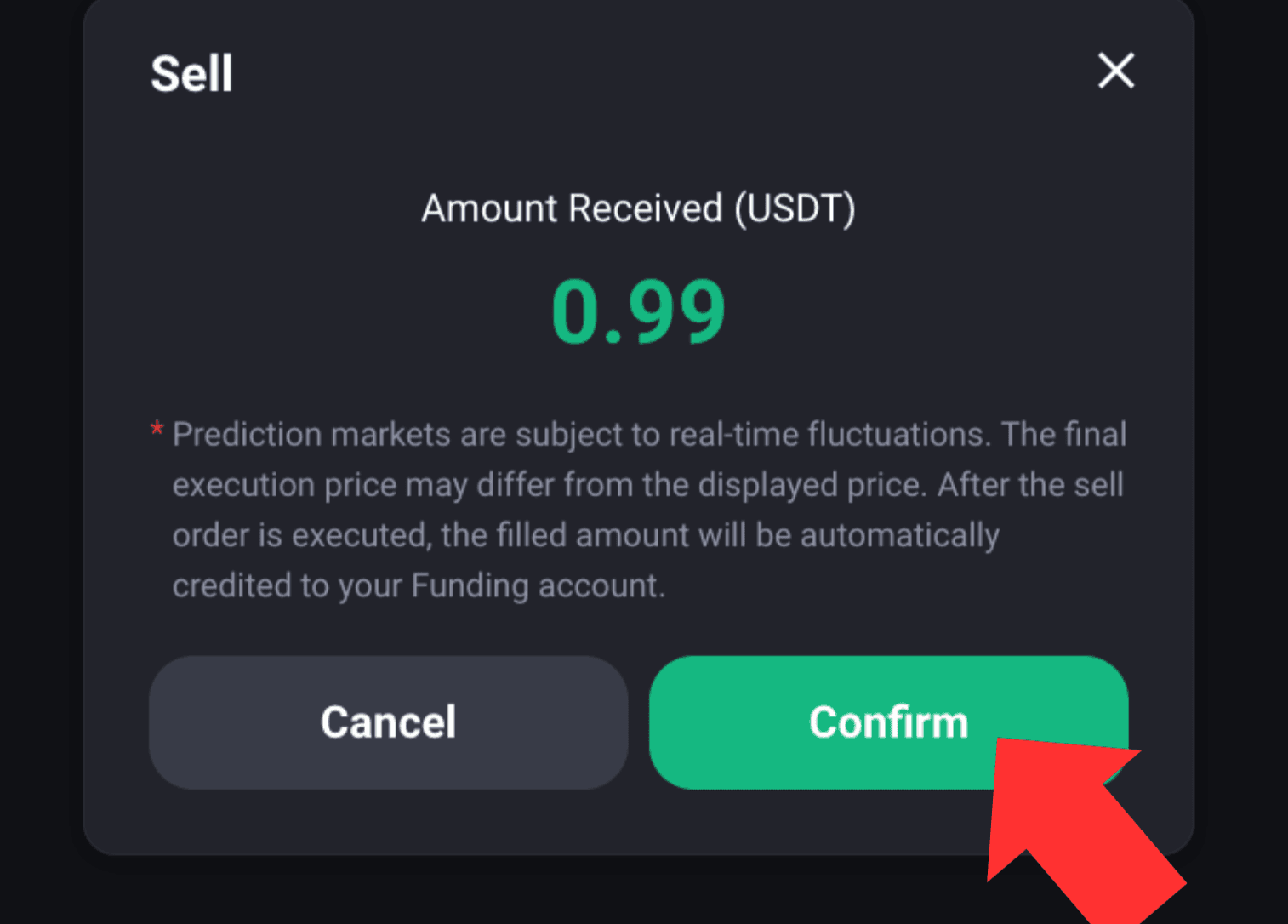
2) Under [Holdings], find the prediction event you wish to sell. Click [Sell] on the right to review the estimated amount to be credited and the applicable fees. Click [Confirm] to submit the sell order.
3) Once the order is filled, your funds will be automatically transferred to your Funding Account. You can also view additional details under [Events Settled] or [Trade History].
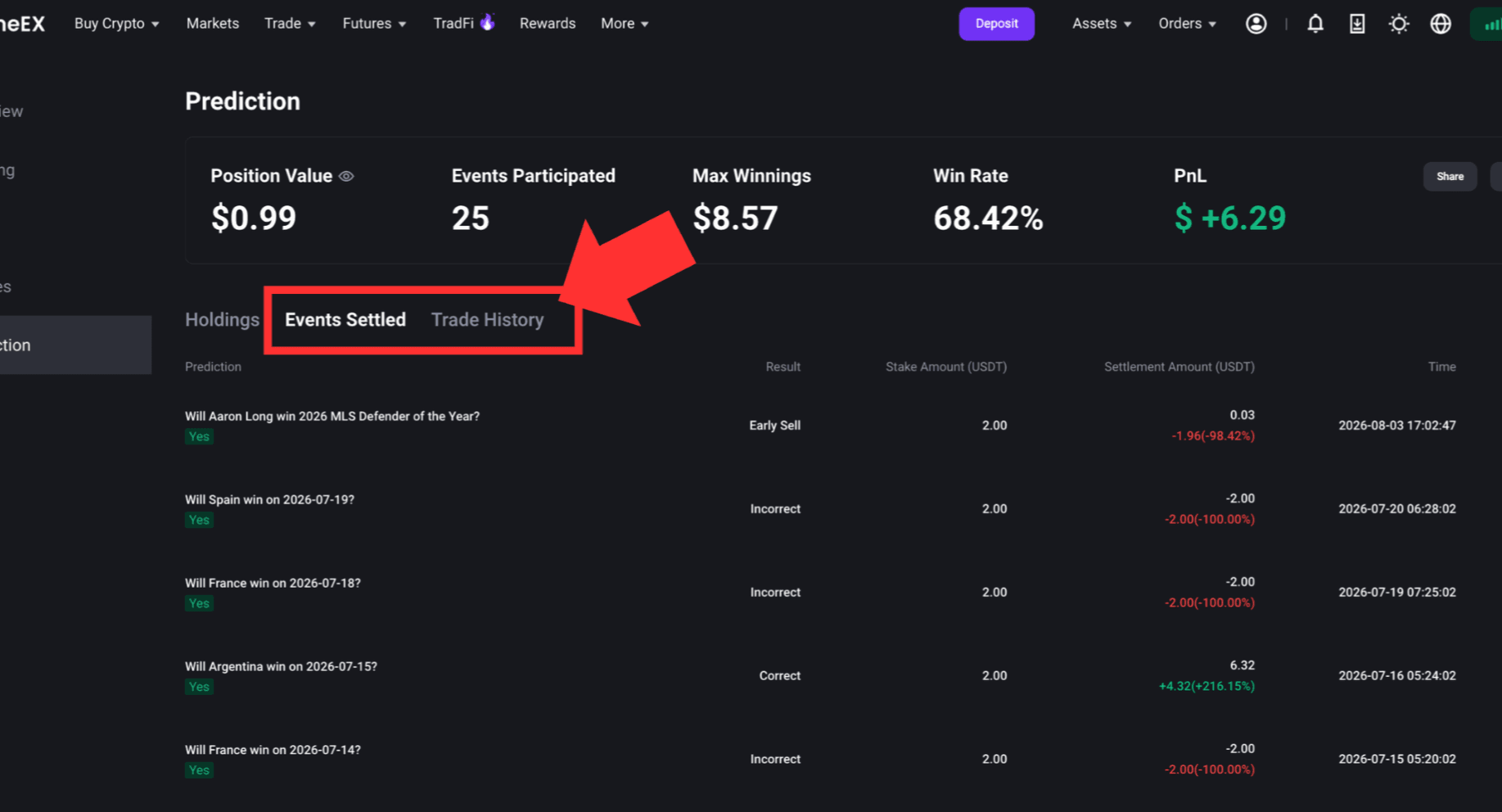
FameEX currently supports only full-position market sell orders in the Prediction Market. Partial sell orders are not available. Market prices change in real time, so the final fill price and actual amount credited may differ from the estimate shown before the order is submitted. A selling fee may also apply when you sell early. The actual fee and amount credited are subject to the information displayed after the transaction is completed.
2. Can Prediction Market Orders Be Canceled?
The FameEX Prediction Market currently uses market orders. Standard limit orders and pending orders are not supported. Therefore, there is no manual order cancellation process like the one used for spot limit orders. Once an order has been filled, it cannot be canceled or restored to its pre-trade status. If your buy order has already been filled but you later wish to cancel the prediction, you may use [Sell] action to sell your holding early. This is available while the event remains open for trading and there is sufficient market liquidity.
3. How to View Your Current Prediction Market Holdings?
Go to [Prediction Market] > [My Orders]. Under [Holdings], you can view positions that have not been sold early or settled after the event.
- Prediction Event: The event you participated in and your selected YES or NO outcome.
- Buy Amount: The amount of USDT you committed to the prediction.
- Estimated Payout: The estimated amount you may receive if your prediction is correct.
- Current Value: The estimated value of your holding based on current market conditions.
- Sell: Allows you to sell your current holding early when the applicable trading conditions are met.
Current Value and Estimated Payout may change with market conditions. They are provided for reference while you hold the position and do not represent the final amount you will receive.
4. How to View Events Settled?
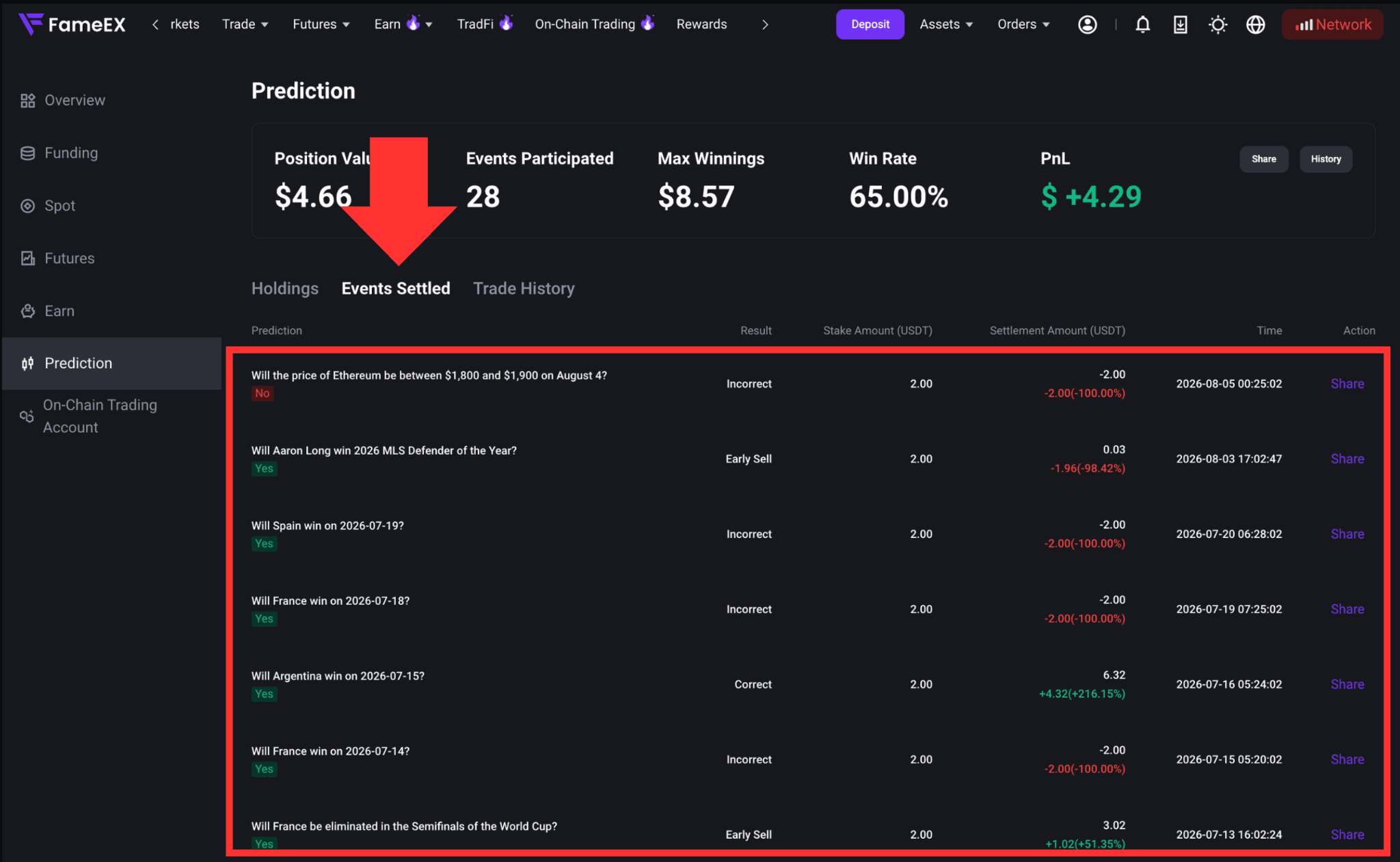
Go to [My Orders] and select [Events Settled] to view events that were sold early or have completed settlement. The result may be shown as an early sale, correct prediction, or incorrect prediction. A position sold before the final event settlement is not considered a prediction held until settlement. Therefore, it is not included in the win rate for predictions held through settlement.
5. Why Can't I Sell My Holding Early?
If you are unable to sell your holding early, common reasons may include:
- The event has stopped trading or entered the settlement process.
- Market liquidity is insufficient.
- There is currently no available counterparty.
- The market price is changing rapidly, so the order cannot be filled under the current conditions.
- FameEX has temporarily suspended trading for the event due to its status or other abnormal circumstances.
If the sell order fails, check whether the event is still open for trading and try again later.
Risk Warning: Prediction Market prices may fluctuate rapidly due to event developments, market information, and liquidity. Early sell orders may not be filled. The actual amount received may also be lower than your original buy amount. Please make sure you understand the relevant risks before trading.
*Feature names and page locations may change following platform updates. Please refer to the latest interface for the most accurate information.