How to Deposit Crypto on FameEX? (Web)
2026-09-07 07:36:501. What Is the Crypto Deposit?
Deposit means transferring cryptocurrencies such as BTC or USDT from another trading platform or personal wallet to your FameEX account. Once the deposit is credited, you can use the assets for trading or other features on FameEX.
2. What Should You Check Before Making a Deposit?
Before making a deposit, make sure FameEX supports the selected coin and deposit network. The withdrawal network selected on the sending platform must match the deposit network selected on FameEX. Please also check the deposit address carefully. Some coins or networks require additional information such as a TAG or MEMO. If this information is shown on the FameEX deposit page, make sure it is entered correctly on the sending platform.
If the page shows a minimum deposit amount or other deposit requirements, follow the instructions shown on the page. Using the wrong coin, network, deposit address, or TAG/MEMO may prevent the deposit from being credited. In some cases, the assets may not be recoverable.
3. How to Deposit Crypto to FameEX?
The following example shows how to deposit USDT from another platform to FameEX. When making your own deposit, select the coin and network that match your needs.
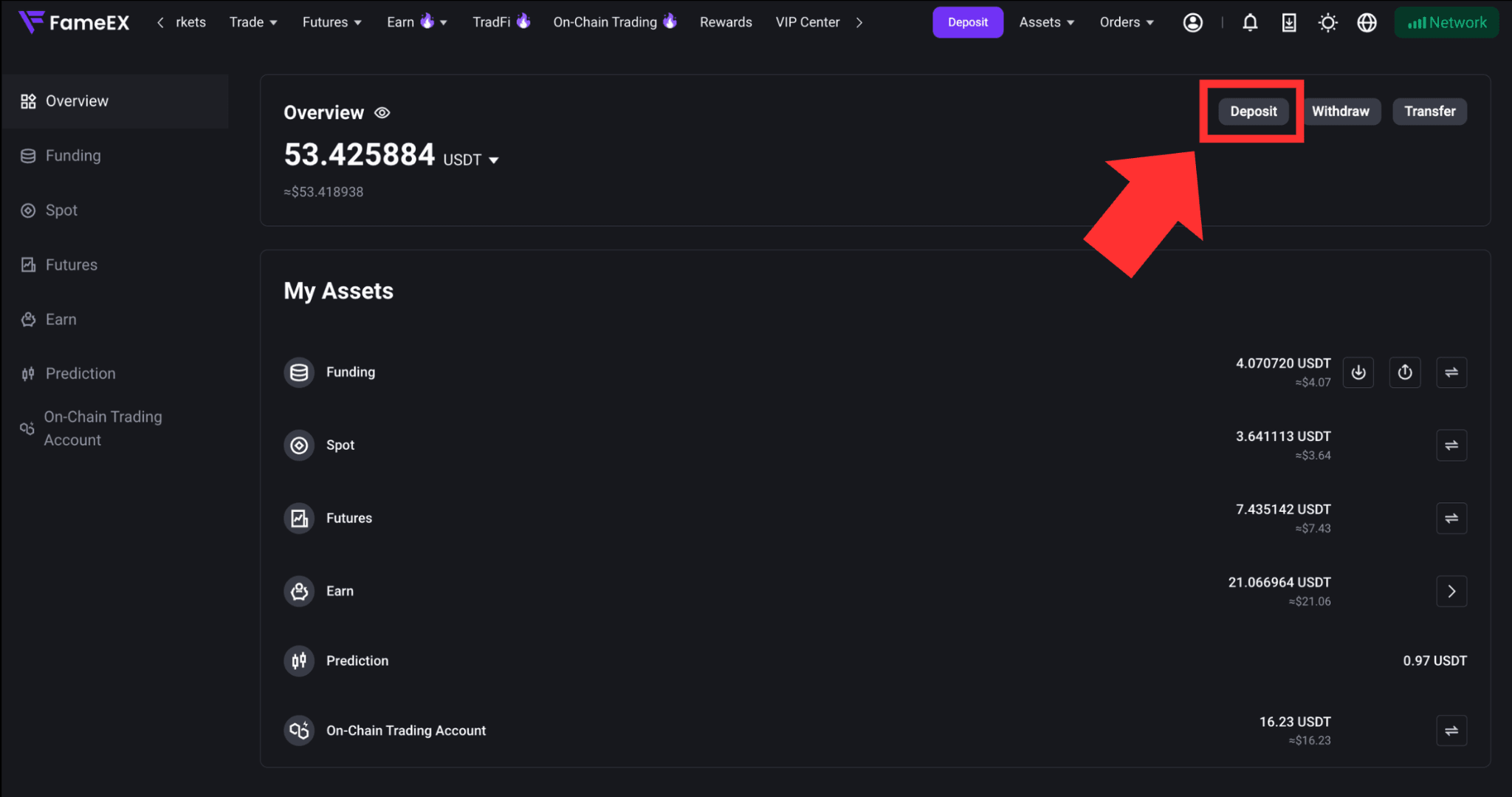
1) Log in to the FameEX website. Click [Assets] in the upper-right corner and select [Deposit] on the Assets page. You can also click the [Deposit] button on the page to go directly to the deposit page.

2) On the deposit page, you will see [Select Channel]. You can choose [On-Chain Deposit] or [OTC Trading].
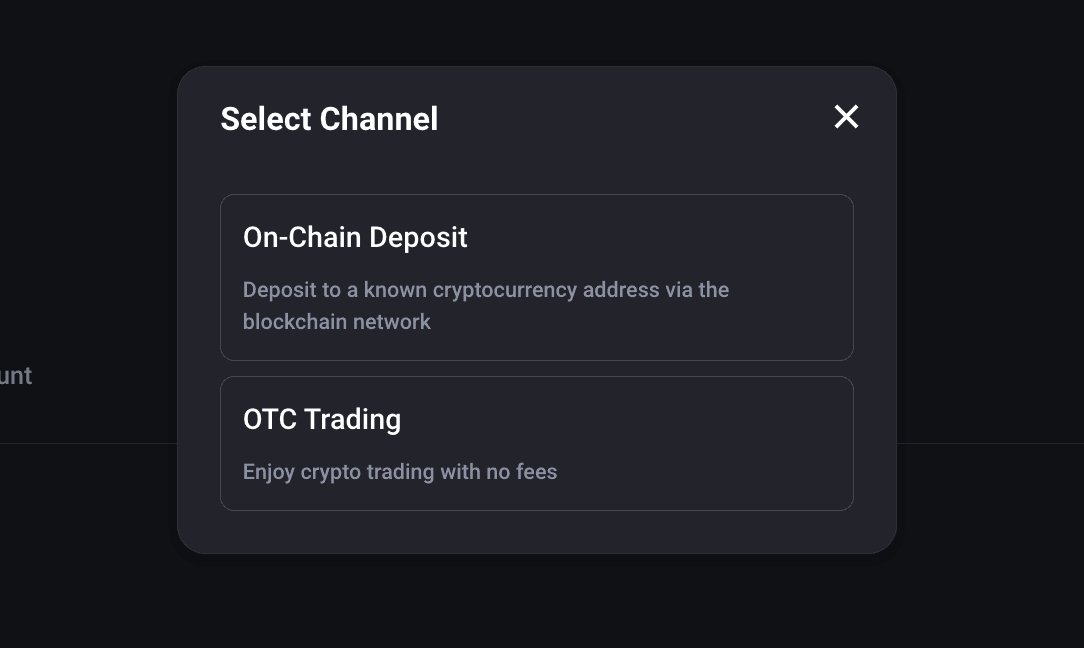
- [On-Chain Deposit] allows you to transfer crypto from another trading platform or personal wallet to FameEX through a blockchain network.
- [OTC Trading] allows you to purchase crypto using the payment methods currently supported by the platform. Available payment methods, fiat currencies, and transaction limits are subject to the information shown on the page.
The steps below use an on-chain USDT deposit as an example to show how to transfer assets from another platform to FameEX. When making your own deposit, select the coin and network that match your needs.
3) After selecting the deposit coin and network, the corresponding FameEX deposit address will be displayed. Click [Copy] to copy the deposit address. Then paste it into the withdrawal address field on the sending platform or wallet. If the sending platform supports QR code scanning, you can also scan the QR code shown on the FameEX deposit page.
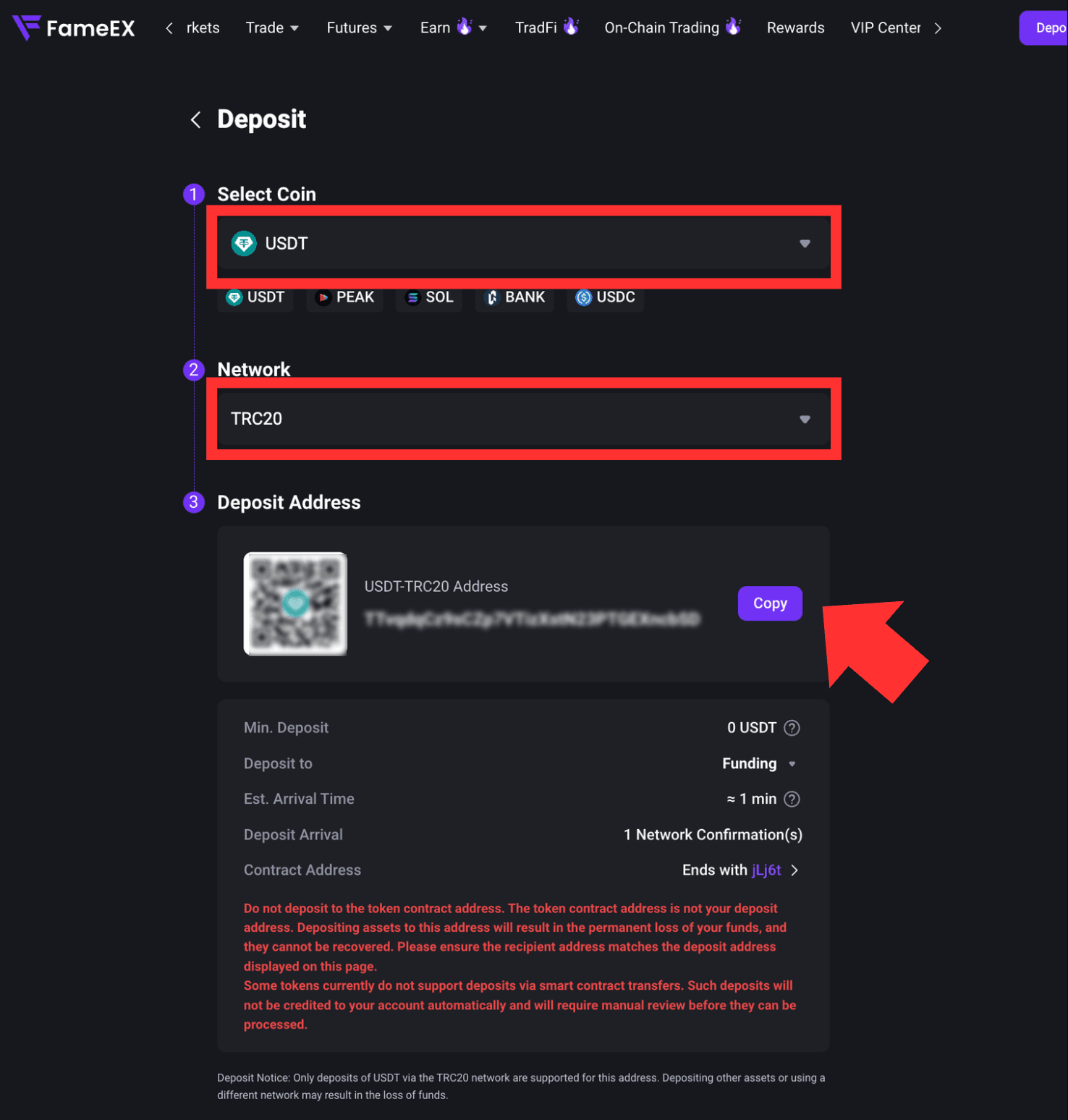
Some tokens currently do not support deposits through smart contract transfers. Deposits sent through a smart contract will not be credited automatically and must be reviewed manually. Before making a deposit, check the deposit requirements for the selected coin and network. Please refer to the FameEX deposit page for the latest information.
4) Submit Your Withdrawal on the Sending Platform
Return to the sending platform or wallet. Enter your FameEX deposit address, select the same blockchain network, and enter the withdrawal amount. After confirming that the information is correct, follow the instructions on the sending platform to submit the withdrawal.
5) Complete Verification and Wait for the Deposit
Follow the instructions on the sending platform to complete the required verification and submit the withdrawal. Once the transaction enters the blockchain network, the deposit will be credited after it reaches the required number of network confirmations on FameEX. If you have questions about the withdrawal process on the sending platform, please contact the relevant platform or wallet provider for assistance.
4. How to View Deposit Records on FameEX?
After completing a deposit, go to the FameEX [Deposit] page to view your recent deposit records at the bottom of the page.
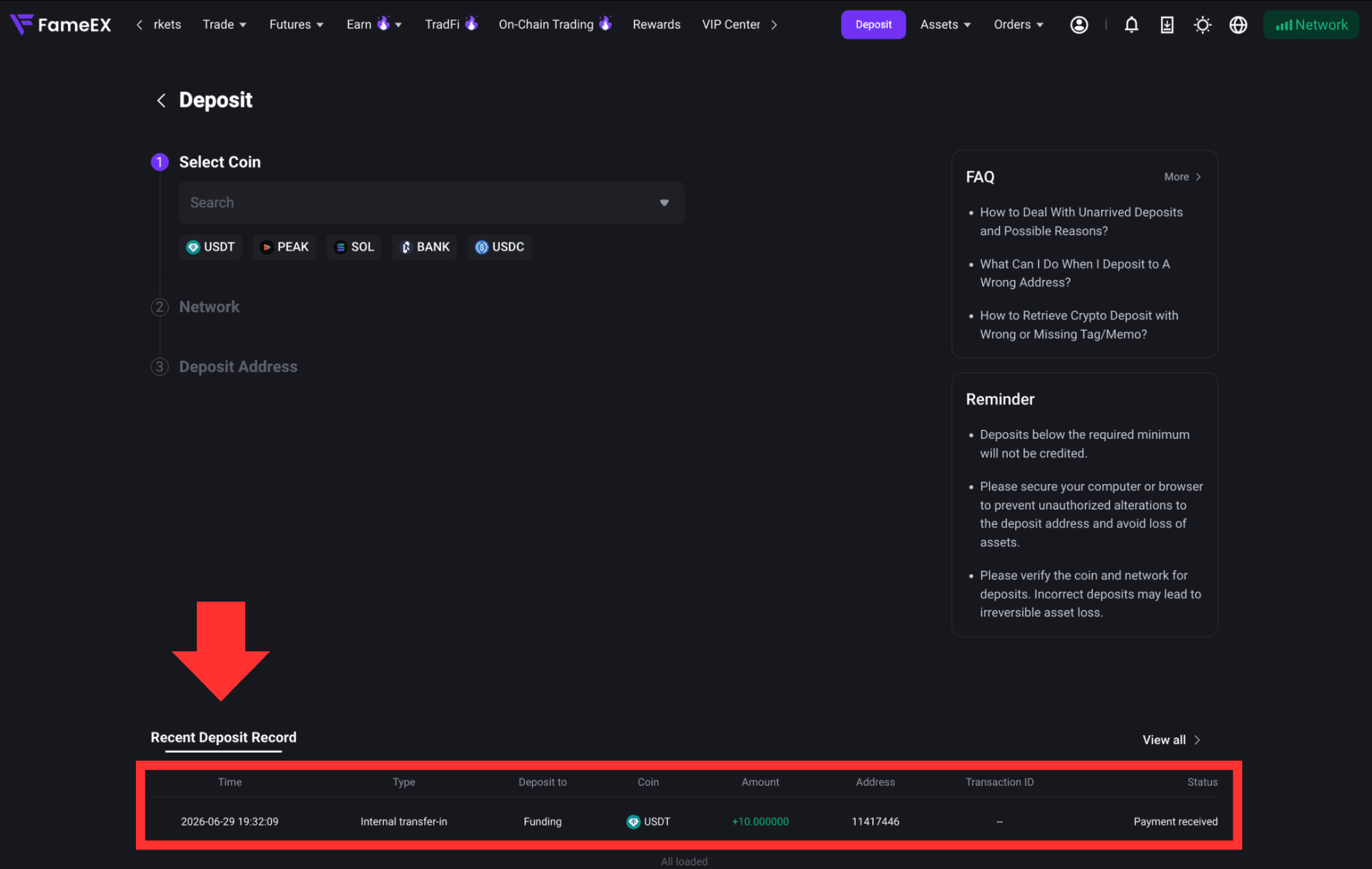
To view more records, click [View All] on the right. You can check details such as the deposited coin, amount, time, type, address, transaction address, and deposit status.
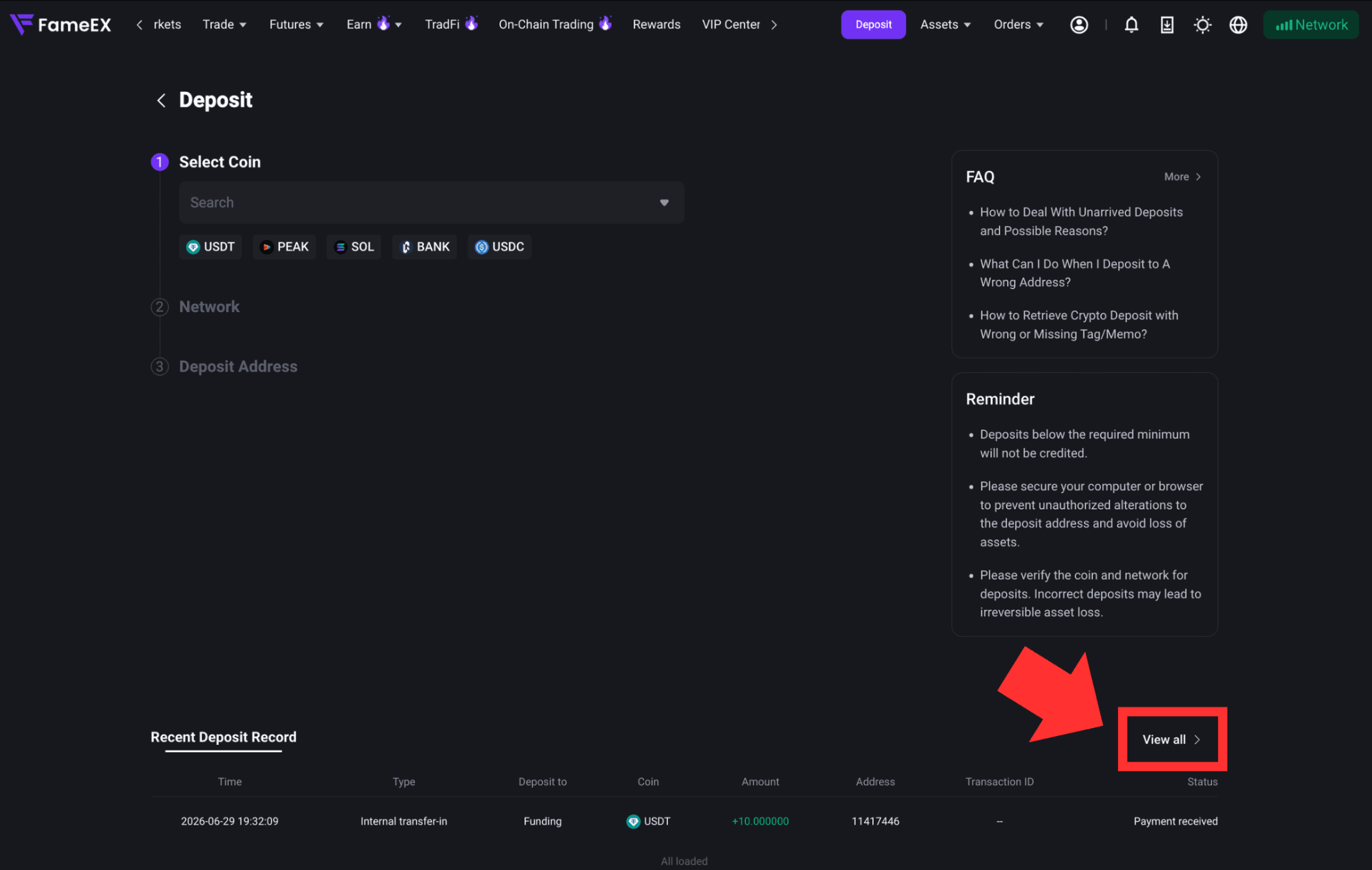
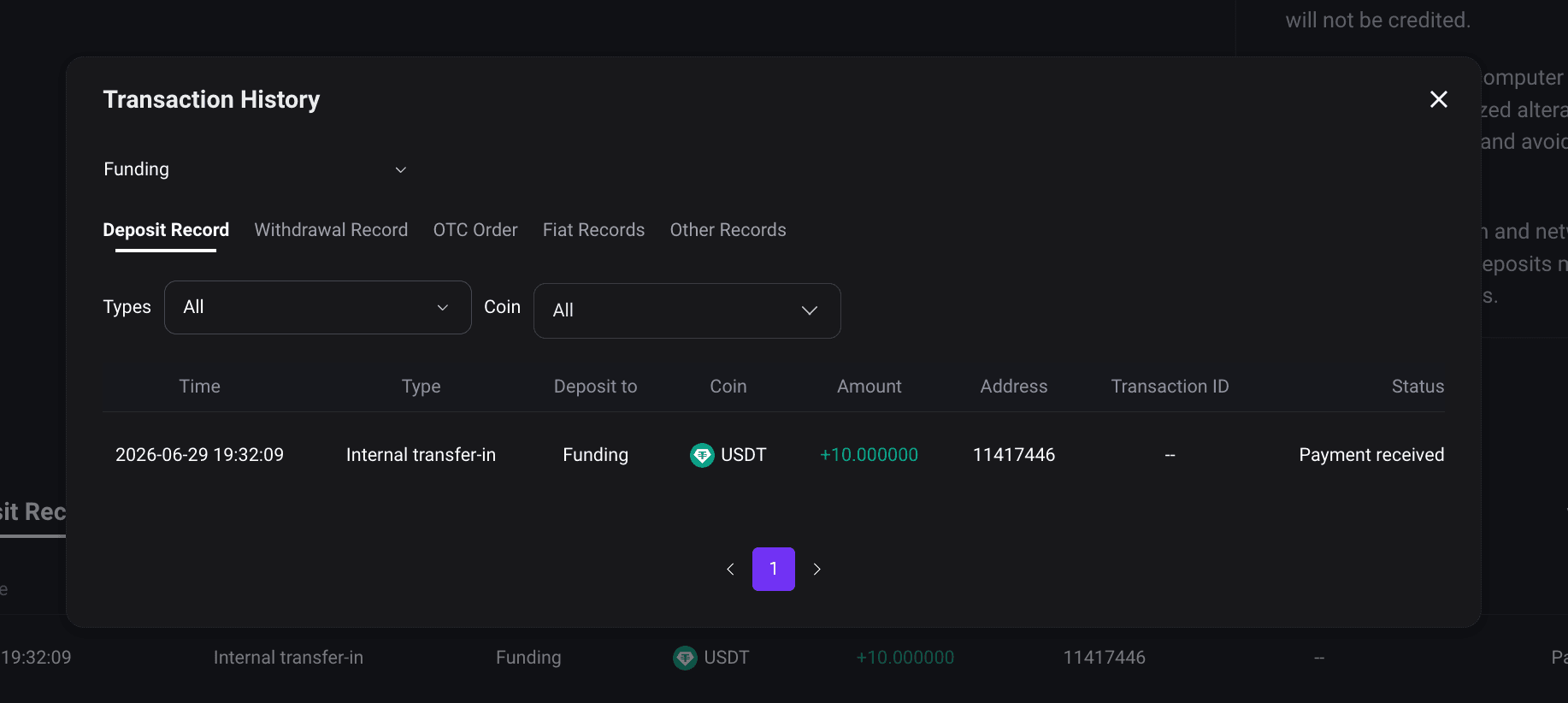
If the sending platform shows that the withdrawal has been completed but the deposit has not yet been credited to FameEX, you can first check the deposit record for its current status.
5. What Should You Do If a Deposit Is Not Credited?
If your deposit has not been credited, first check whether the withdrawal has been completed on the sending platform. Make sure the deposit coin, network, address, and TAG/MEMO are correct. You should also check whether the blockchain transaction has reached the required number of network confirmations.
If all information is correct but the deposit is still not credited, please contact FameEX Customer Support and provide the deposit coin, amount, network, deposit address, TxID, and other relevant information so the team can investigate further.
For more information about possible causes and solutions, please refer to “How to Deal With Unarrived Deposits and Possible Reasons?”
Notes
Before making a deposit, please confirm the deposit coin, blockchain network, deposit address, and TAG/MEMO. Supported coins, networks, and deposit requirements are subject to the information shown on the FameEX deposit page.
*Feature names and page locations may change as the platform is updated. Please refer to the current interface for the latest information.