How to Change Your FameEX Account Mobile Number? (App)
2026-10-12 07:15:25If you need to change the mobile number currently linked to your FameEX account, update it in your account security settings. Before making the change, your account must have either an email address or Google Authenticator linked for security verification.
How to Change the Mobile Number Already Linked to Your FameEX Account?
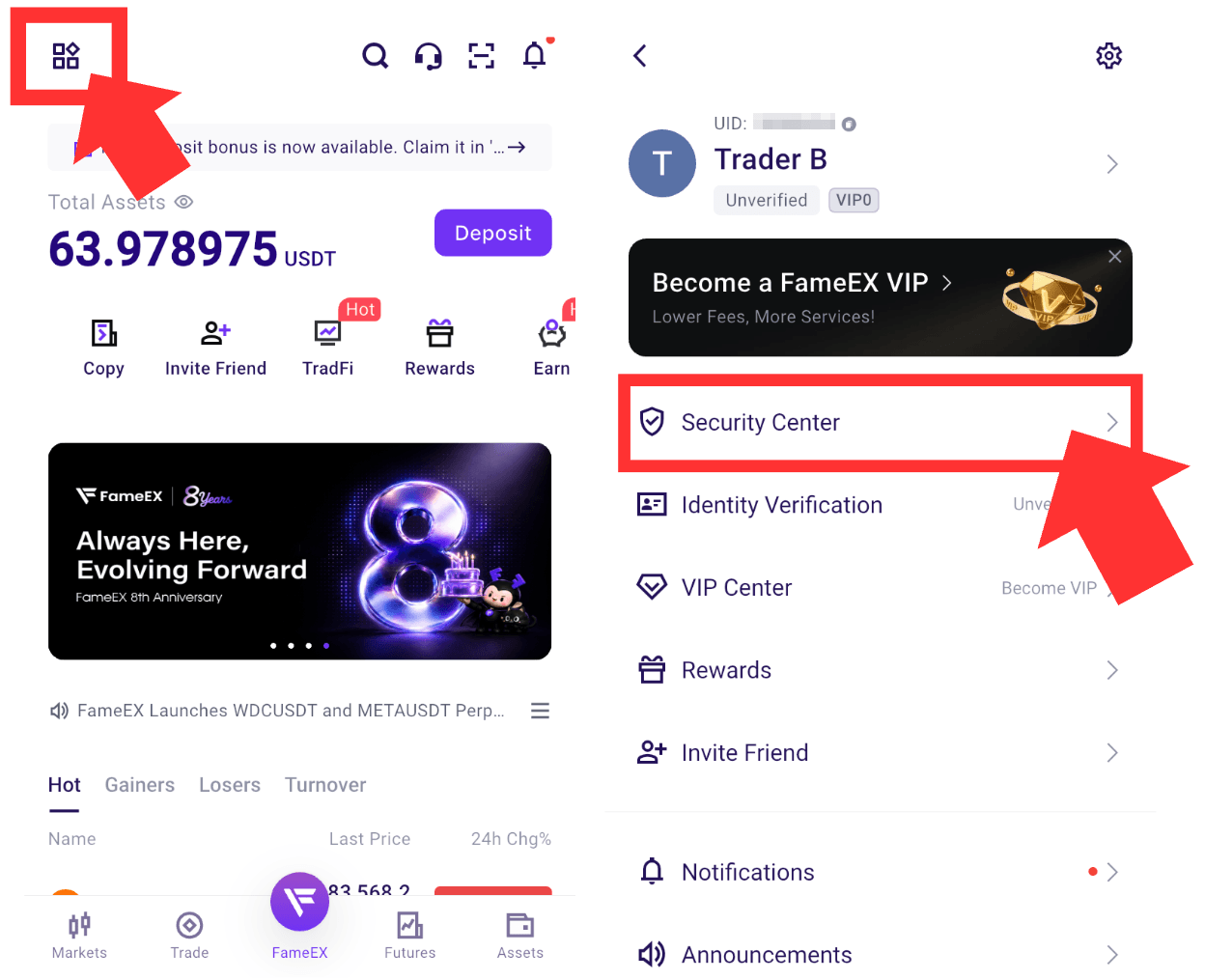
1) Open the FameEX App and log in to your account. Tap the [User Center] icon in the upper-left corner. Then tap [Security Center] on the list.
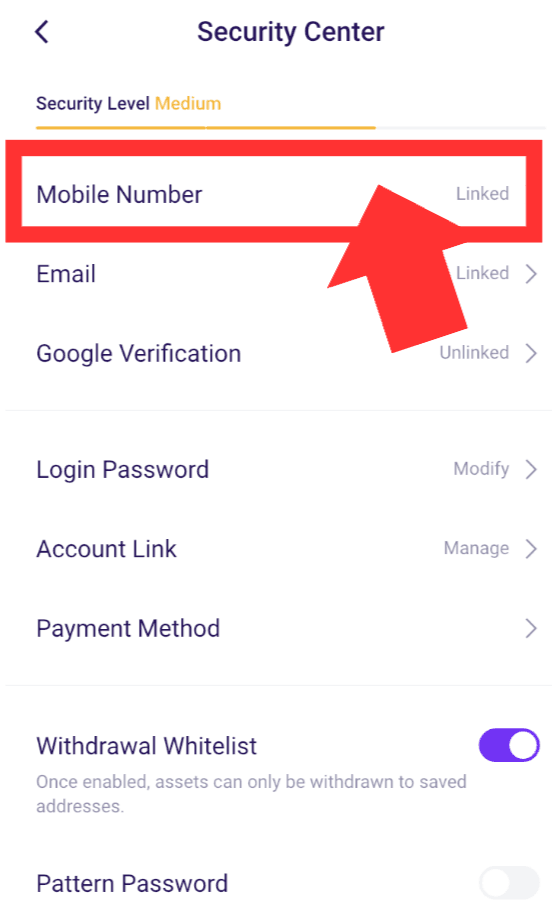
2) On the [Security Center] page, find [Mobile Number] and tap it to enter the [Mobile Number Verification] page.
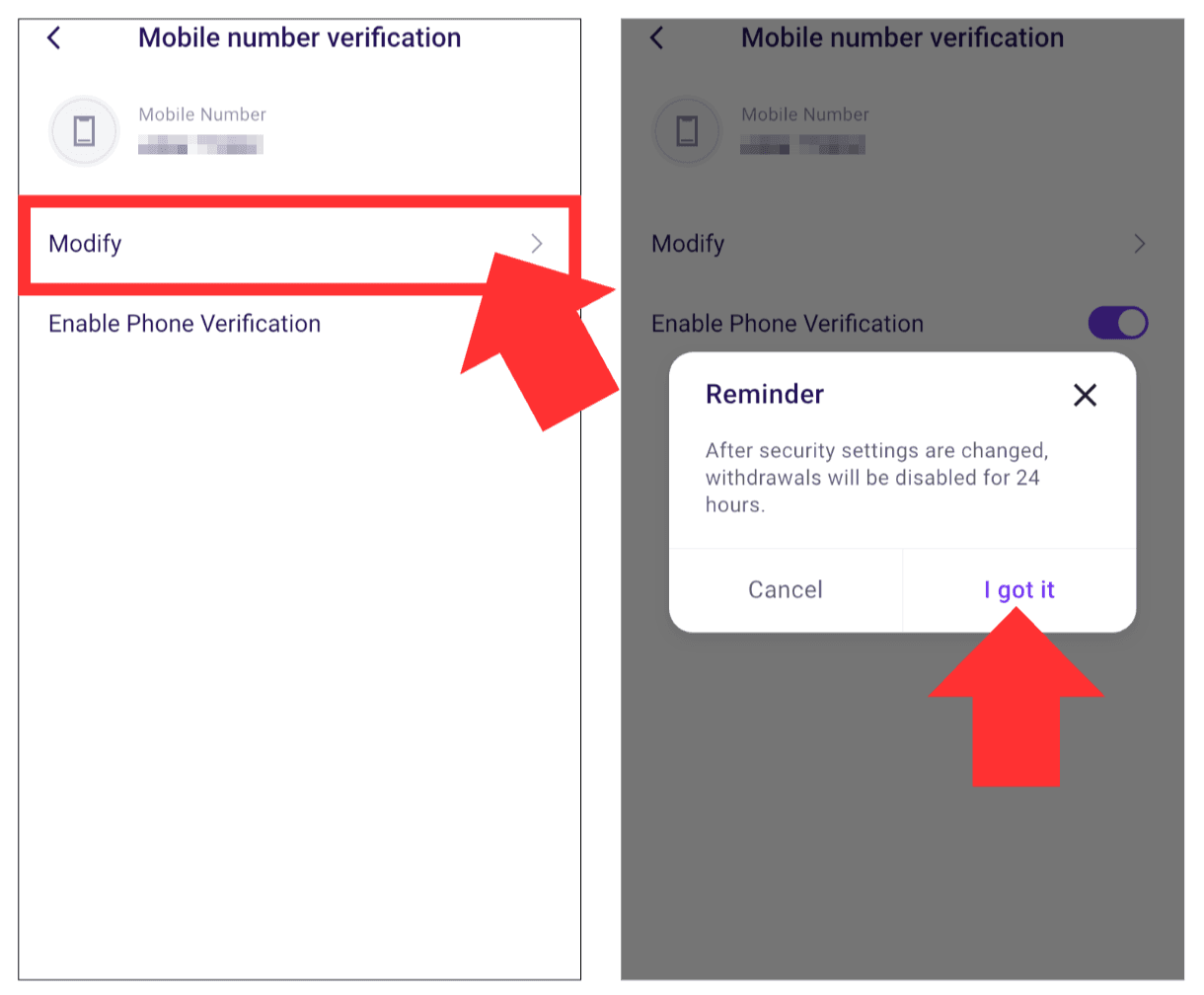
3) On the [Mobile Number Verification] page, confirm your currently linked mobile number and tap [Modify]. A reminder will appear stating that withdrawals will be unavailable for 24 hours after the security settings are changed. Review the notice and tap [I got it] to continue the mobile number change.
4) On the [Modify Mobile Number] page, tap [Send]. Enter the [Current Mobile Number Verification Code] sent to your currently linked mobile number.
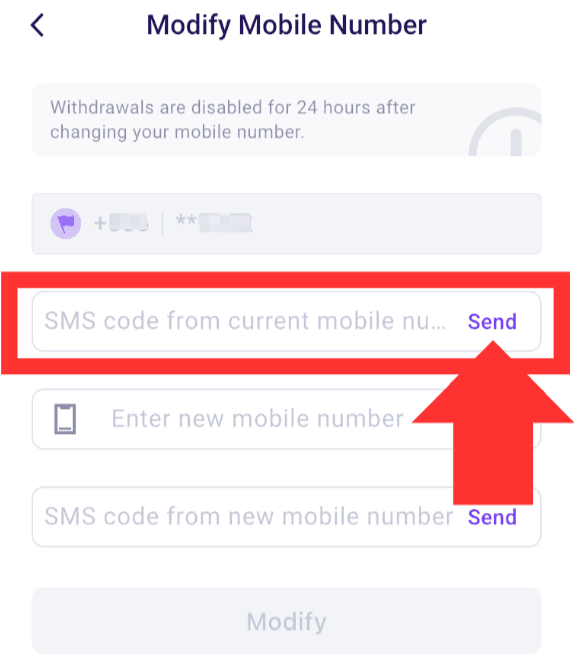
5) Enter your new mobile number. If the new number uses a different country or region code, select the correct code before entering the number. Make sure both the mobile number and country or region code are correct. Also make sure the new number can receive SMS verification codes. Tap [Send], then enter the [New Mobile Number Verification Code] sent to your new number.
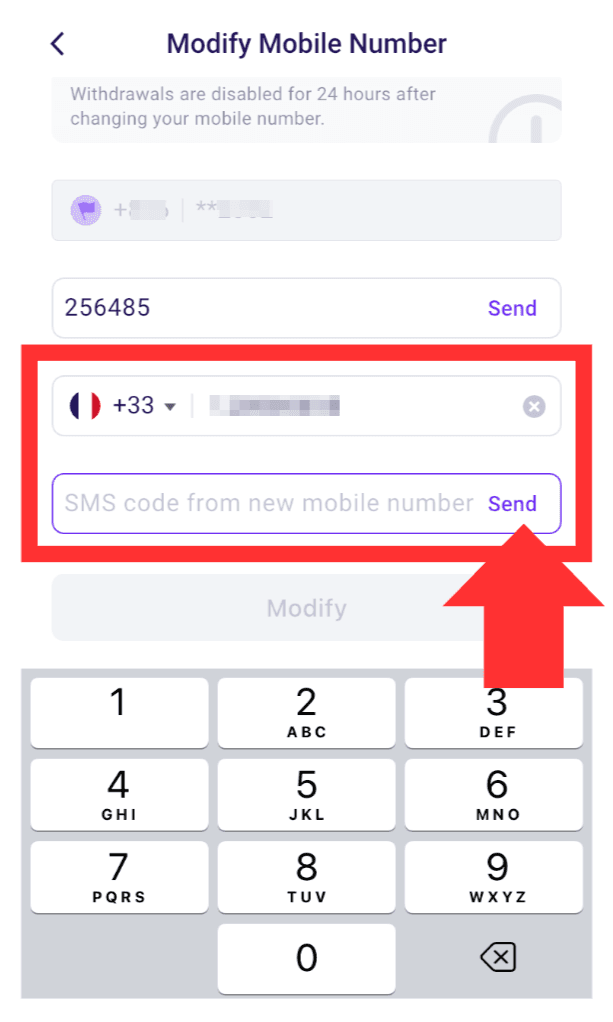
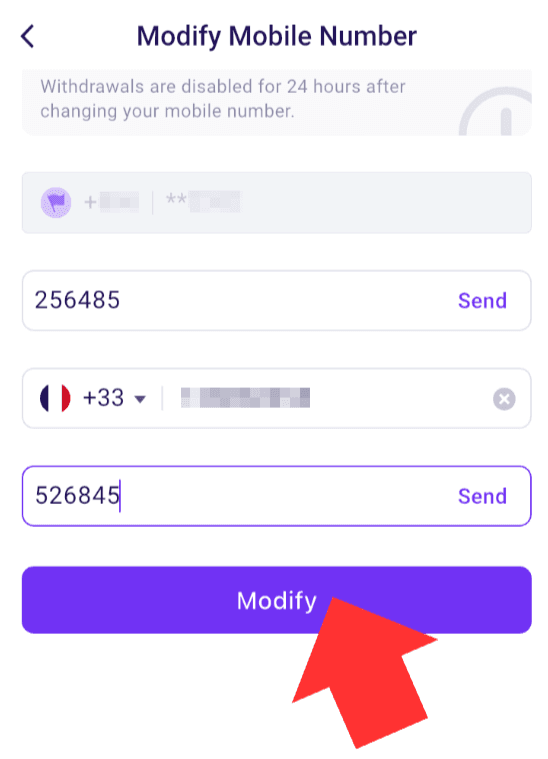
6) Confirm that the current mobile number verification code, new mobile number, and new mobile number verification code are correct. Then tap [Modify] to complete the mobile number change.
Important Notes
- Before changing your mobile number, your FameEX account must have either an email address or Google Authenticator linked for security verification.
- Make sure both your current and new mobile numbers can receive SMS verification codes. Complete the verification within the valid period of each code.
- After your mobile number is successfully changed, withdrawals from the account will be suspended for 24 hours to protect your account and assets.
- If you no longer have access to your current mobile number, cannot receive an SMS verification code, or cannot complete the required security verification, please contact FameEX Online Support for assistance.
- Do not share your SMS verification codes, Google Authenticator codes, login password, or other account security information with anyone.
Frequently Asked Questions
Q1: Can I Withdraw Funds Immediately After Changing My Mobile Number?
A: No. After your mobile number is successfully changed, withdrawals from the account will be suspended for 24 hours to protect your account and assets. Withdrawals will resume after the security protection period ends.
Q2: Can I Change My Mobile Number If I No Longer Have Access to My Current Number?
A: If you can no longer receive verification codes through your current mobile number, you may not be able to complete the standard mobile number change process. Please contact FameEX Online Support for assistance and follow the required security verification instructions.
Q3: Why Am I Not Receiving the SMS Verification Code?
A: First, make sure the country or region code and mobile number are entered correctly. Check your mobile network, SMS blocking settings, and carrier service status. Avoid requesting verification codes repeatedly within a short period. If you still cannot receive the code, please contact FameEX Online Support for assistance.
*Feature names and page locations may change as the platform is updated. Please refer to the latest information shown on the actual page.