How to Set Up the Withdrawal Whitelist on FameEX? (Web)
2026-11-11 07:55:36You can enable the withdrawal whitelist through your FameEX account security settings and add frequently used on-chain withdrawal addresses or other users’ UIDs as trusted addresses. Once the required security verification is complete, future withdrawals to these trusted addresses may require fewer verification steps.
1. What Is the FameEX Withdrawal Whitelist?
The FameEX Withdrawal Whitelist is an account security feature that allows users to save and manage frequently used on-chain withdrawal addresses or platform UIDs. By setting up trusted addresses and completing the required security verification, users can reduce repeated verification steps when withdrawing to these addresses. Since trusted addresses may be exempt from certain withdrawal verification requirements, only add addresses that you own or have confirmed are secure. Always verify the recipient information to avoid transferring assets to an incorrect address.
2. How to Enable the Withdrawal Whitelist on FameEX?
1) Go to the FameEX website and log in to your account. Click the profile icon in the upper-right corner and select [Account Management].

2) On the [Account Management] page, under [Security Settings] to enable it next to [Withdrawal Whitelist].
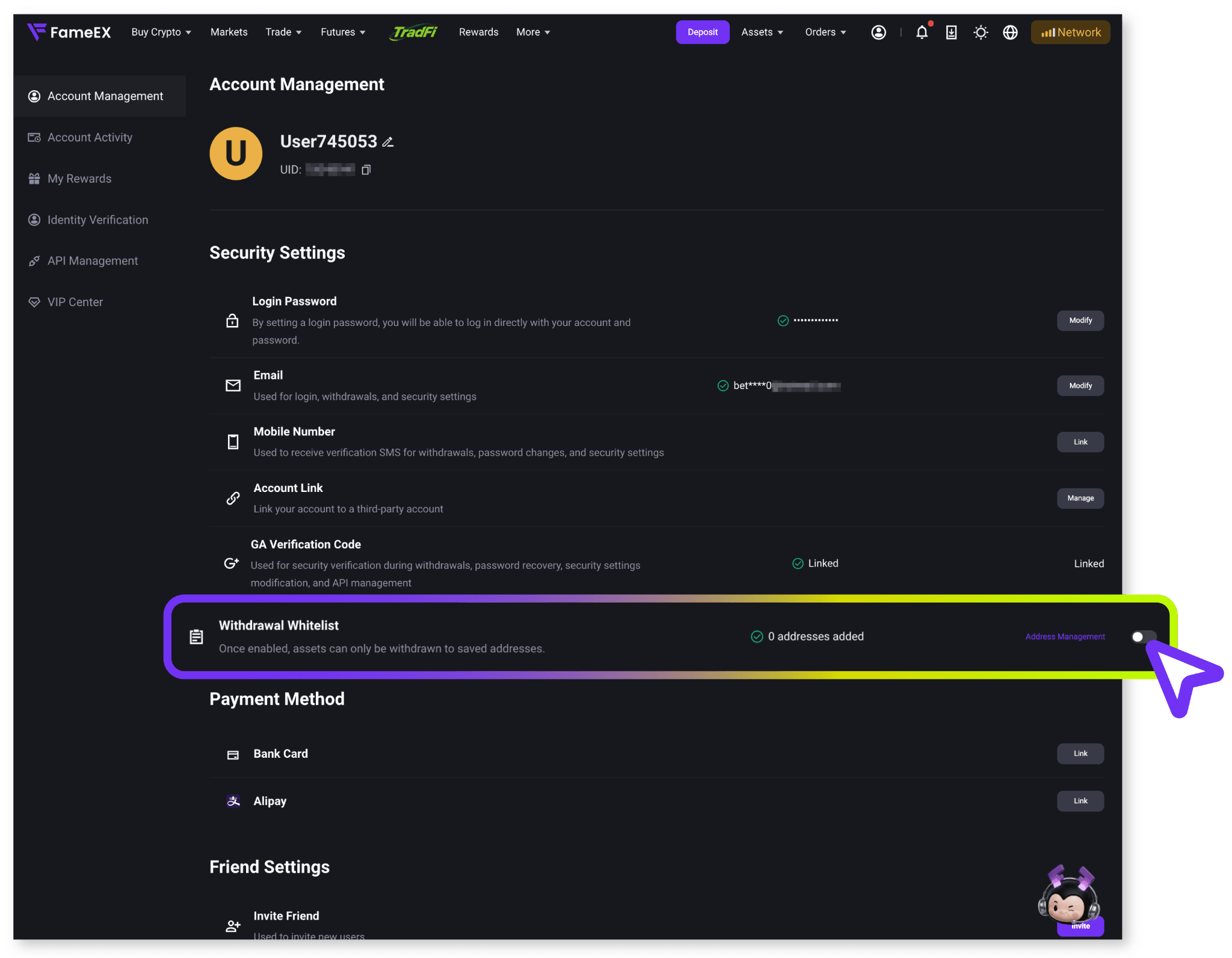
3) The system will ask you to complete account security verification. Enter the verification code sent to your linked email address or mobile number. Complete any additional verification steps shown on the page and click [Confirm].
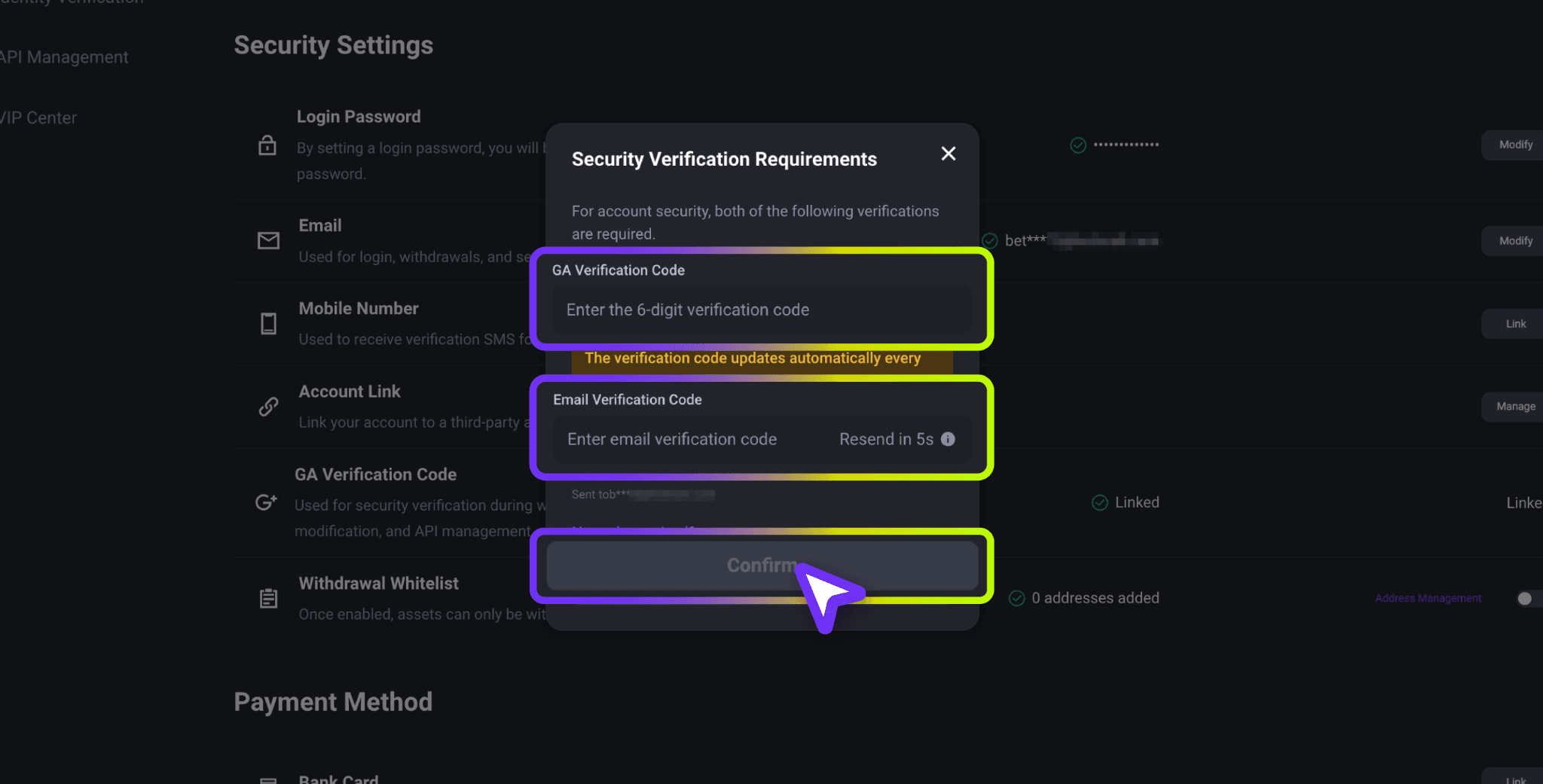
4) Once the security verification is successful, the withdrawal whitelist feature will be enabled.
3. How to Add a Withdrawal Whitelist Address?
1) Go to [Security Settings] and under [Withdrawal Whitelist], click [Address Management] to enter the address management page. Select [On-Chain Address] and click [Add Address] on the right.
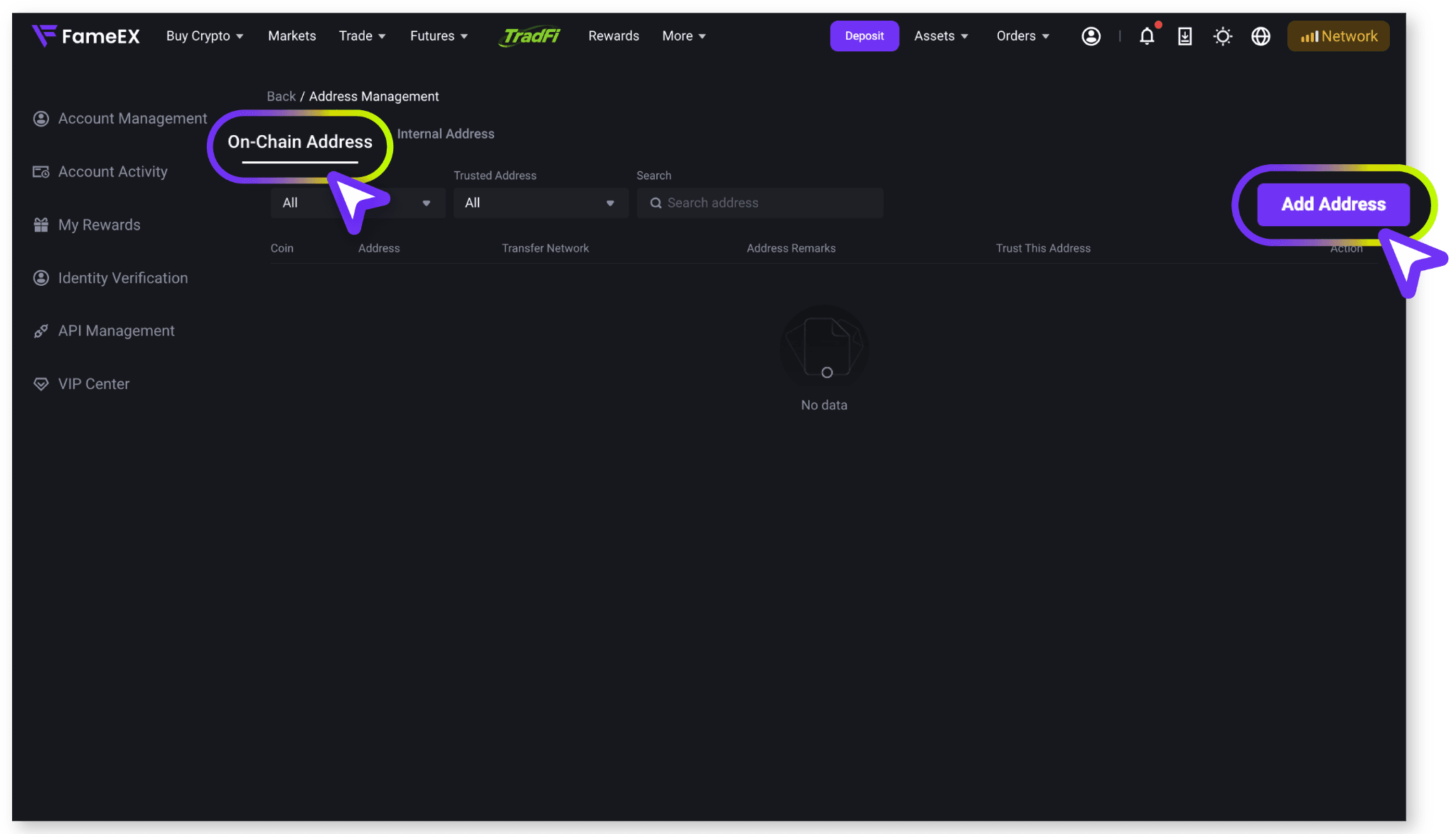
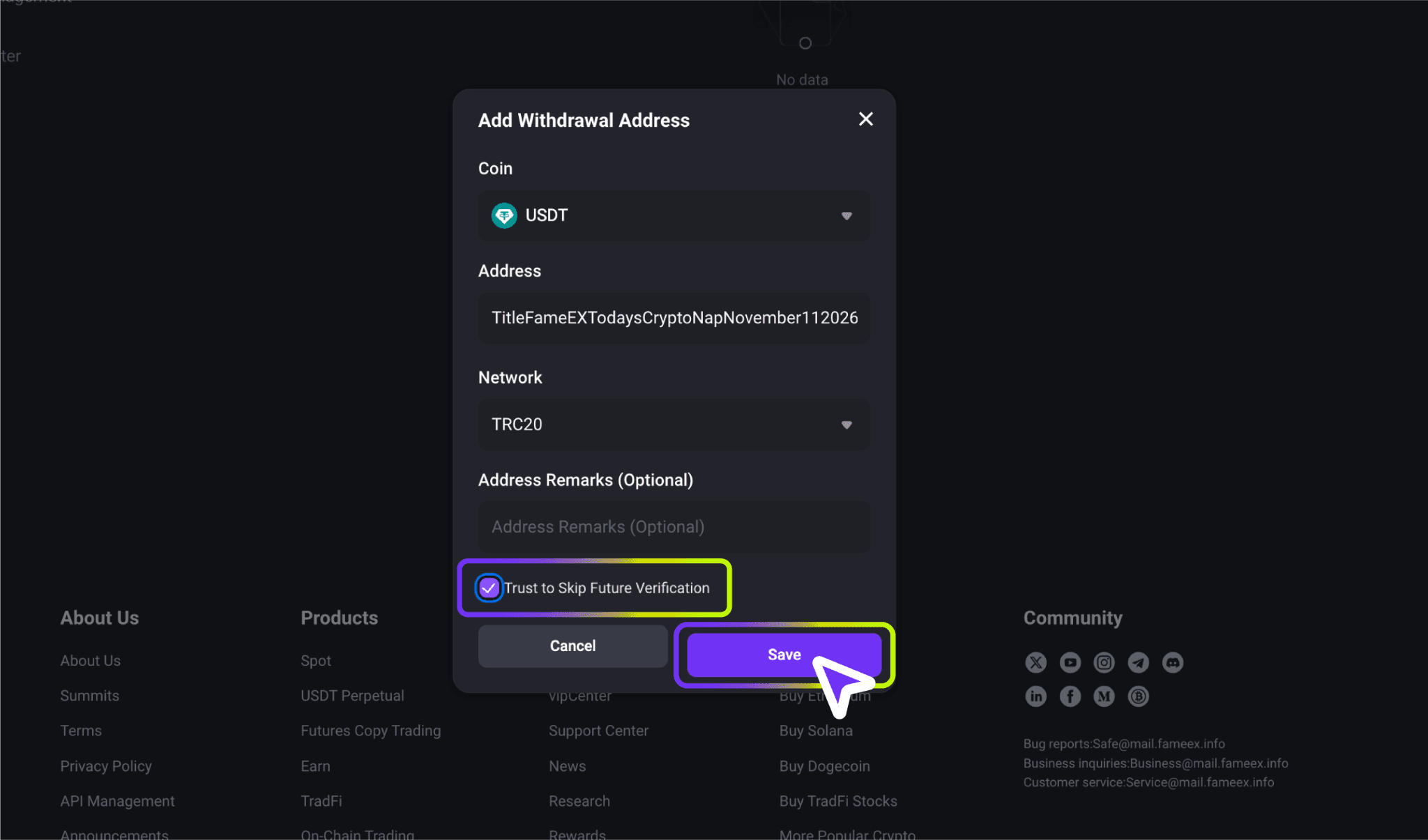
2) Select the coin and blockchain network. Then, enter the recipient's withdrawal address and an address note. Make sure the selected coin and network match the receiving address. Choosing the wrong network may result in asset loss. For easier address management, enter a recognizable name in the address note field, such as "Personal USDT Wallet".
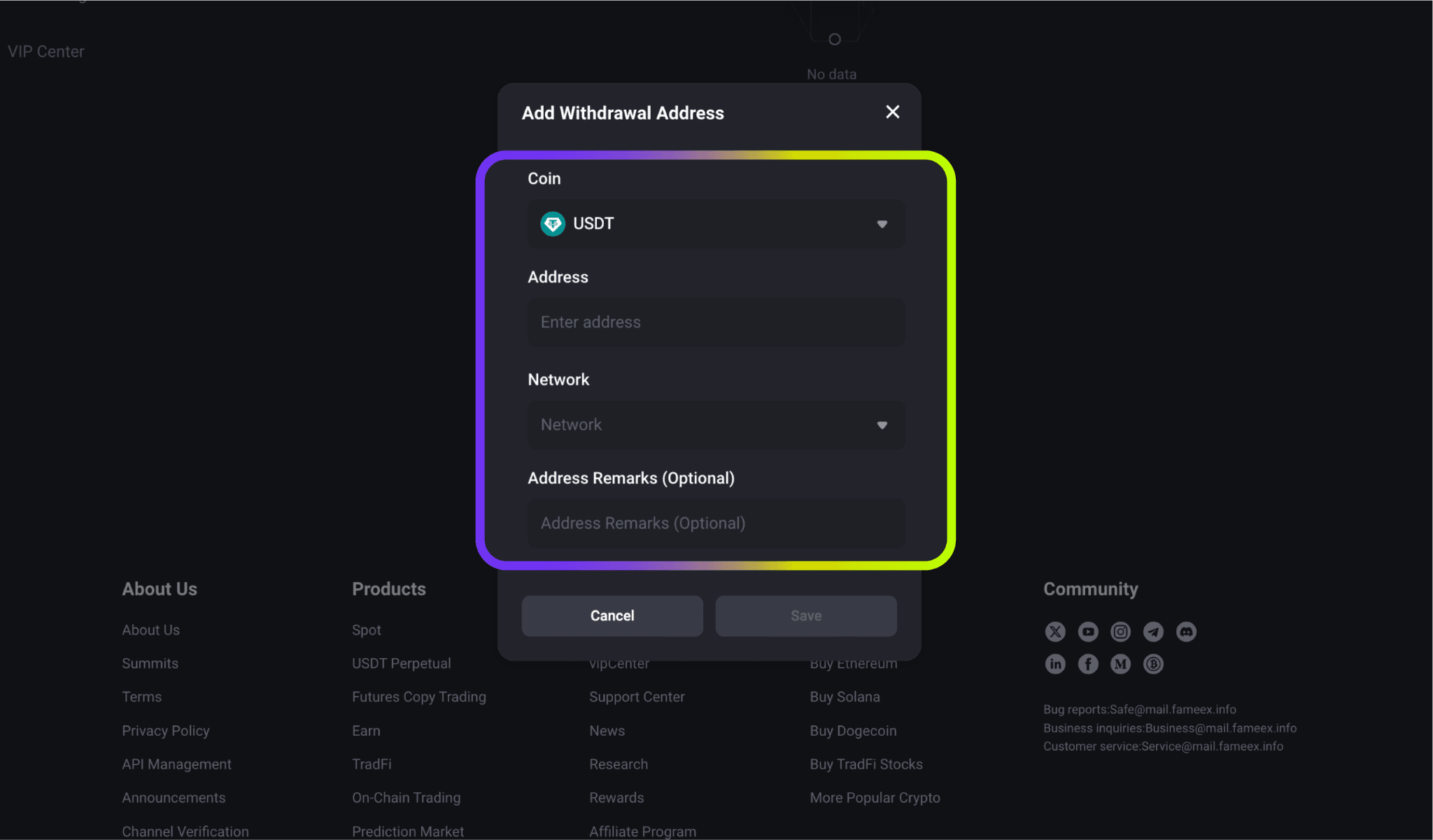
Note: Address notes are used only to identify your withdrawal addresses. They do not replace additional information required for blockchain transfers, such as a MEMO or Tag. If the receiving platform requires a MEMO or Tag, make sure to enter it correctly when making a withdrawal.
3) To add the address to your whitelist, enable [Trust This Address]. Follow the on-screen guides and click [Save].
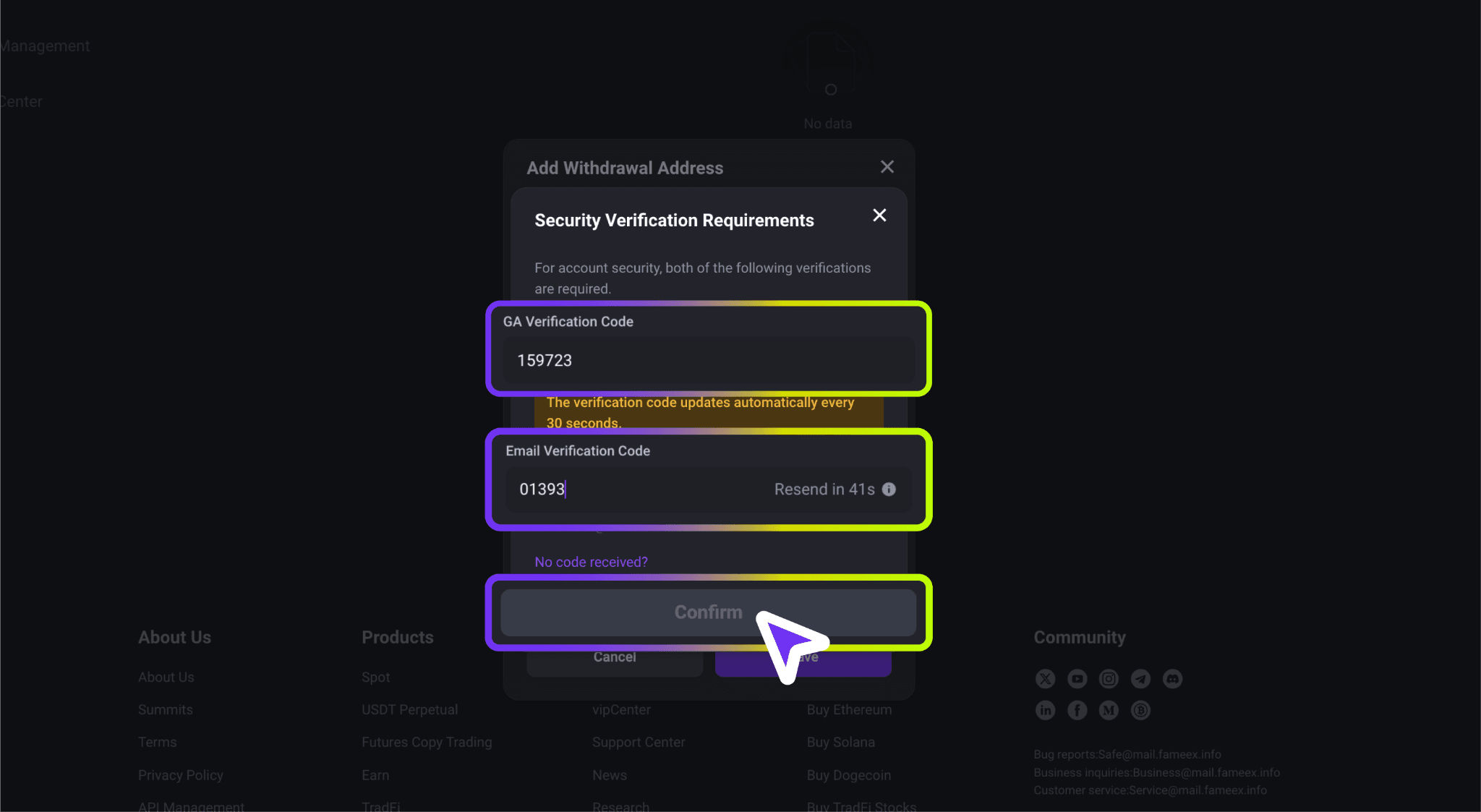
4) Complete the required security verification. Once verified, the address will be successfully added to your trusted withdrawal addresses.
After completing the setup, you can view your saved addresses under [On-Chain Address]. Use the filter to find your trusted address, or use address search to quickly find a specific address.
4. How to Add a UID to the Internal Transfer Whitelist?
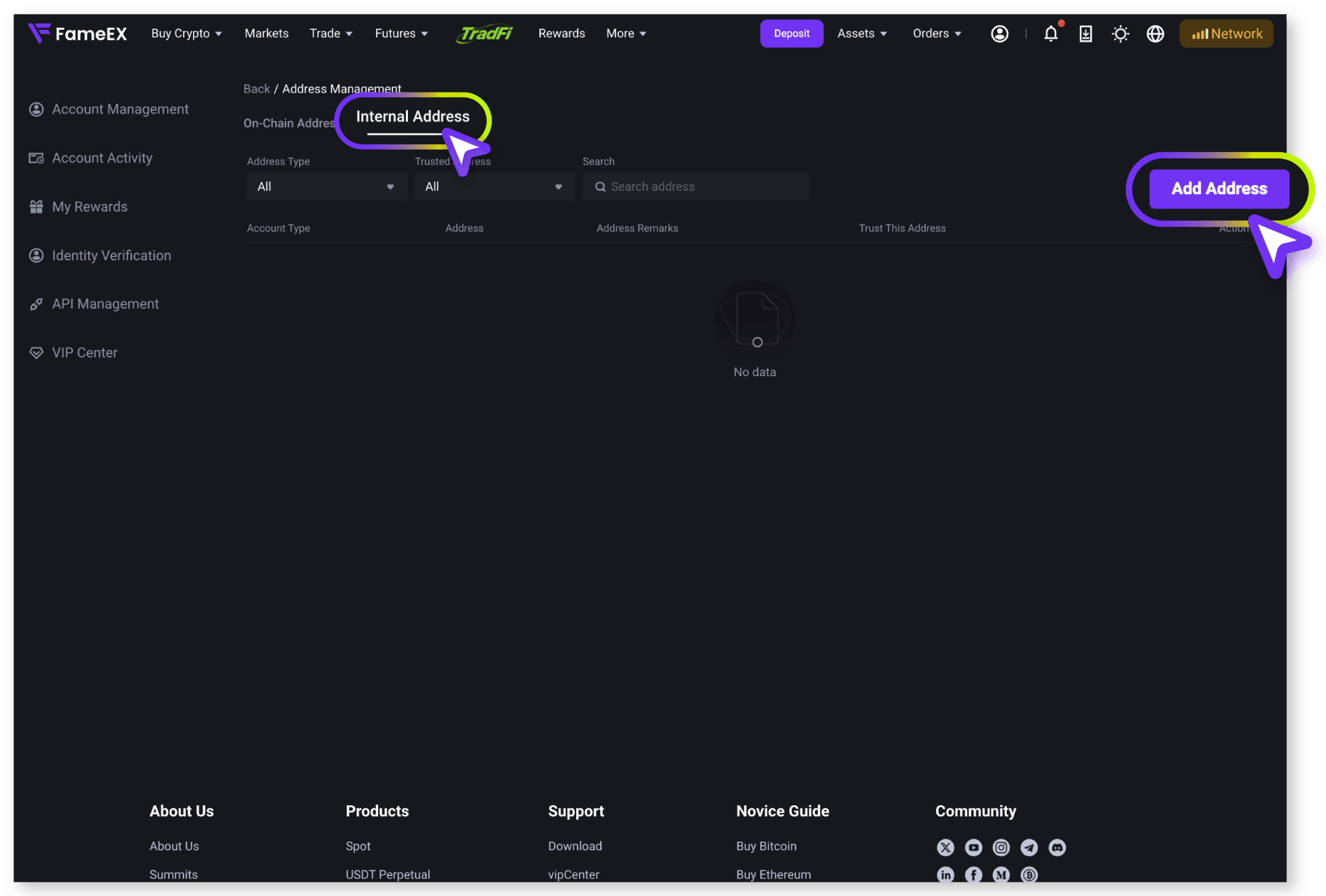
1) From [Security Settings] to [Withdrawal Whitelist], enter the [Address Management] and switch to [Internal Address]. Click [Add Address] on the right.
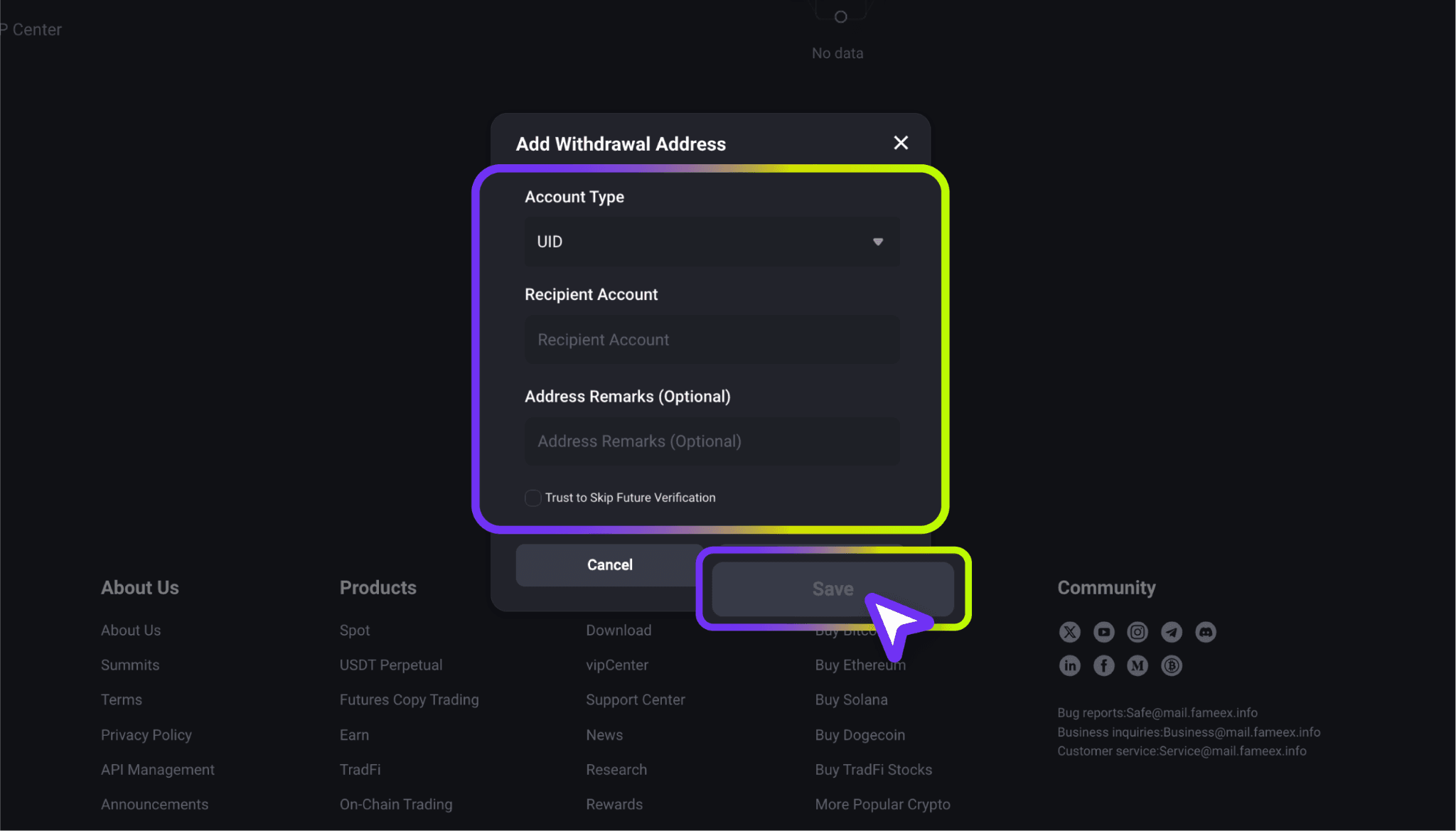
2) Select the recipient account type, such as UID, email, or phone number. Enter the recipient's FameEX UID and an address note. Make sure the account information is correct. To add this account to your whitelist, enable [Trust to Skip Verification].
3) Submit the information and follow the instructions to complete the required security verification. Once verified, the recipient will be added as a trusted internal address. You can then view the saved recipient account under [Internal Address]. Use the account type filter, trusted address filter, or search function to manage your saved addresses.
5. How to Manage or Remove Withdrawal Whitelist Addresses?
After enabling the withdrawal whitelist, you can manage your saved withdrawal addresses or disable the feature as needed.
- Delete a Saved Withdrawal Address
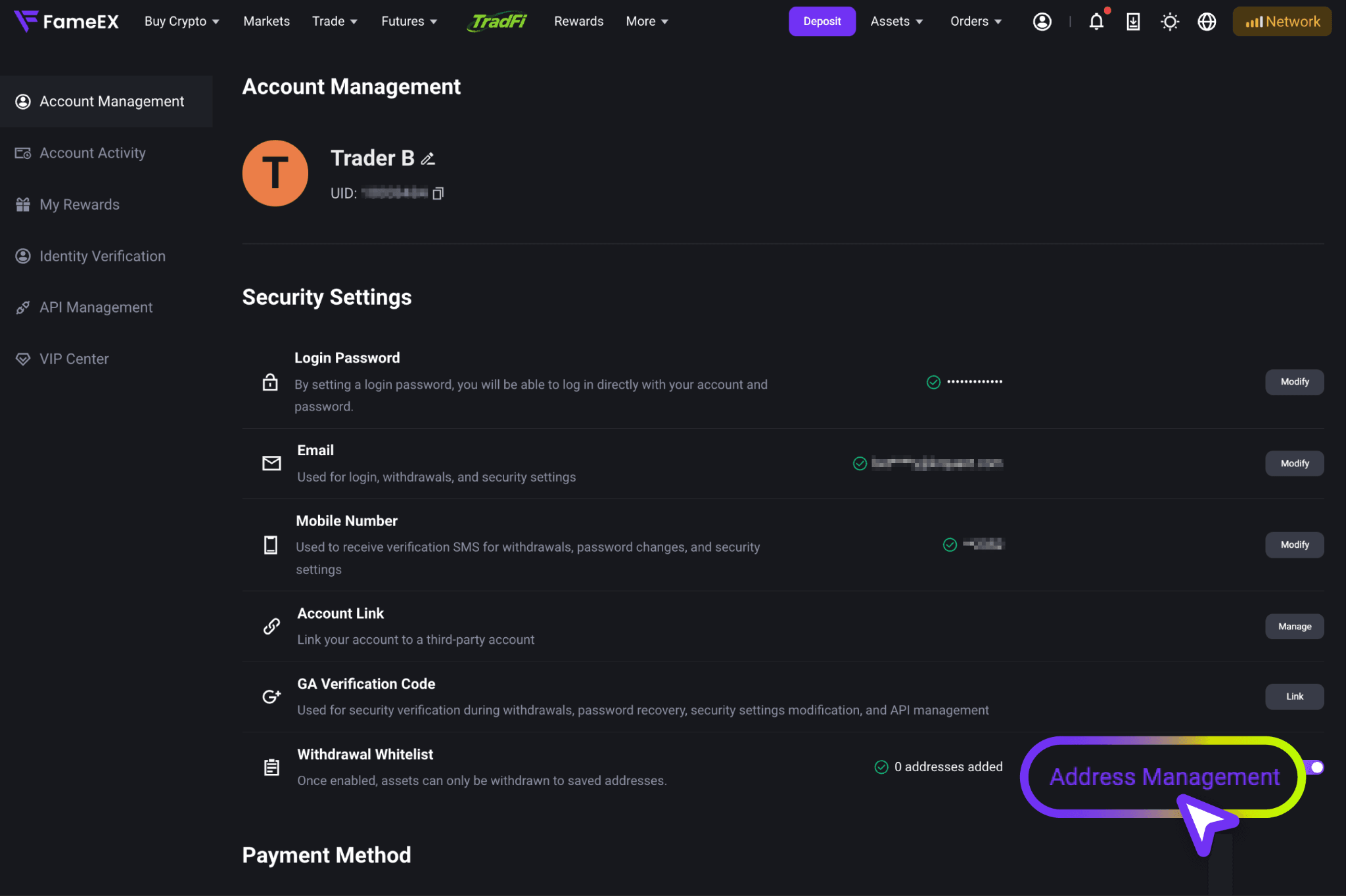
1) Under [Withdrawal Whitelist], click [Address Management].
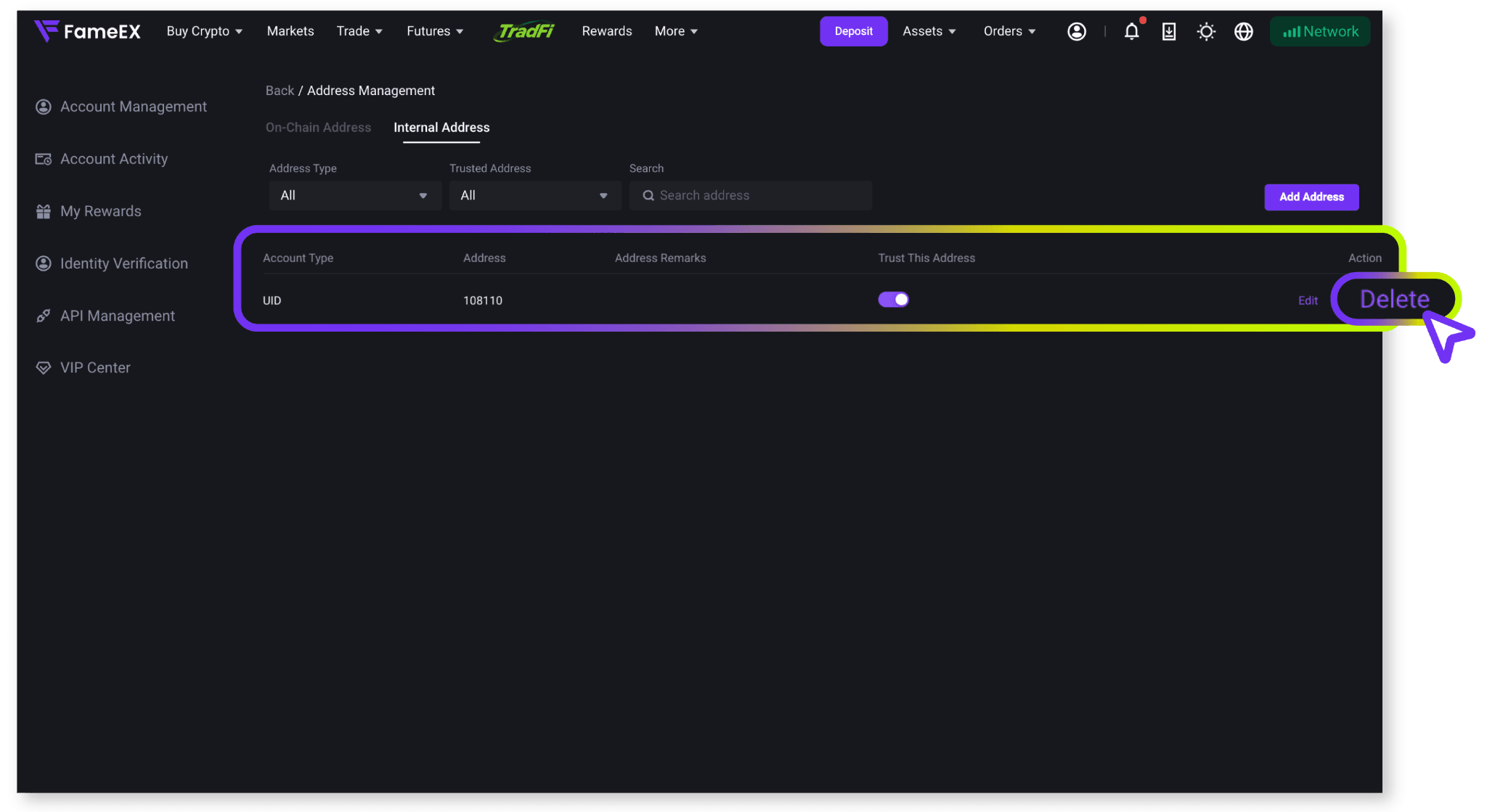
2) Find the withdrawal address you want to remove and click [Delete].
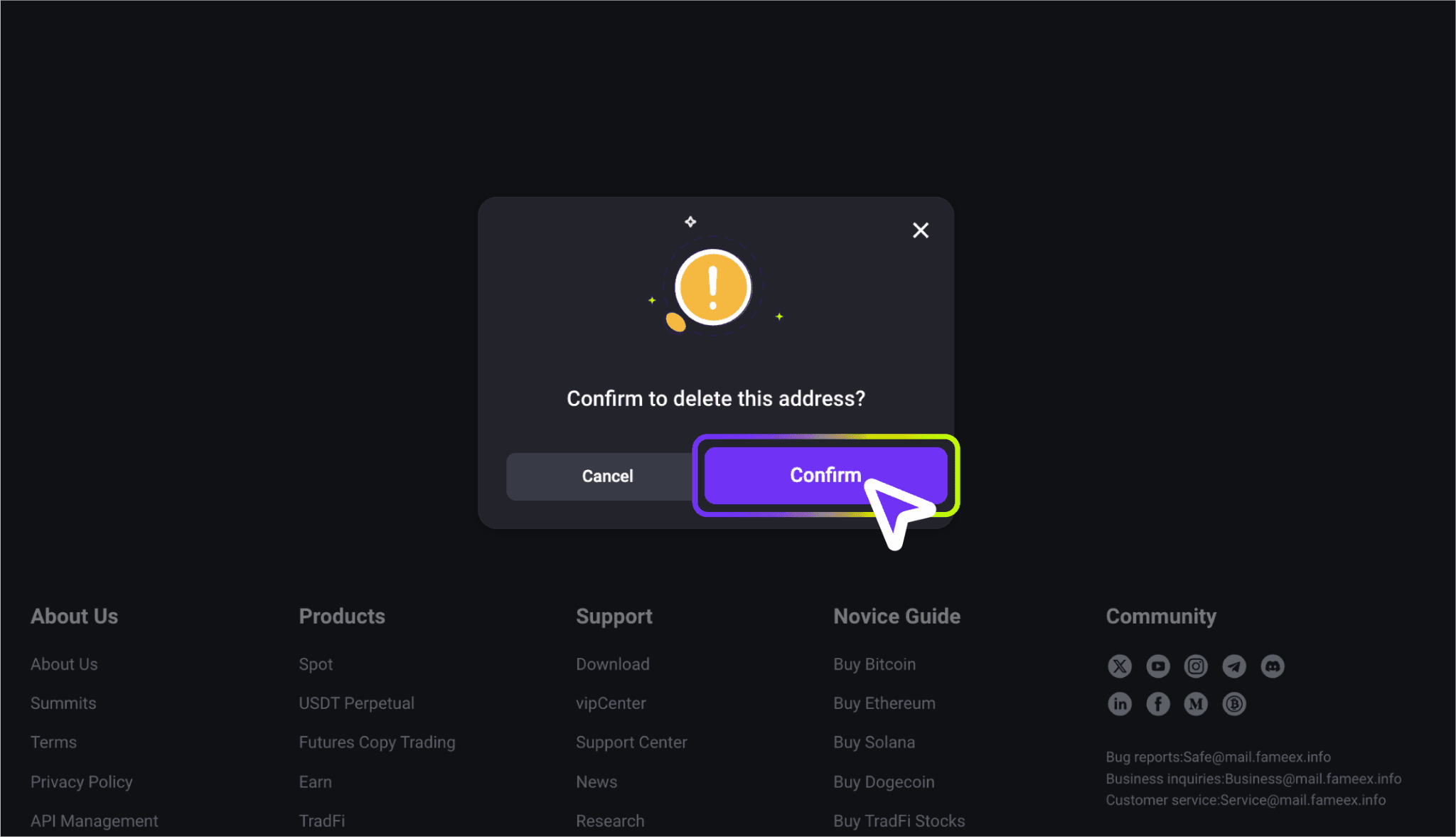
3) Confirm to remove the address. If you need to use the address again in the future, you must add it again and complete the required verification.
- Disable the Withdrawal Whitelist
1) Go to [Account Management] and locate [Withdrawal Whitelist] under [Security Settings]. Click [Disable] and follow the guides to complete the required security verification.
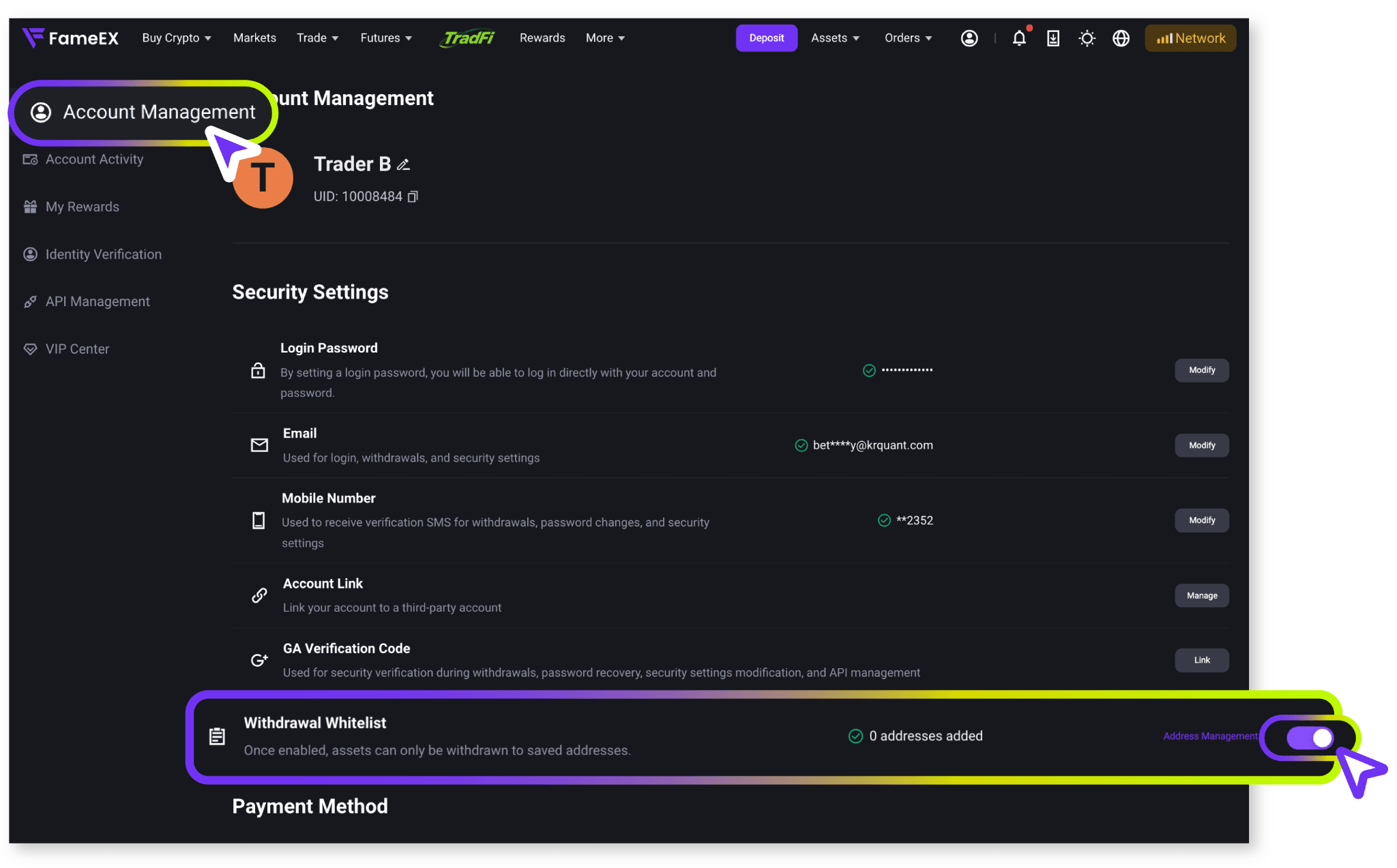
2) Once verified, the withdrawal whitelist will be disabled. Previously trusted addresses will no longer qualify for the associated verification exemptions. Future withdrawals will be subject to the platform's current security verification requirements.
6. Frequently Asked Questions (FAQ)
Q1: Do I still need security verification after adding a withdrawal address to the whitelist?
A: Once a withdrawal address has been marked as trusted and the required verification is complete, certain repeated verification steps may be waived for future withdrawals to that address. However, additional verification may still be required if account security or risk control measures are triggered. Not all withdrawals are automatically exempt from verification.
Q2: Why can't I add an address to the withdrawal whitelist?
A: First, check that the withdrawal address is correct and that the selected coin matches the blockchain network. Make sure you have also completed the required security verification. Adding a duplicate address or exceeding the maximum number of allowed addresses may also prevent you from saving a new address. If the issue persists, please contact FameEX Customer Support for assistance.
Q3: What is the difference between an address note and a MEMO or Tag?
A: An address note is used only to identify and manage saved withdrawal addresses. It does not replace a MEMO or Tag required for blockchain transfers. Some cryptocurrencies and receiving platforms use a MEMO or Tag to identify the correct recipient account. If this information is missing or incorrect, your assets may not be credited to the intended account.
Important Notes
- Before making a cryptocurrency withdrawal, your FameEX account must have at least two security verification methods enabled. If you have not completed the required setup, follow the instructions before proceeding.
- Before adding a trusted address, carefully check the coin, blockchain network, and withdrawal address. Using the wrong address or network may result in irreversible asset loss.
- Trusted addresses may be exempt from certain withdrawal verification requirements. Do not add addresses provided by unknown or unverified parties to your whitelist.
- Enabling or disabling the withdrawal whitelist and adding or deleting trusted addresses may require security verification based on your account settings.
- The maximum number of trusted addresses, verification methods, and other restrictions are subject to the information shown on FameEX.
- If you notice any unauthorized withdrawal addresses or unusual changes to your security settings, review your account security immediately and contact FameEX Customer Support.
*Feature names and page locations may change as the platform is updated. Please refer to the current interface for the latest information.