How to Use the FameEX Prediction Market? (Web)
2026-08-04 11:26:29What Is the FameEX Prediction Market?
FameEX Prediction Market is a binary-outcome market where users can use USDT to predict the outcomes of future events by selecting either "Yes" or "No". After an event ends, the system automatically processes each prediction event according to the event’s settlement rules. Users may also sell their positions before settlement to lock in gains or limit losses.
1. How to Get Started in the FameEX Prediction Market?
Your FameEX Prediction Market Account is activated automatically. When you place an order, the required USDT is automatically transferred from your Funding Account to your Prediction Market Account. After an early sale or event settlement, the funds are automatically returned to your Funding Account. No manual transfer is required. The following steps explain how to enter the market, place an order, view your predictions, sell early, and complete event settlement.
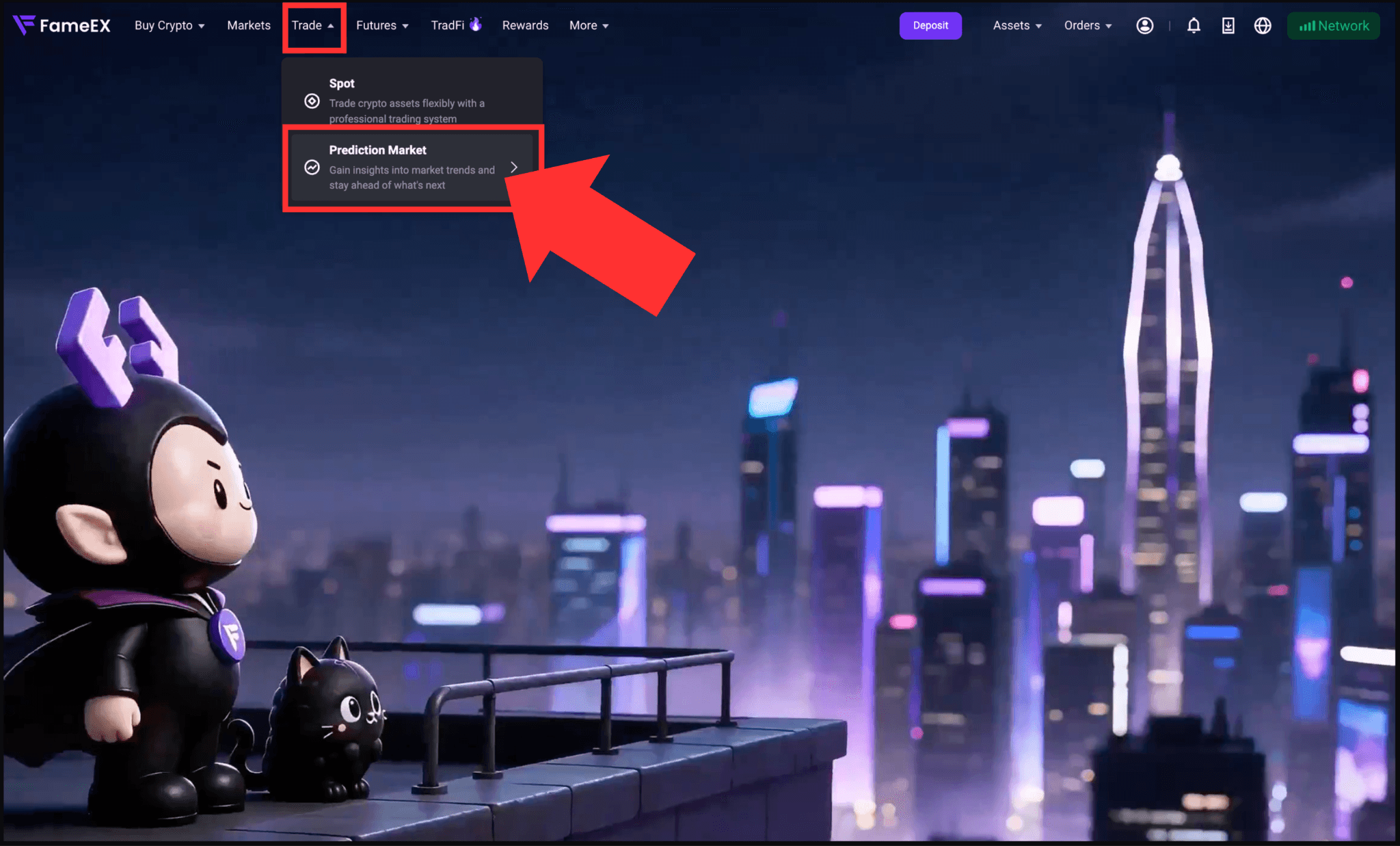
1) Go to the FameEX website and log in to your account. Click [Trade] in the top navigation bar, then select [Prediction Market] from the drop-down menu.
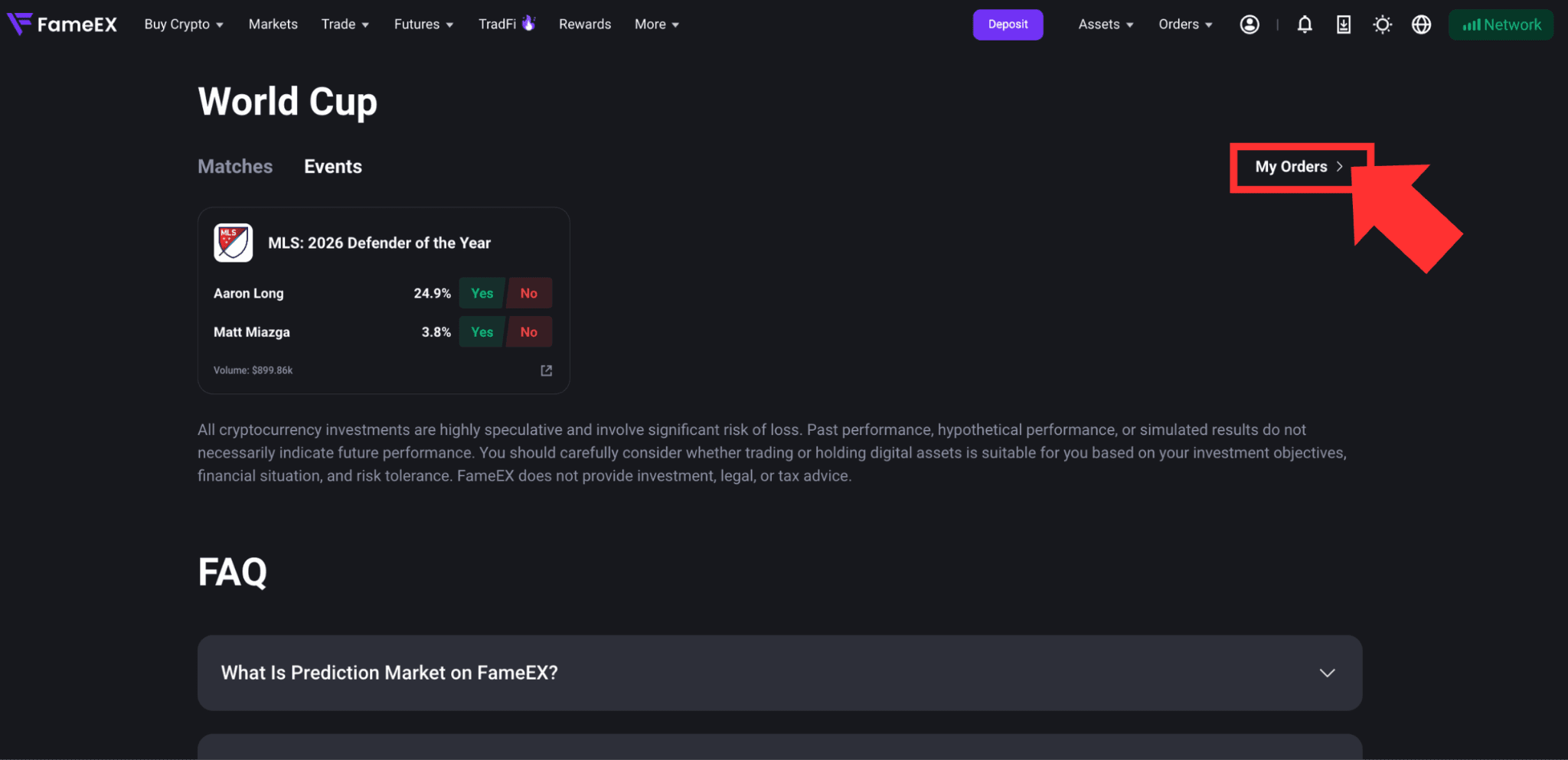
2) Select a market category such as [World Cup] or [Events]. Check the prediction events currently available for trading, then click the title of the event you are interested in.
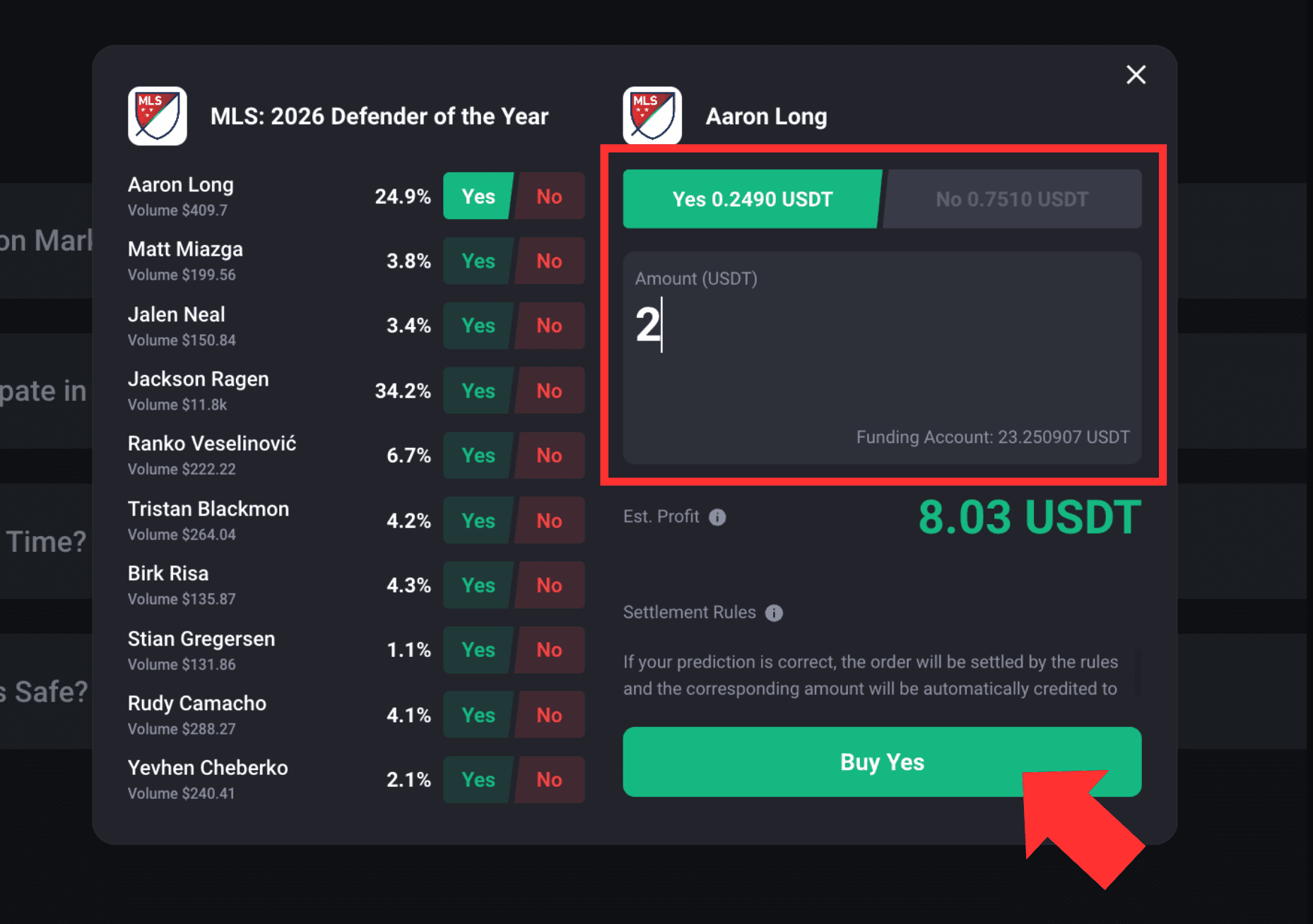
3) On the pop-up page, review the event information and settlement rules. Select [Buy Yes] or [Buy No] based on your prediction, then enter the amount of USDT you wish to use. The page will display the estimated payout and return rate.
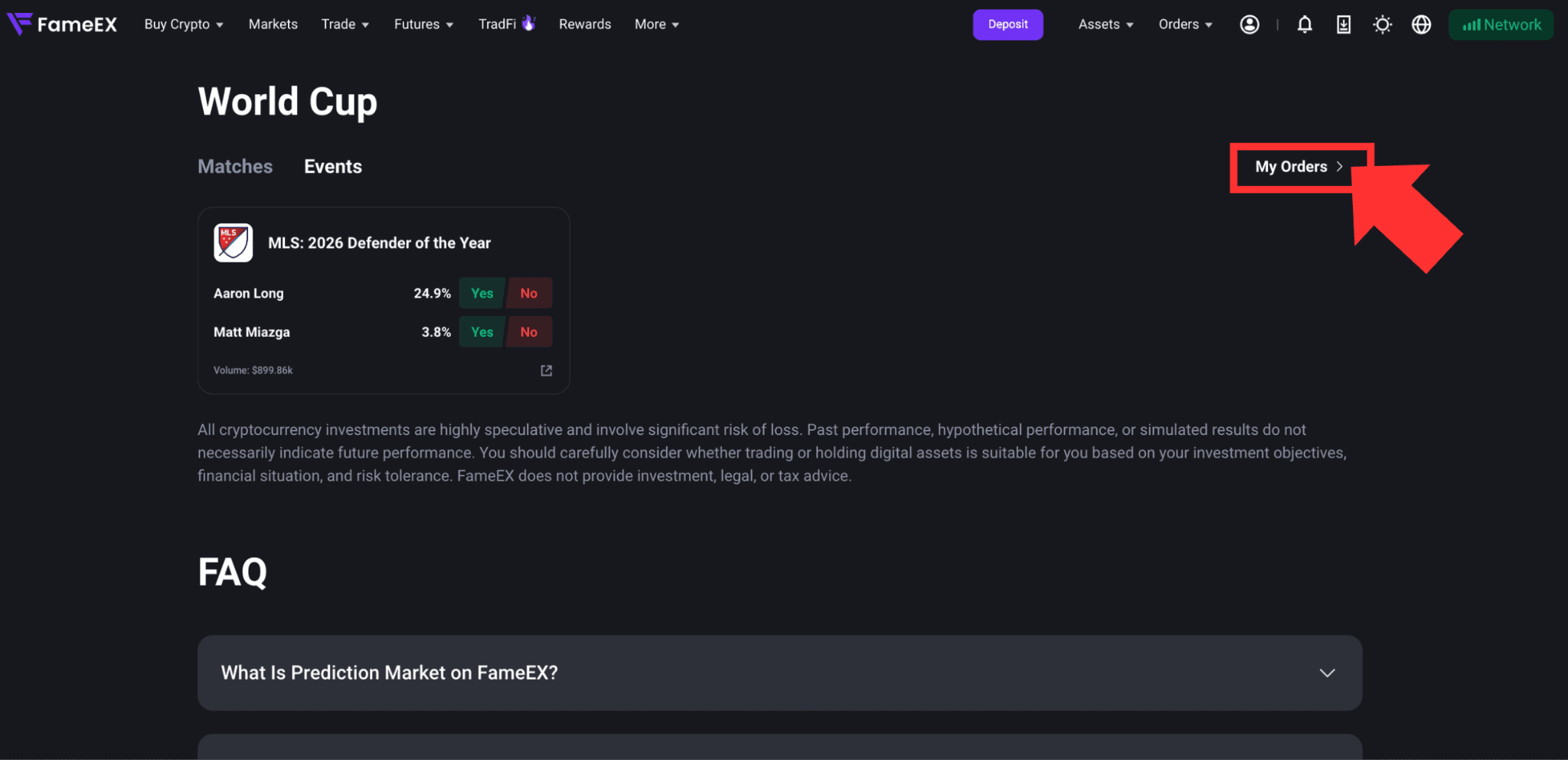
4) After submitting your order, go to [My Orders] to view your current holdings and transaction records.
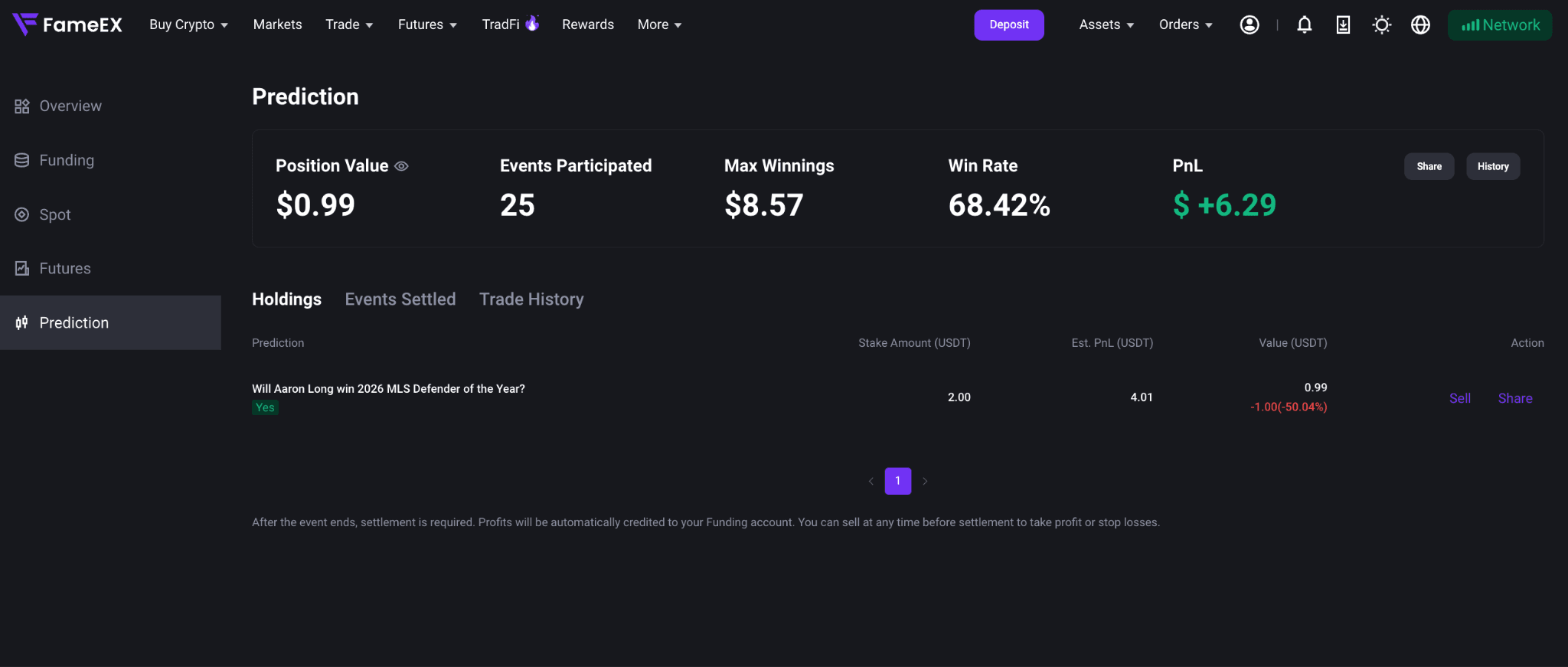
Note: Orders are placed using the available USDT in your Funding Account. Market prices change in real time, so the actual fill price and return may differ from the estimates shown on the page. To increase your prediction position in the same event, return to the event details page and place another order.
2. What Do Yes and No Mean?
Each binary prediction event generally offers two possible outcomes:
- Yes: You believe the outcome described in the event will occur.
- No: You believe the outcome described in the event will not occur.
For example, the event question may be: “Will a specific team win the match?”
Selecting Yes means you predict that the team will win.
Selecting No means you predict that the team will not win.
Yes and No prices generally range from 0 to 1 USDT. These prices reflect the market’s overall estimate of how likely each outcome is to occur. A higher price generally indicates a higher perceived probability, but the potential return is usually lower if the prediction is correct.
*Market prices change in real time based on trading activity and new information. They do not represent a prediction or guarantee from FameEX.
3. How to Sell Your Holding Early?
You may sell your holding while the market is still open if you do not wish to wait for the event to be settled.
1) Go to [My Orders] in the Prediction Market page. Under current [Holdings], find the event prediction you wish to sell.
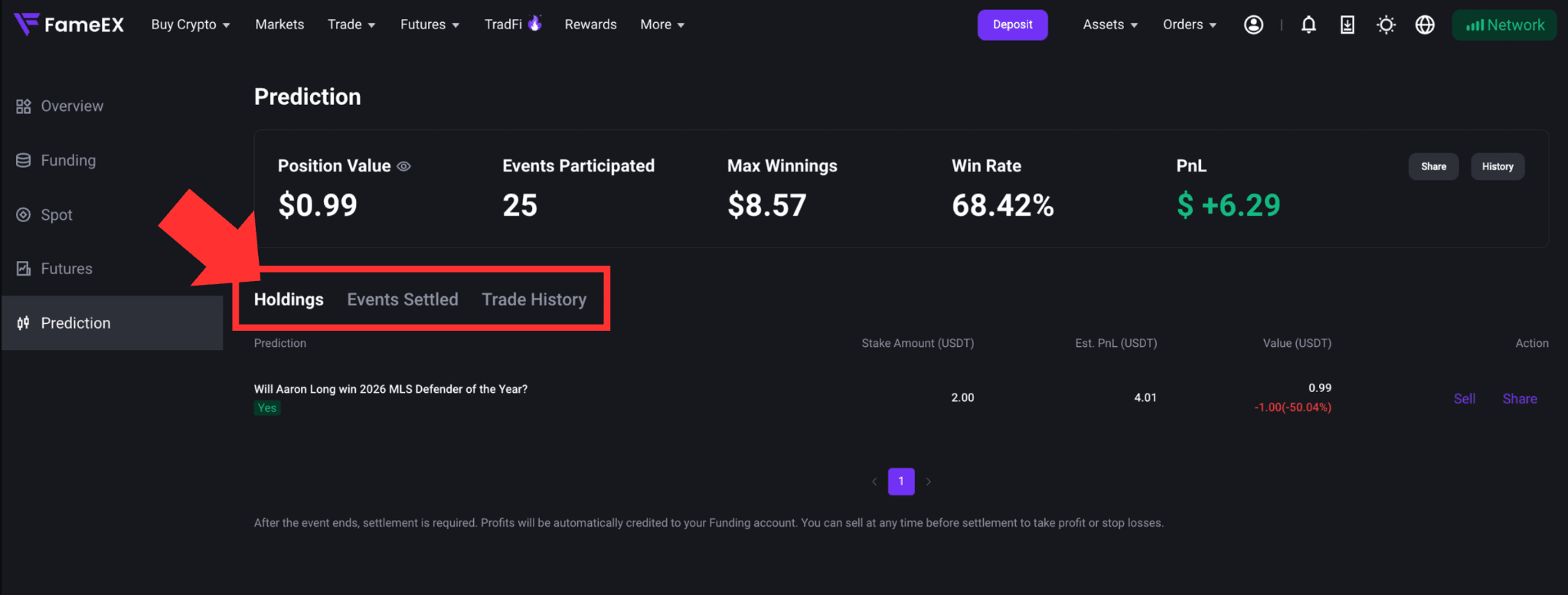
2) Click [Sell] on the right to review the estimated received amounts. Click [Confirm] to submit the sell order. Once the order is filled, the funds will be automatically transferred to your Funding Account. You can view additional details under [Events Settled] or [Trade History].
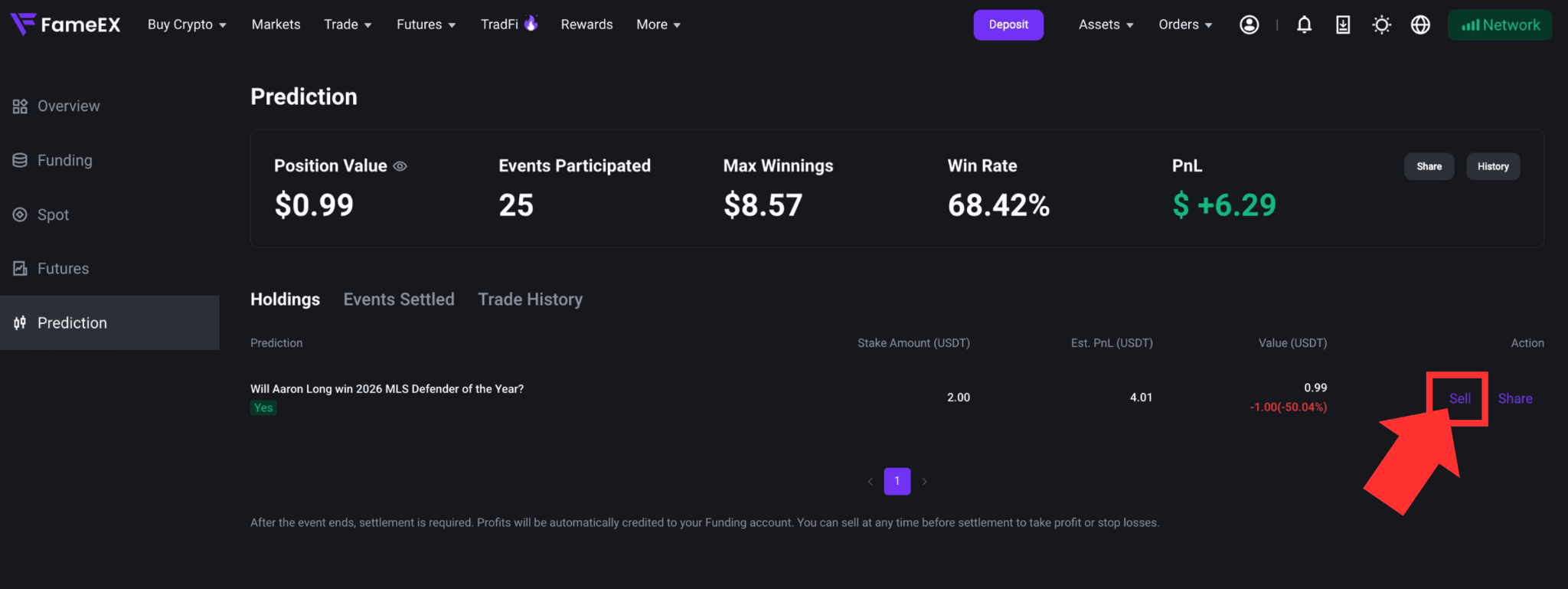
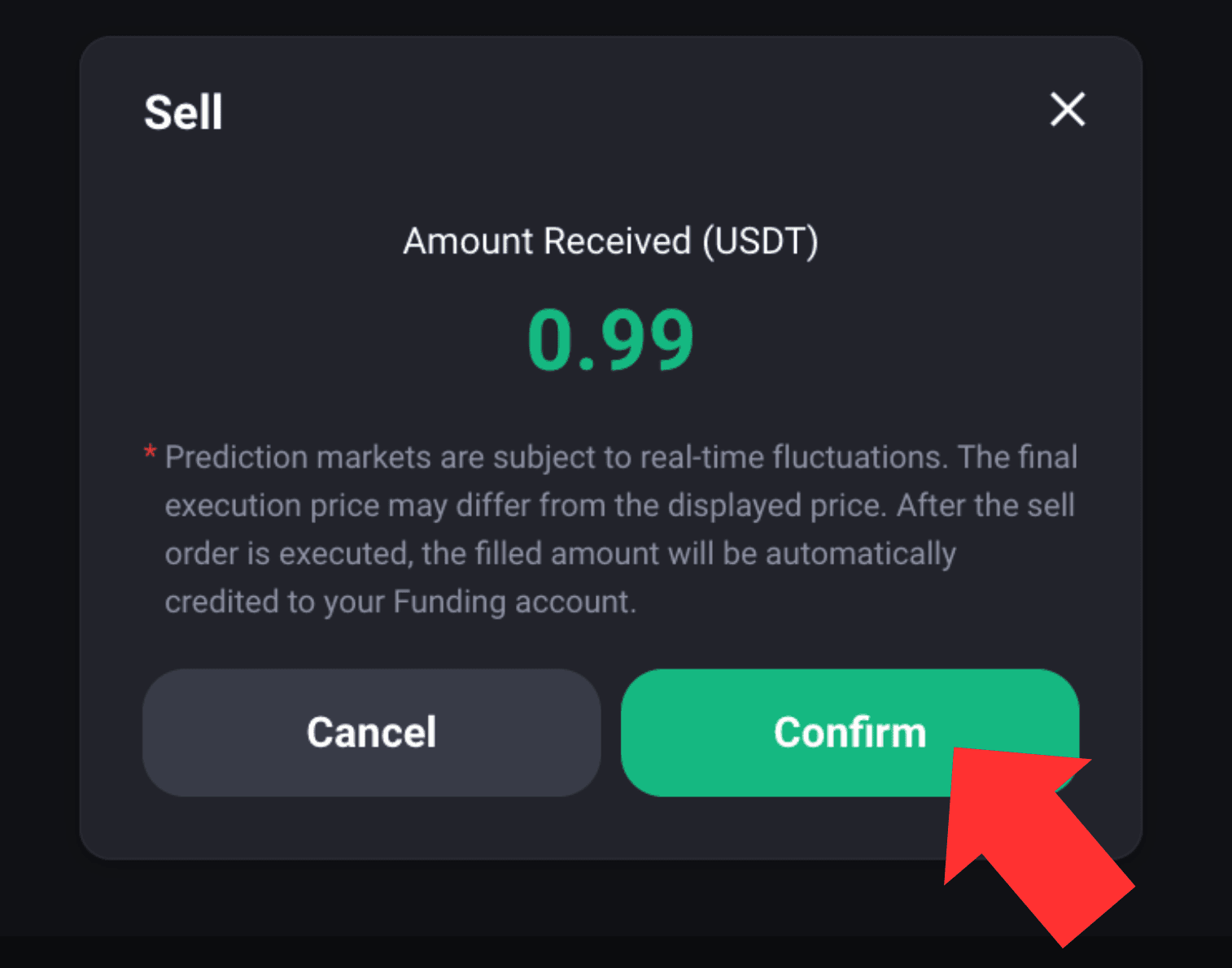
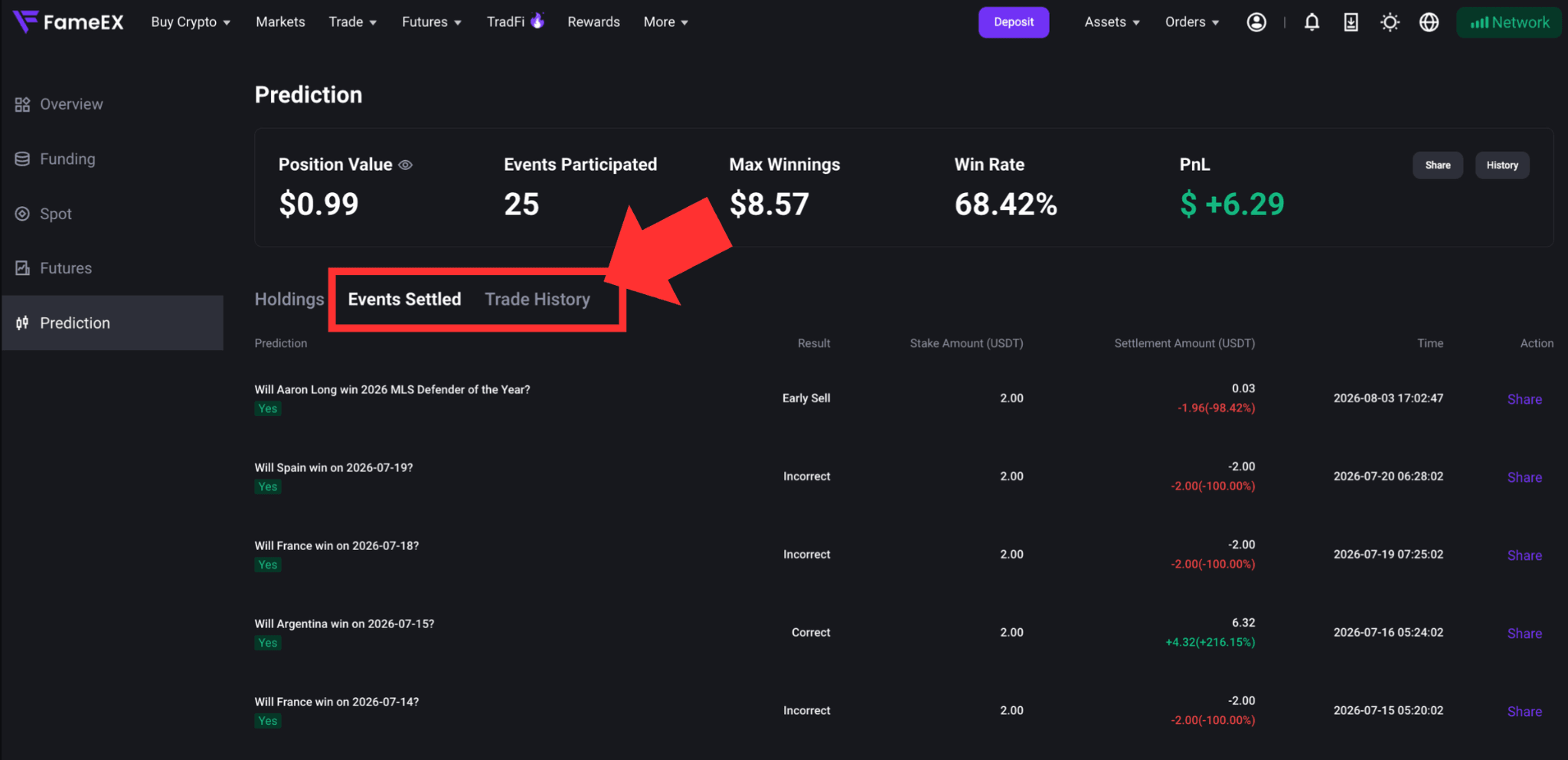
Note: Only full-position market sell orders are currently supported. Partial sell orders are not available. Market prices may change in real time, so the final proceeds may differ from the estimate shown on the page. If market liquidity is insufficient or no counterparty is available, the sell order may fail. Please try again later.
4. How Are My Holdings Settled Automatically After an Event Ends?
If you do not sell your position early, it will enter the result confirmation and settlement process after the event ends. No manual action is required.
- Correct prediction: The system will calculate the amount payable according to the event’s settlement rules. After applicable fees are deducted, the settlement funds will be automatically transferred to your Funding Account.
- Incorrect prediction: The position will be settled at 0, and you will lose the amount used to place the order.
An event ending does not mean the funds will be credited immediately. The platform must first wait for the event result to be confirmed. Once the settlement is complete, the relevant proceeds will be credited automatically. Under [Events Settled], you can view the event result, order amount, settlement amount, profit or loss, profit or loss percentage, and settlement time.
Risk Warning: Prediction Market prices may fluctuate rapidly due to event progress and market liquidity. Early sell orders may not be filled and may result in losses. Please assess the risks carefully before trading.
*Feature names and page locations may change following platform updates. Please refer to the latest interface for the most accurate information.