How to Contact FameEX Online Customer Support?
2026-07-29 03:21:44If you encounter issues with account login, KYC identity verification, deposits, withdrawals, spot trading, or futures trading while using FameEX, you can contact FameEX online support for assistance.
FameEX online customer support can help you find answers to common questions and access self-service solutions. If the automated support system cannot resolve your issue, you can request assistance from a human support agent and submit the relevant information for further review.
1. How to Contact FameEX Online Support on the Website
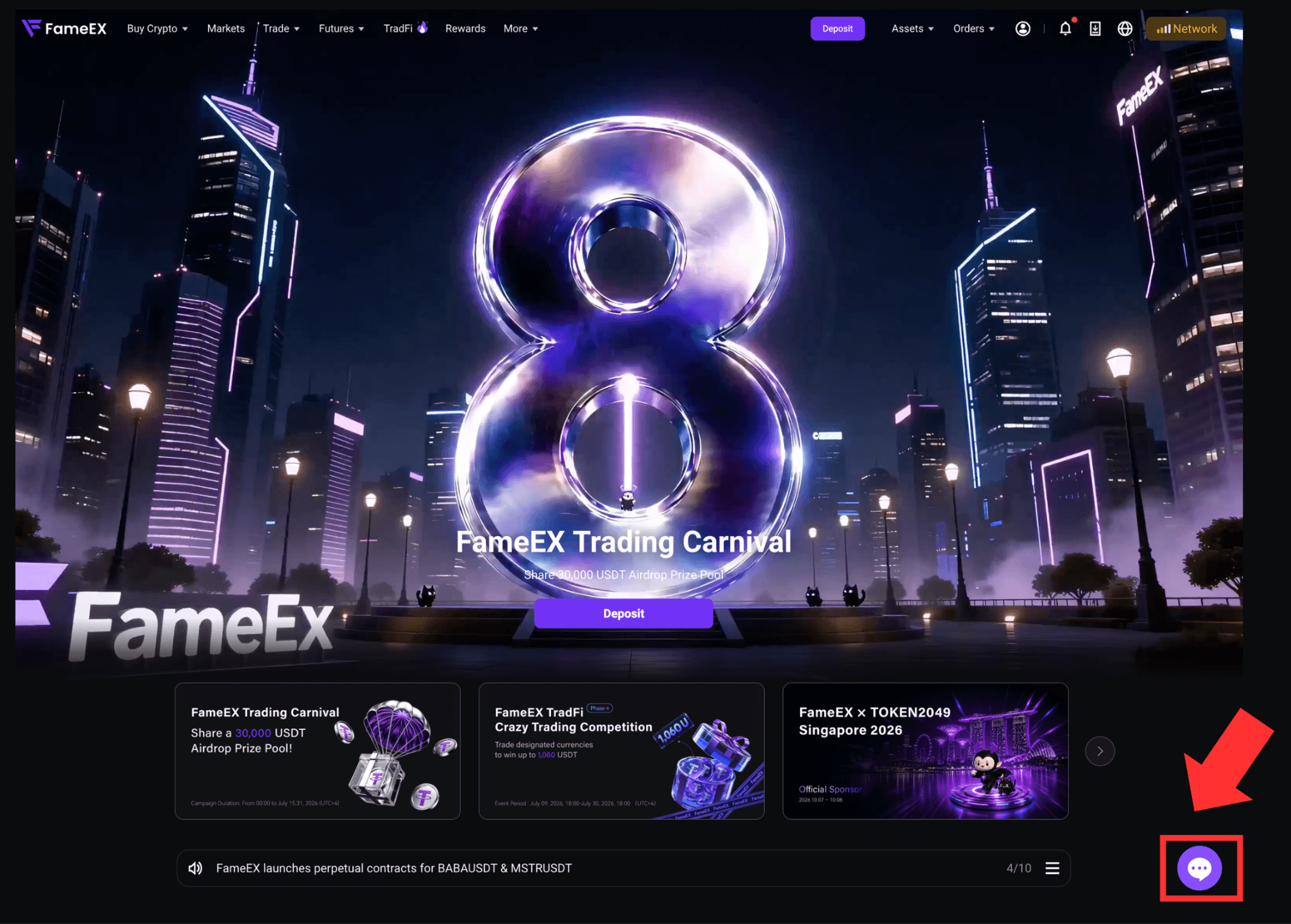
Visit the official FameEX website and click the [Online Chat Support] icon in the bottom-right corner of the page.
2) On the online support chat pop-up, select the category that best matches your issue. You can also enter your question directly in the chat box. Use a short and specific description, such as:
* Deposit not credited
* Withdrawal still pending
* Unable to log in
* Verification code not received
* KYC verification failed
* Futures order issue
* Account feature restricted
3) The AI automated support system will recommend relevant Help Center articles, self-service tools, or possible solutions based on the information you provide.
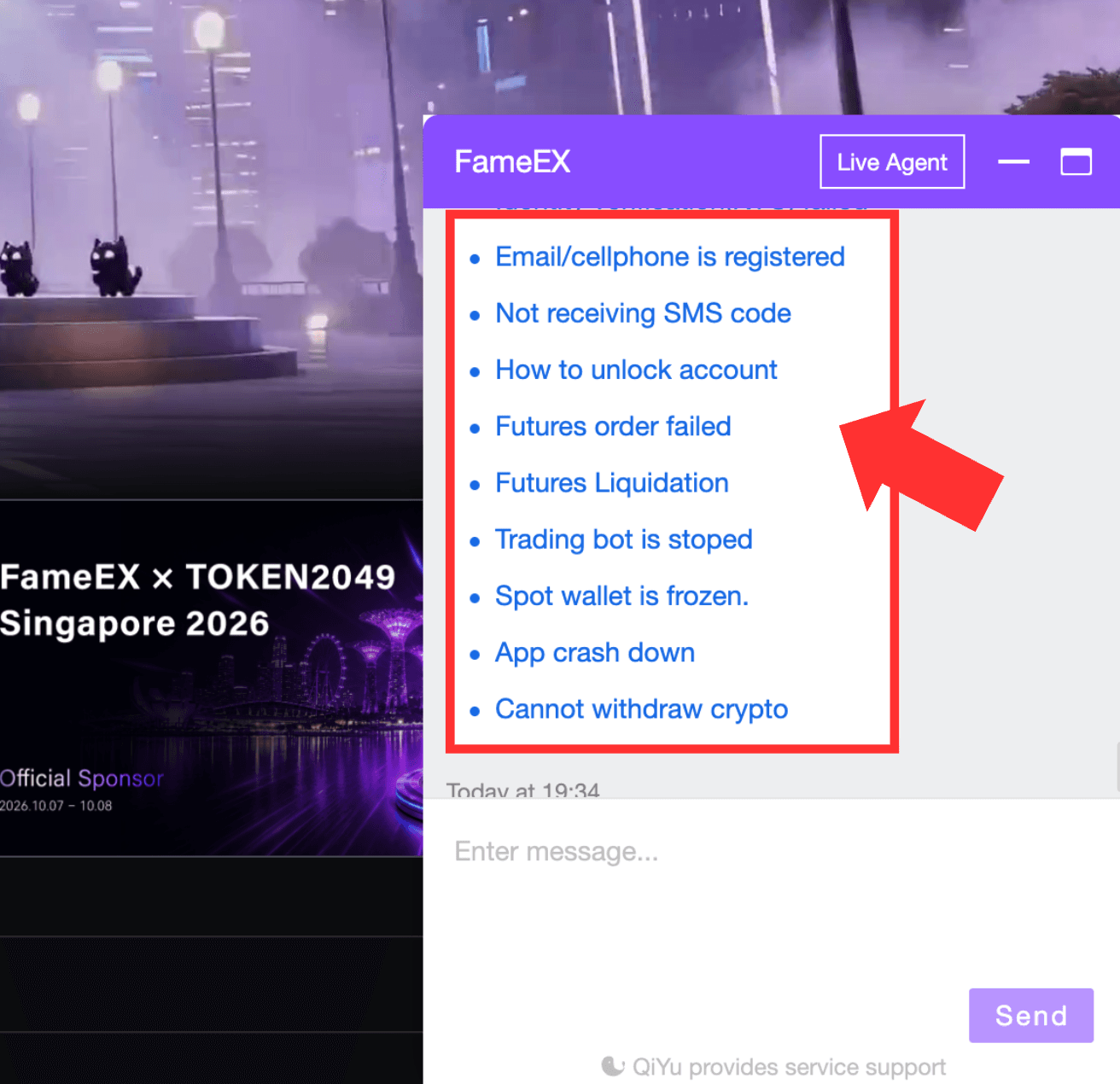
Follow the instructions and select the option that best matches your situation. You can then review the suggested solution.
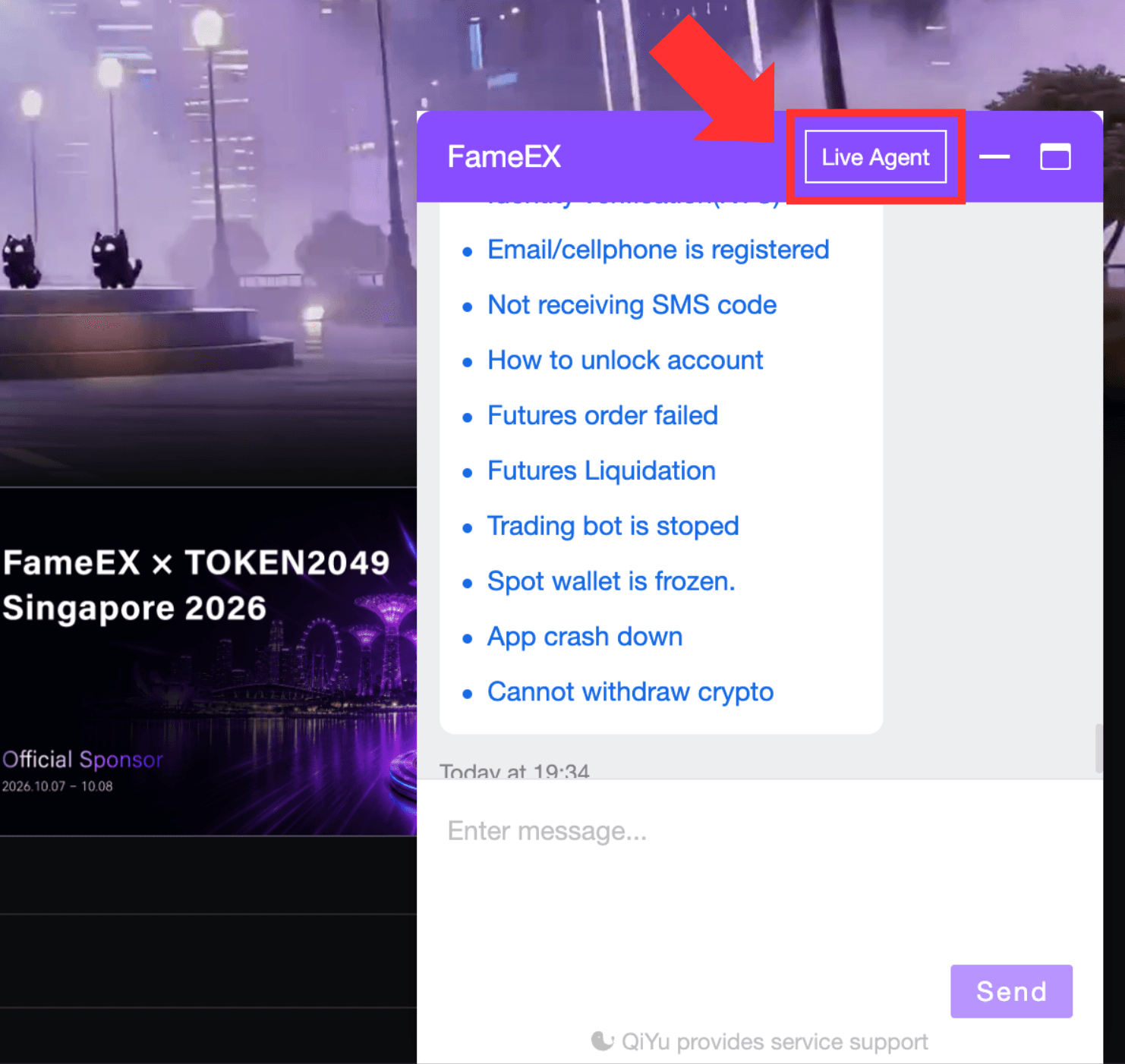
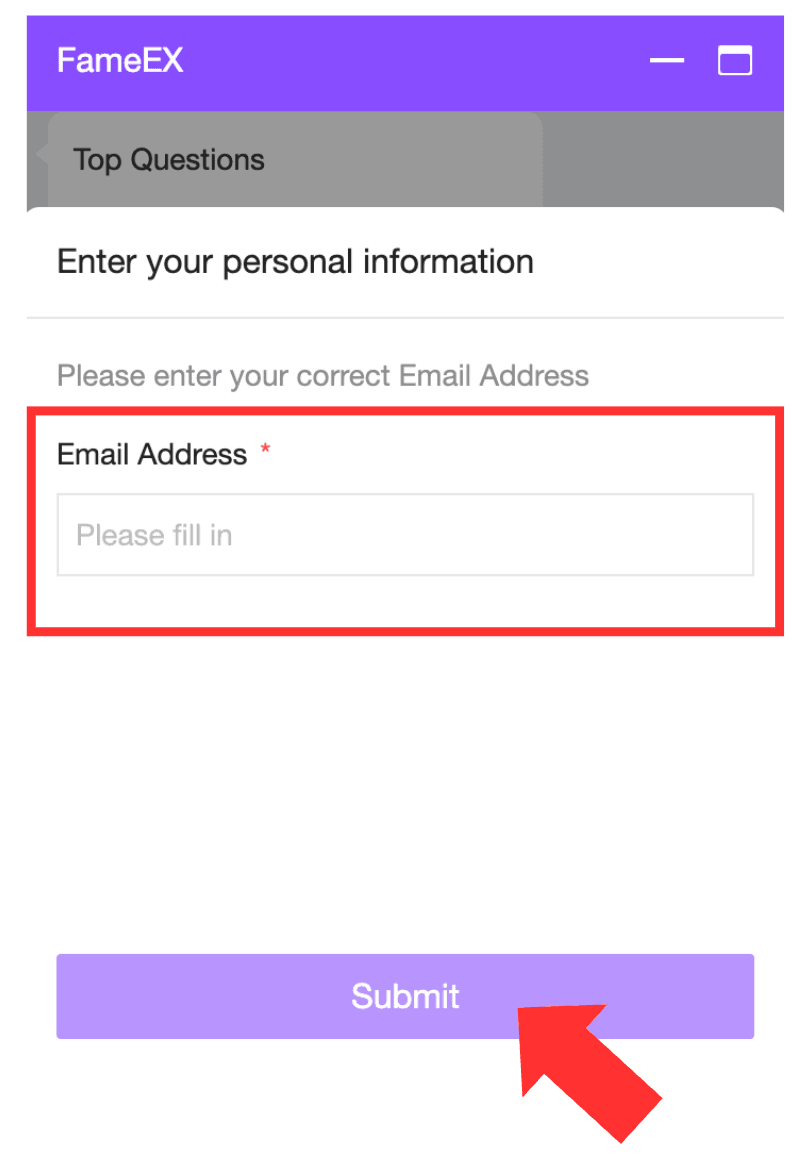
4) If the AI automated support system does not resolve your issue, click [Live Agent]. Enter your email address and wait for a human customer support to join the chat.
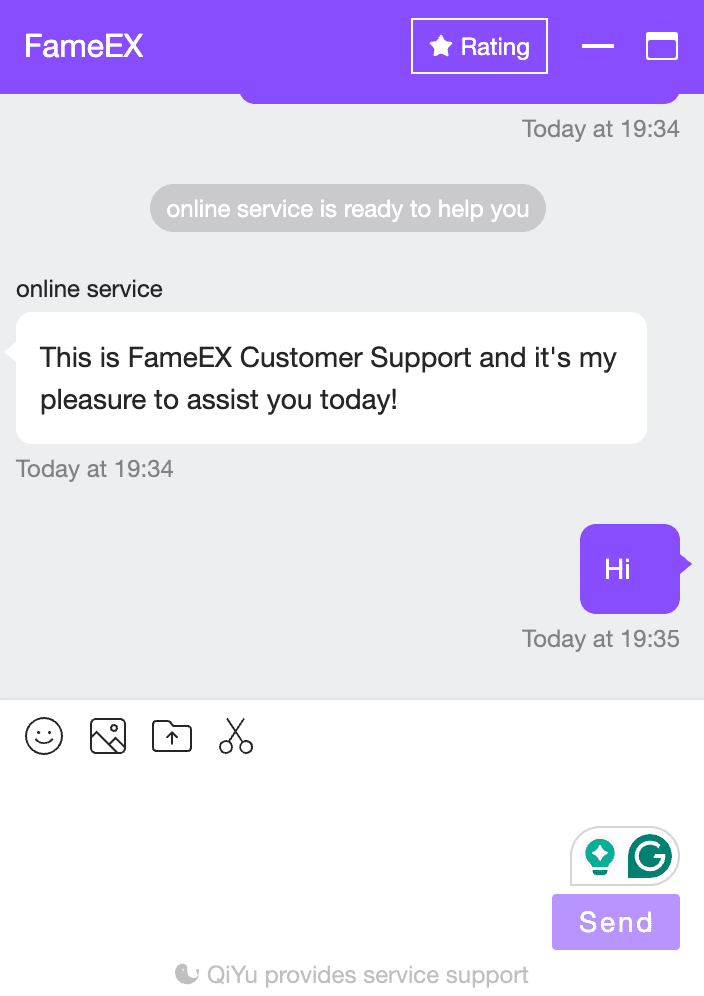
2. How to Contact FameEX Online Support Through the App?
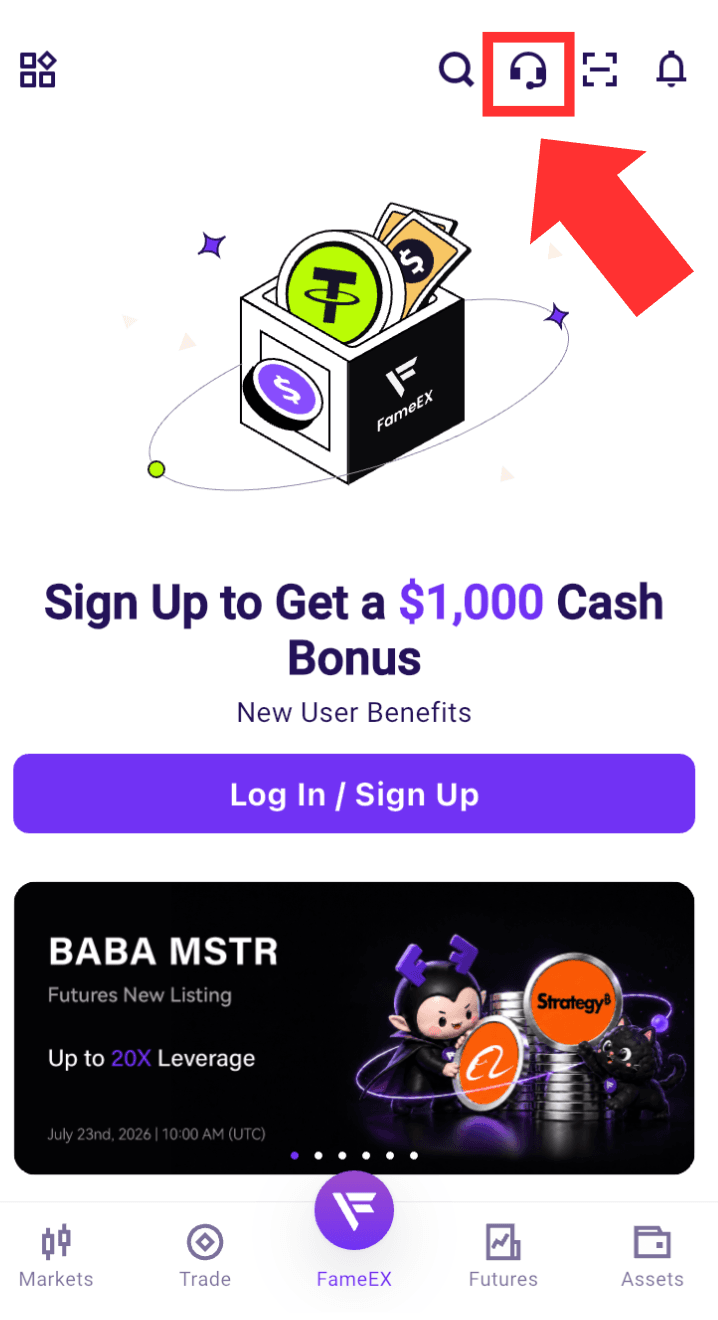
1) Open the FameEX App and tap the [Online Chat Support] icon at the top of the page.
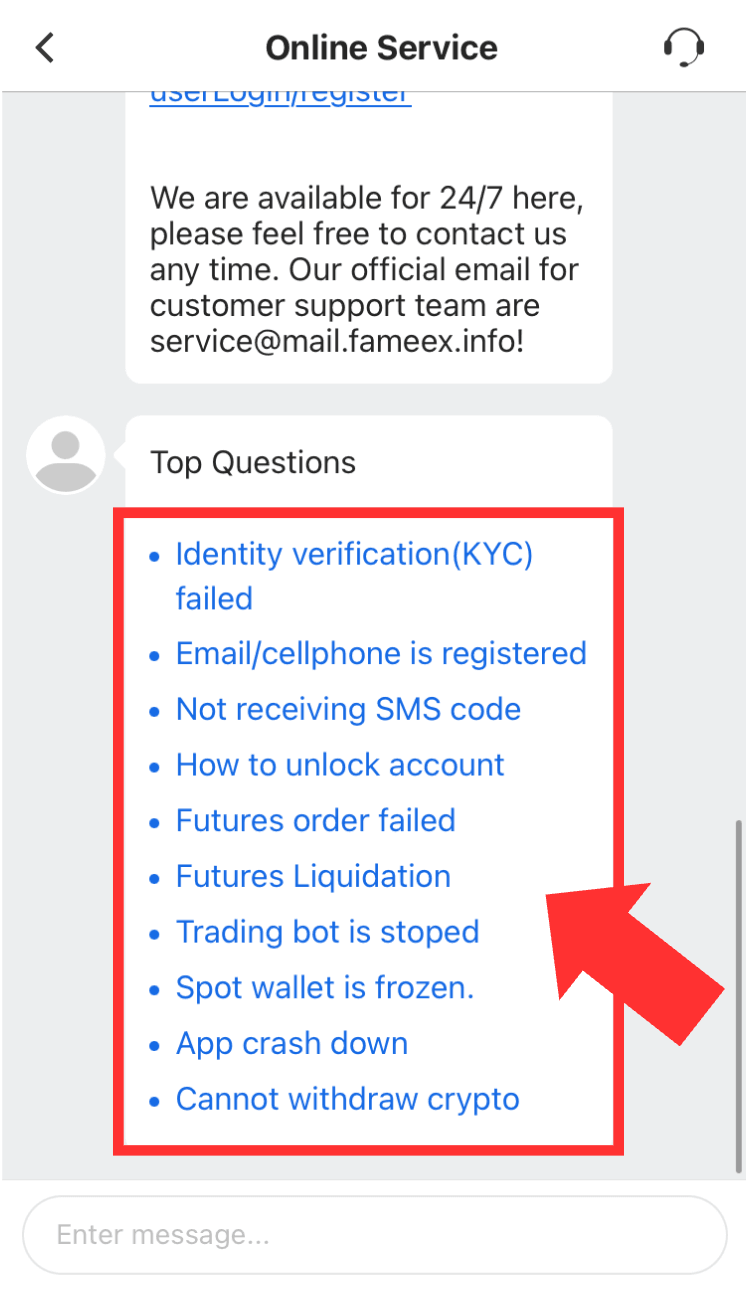
2) On the support page, select the category that best matches your issue. You can also enter your question directly in the chat box. The AI automated support system will recommend relevant Help Center articles or possible solutions based on the information you provide.
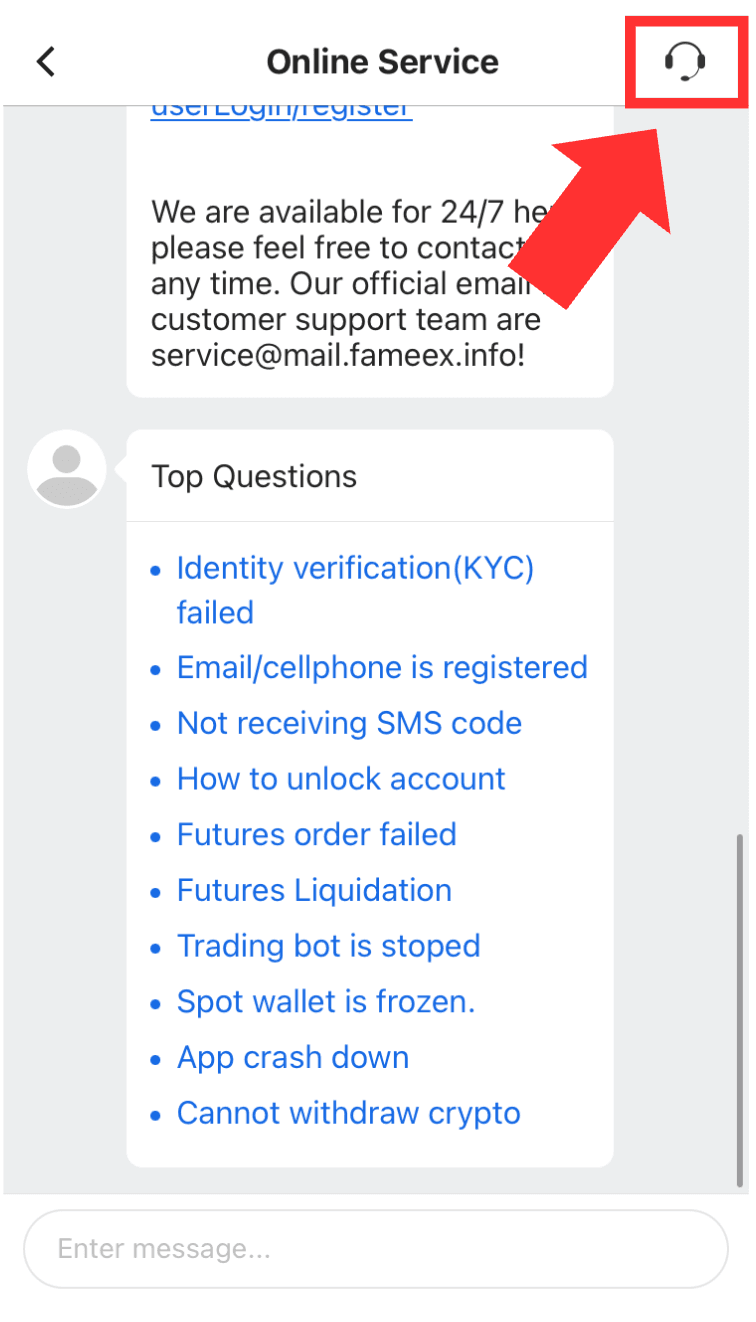
3) If the AI automated support system does not resolve your issue, tap the icon above [Live Agent]. Enter your email and wait for a human customer support to join the chat.
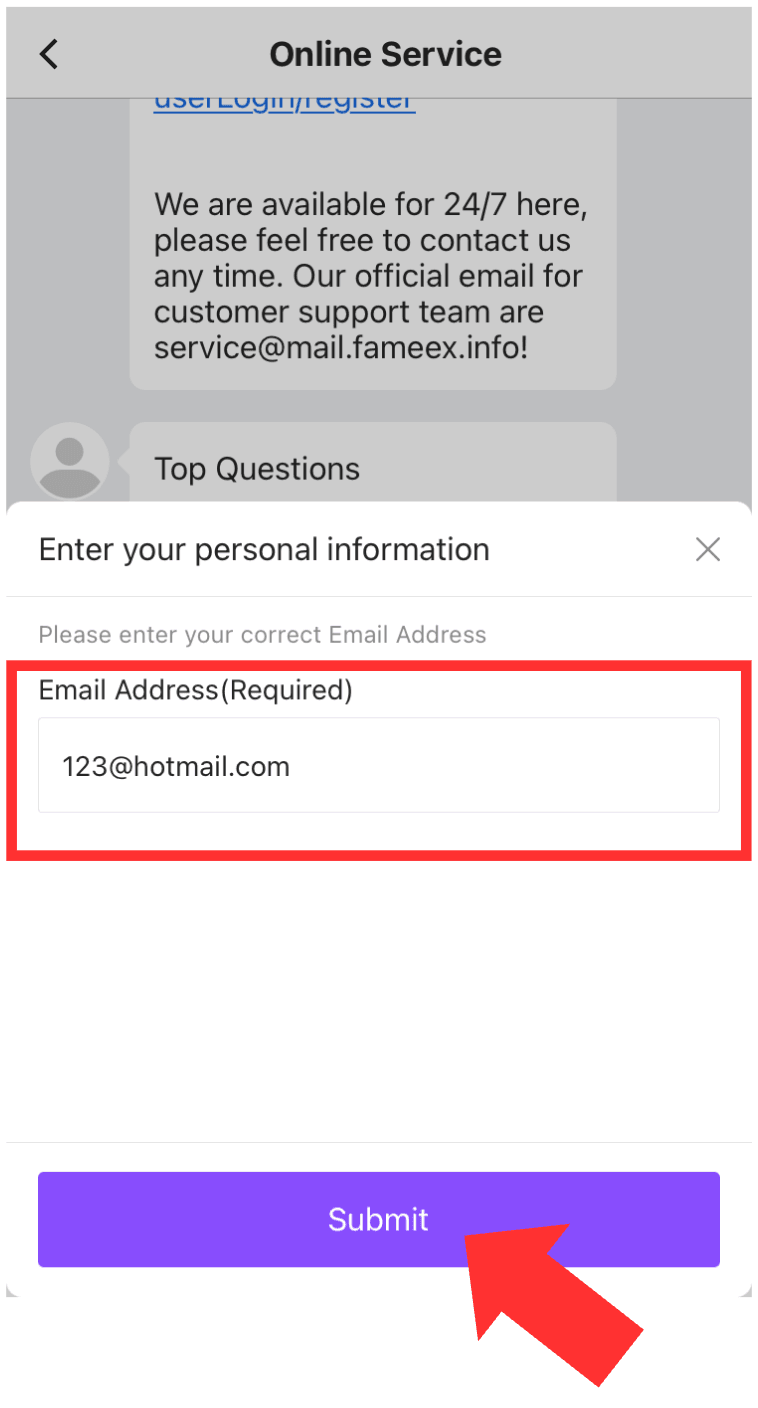
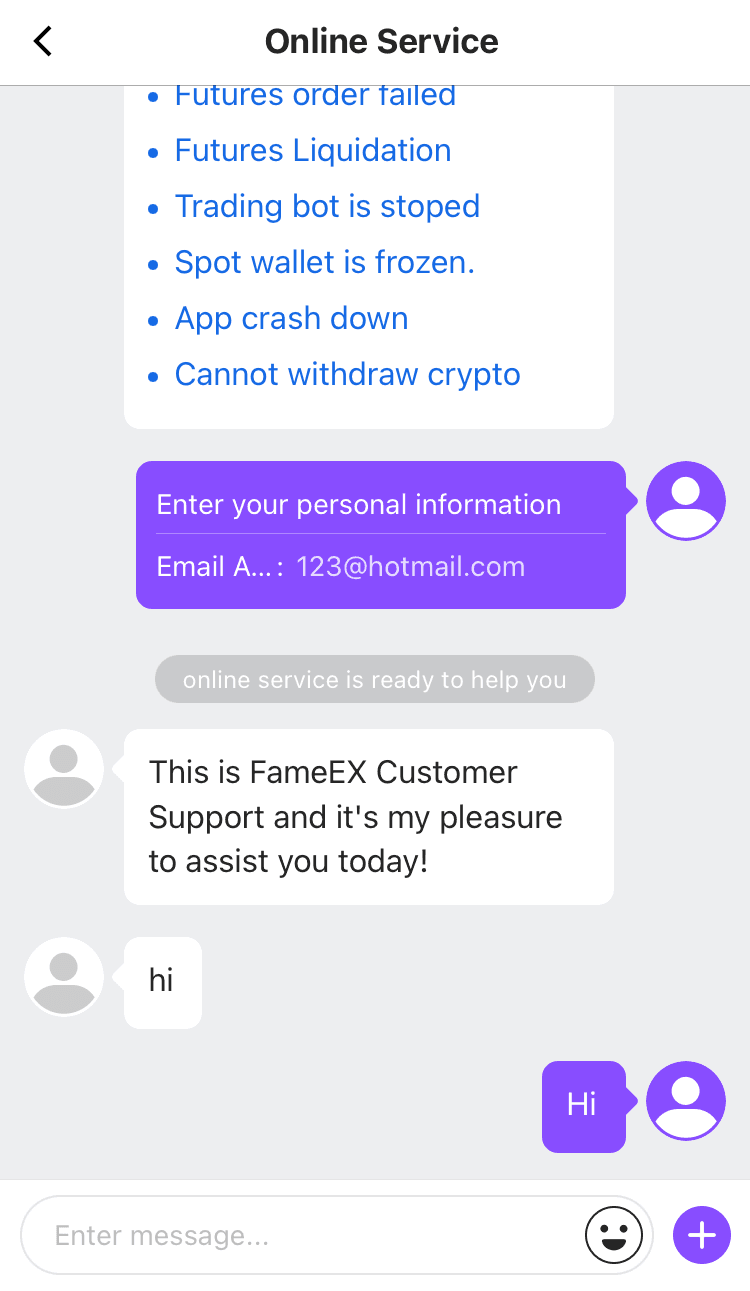
During periods of high demand, you may need to wait in a queue. Please monitor the queue status and reply notifications so you do not miss a message from the support staff.
*The interface may vary slightly depending on your FameEX App version. Please refer to the page displayed in your App.
3. What Information Should You Provide to a Human Customer Support?
To help our customer support review and resolve your issue more efficiently, prepare the following information in advance:
* FameEX UID
* Date and time when the issue occurred
* Feature or transaction type involved
* Relevant cryptocurrency and blockchain network
* Deposit or withdrawal amount
* Deposit, withdrawal, or trading order number
* On-chain transaction ID (TxID)
* Error message
* Device model and operating system
* FameEX App version
* Screenshots or screen recordings that clearly show the issue
Only provide information that is relevant to your situation. The required details may vary depending on the issue. Please follow the instructions provided by the customer support staff. Clearly explain when the issue occurred, what steps you took, and the current status. Avoid vague descriptions such as “It does not work,” “There is a trading issue,” or “My funds have not arrived.”
4. Why Can’t I Find the Live Agent Icon?
If the [Live Agent] icon is not displayed, it may be due to one of the following reasons:
1. You have not selected a specific issue category.
2. You have not reviewed the solution provided by the AI automated support system.
3. Your description is too brief for the system to identify the issue.
4. Customer support is currently experiencing high demand.
5. Your internet connection is unstable or the support page has not loaded completely.
6. Your FameEX App is outdated, so some support features may not appear correctly.
Try describing your issue again or selecting the category that best matches your situation. You can also reopen the support page, switch to another network, or update the FameEX App to the latest version before trying again.
5. What Should You Keep in Mind When Contacting FameEX Customer Support?
To protect your account and assets, please keep the following precautions in mind:
1. FameEX support will never ask for your account login password, SMS verification code, or Google Authenticator code.
2. FameEX support will never ask for your wallet's private key or recovery phrase.
3. Never share complete verification codes, private keys, recovery phrases, or other account security information with anyone.
4. Only contact FameEX online support through the official FameEX website or App.
5. Do not trust anyone who impersonates FameEX support and asks you to transfer funds, download unfamiliar software, or share your screen.
6. Before uploading screenshots or screen recordings, make sure they do not contain passwords, complete verification codes, private keys, recovery phrases, or other sensitive information.
7. FameEX support will never privately ask you to transfer assets to a specific address to complete account verification, remove account restrictions, or resolve a withdrawal issue.
If you suspect unauthorized access, unusual account activity, or another security risk, contact our human customer support immediately through the official FameEX online support channel. Follow our staff's instructions to secure your account.