How to Create API KEY on FameEX? (Web)
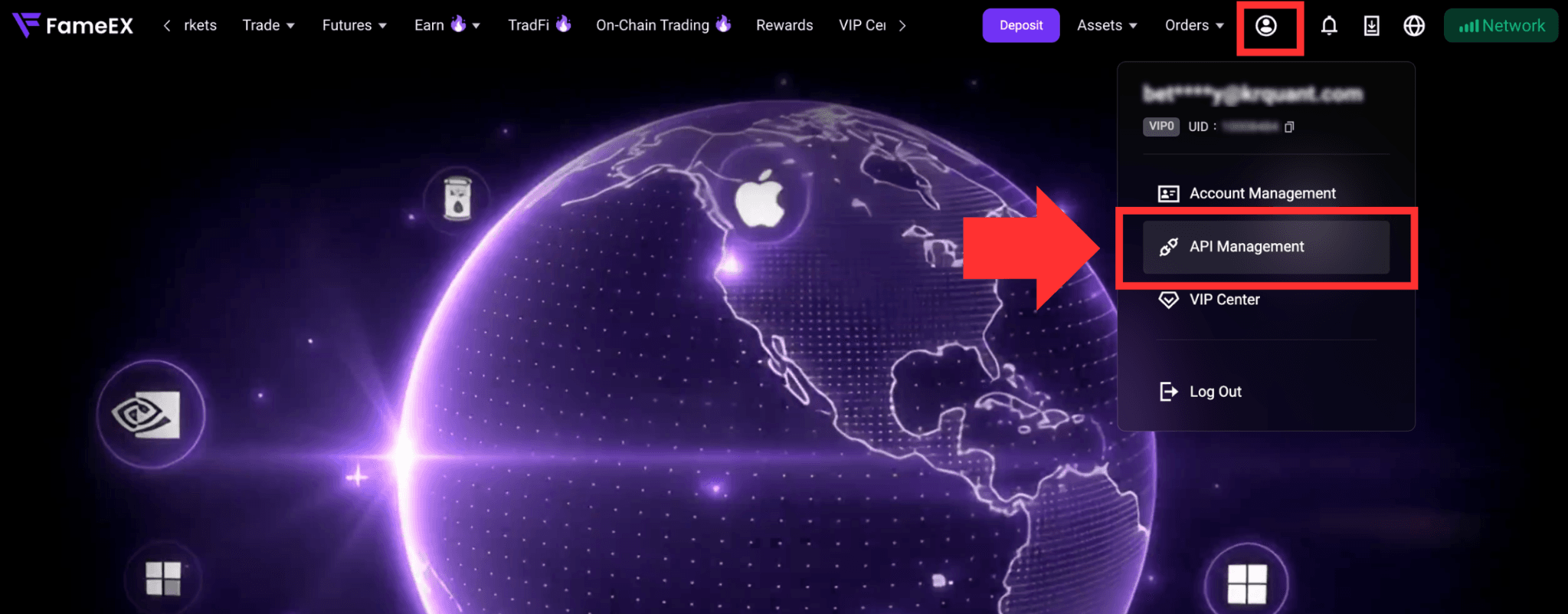
2026-09-14 07:24:131. Go to the FameEX website and log in to your account. There are two ways to access [API Management]:
- Click the [Personal Center] icon in the top-right corner, then select [API Management] from the drop-down menu.
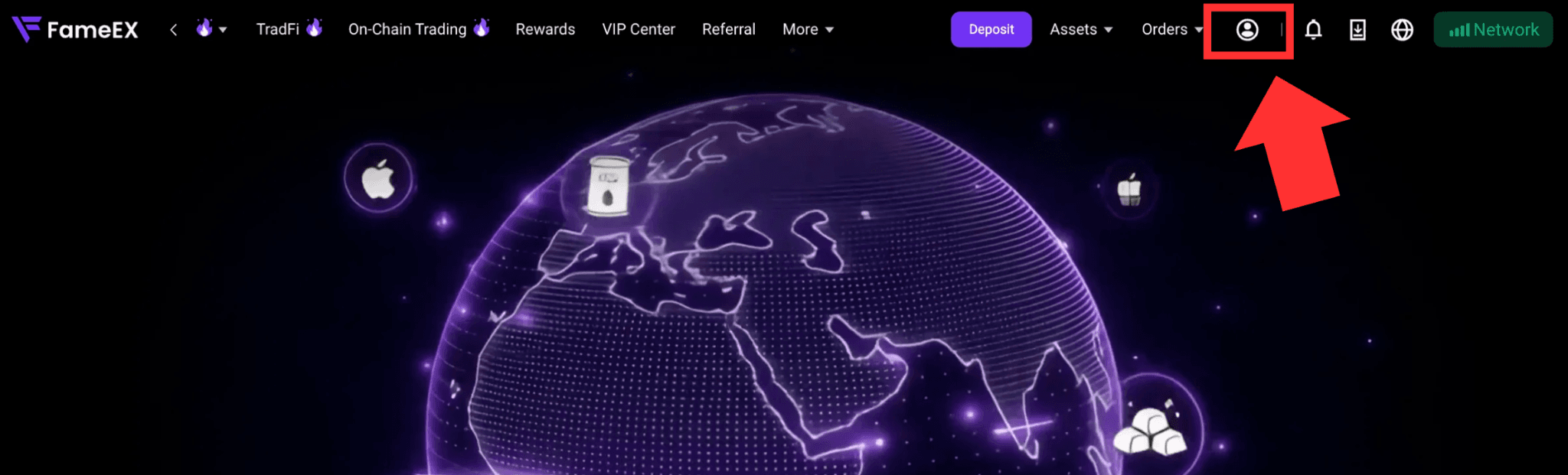
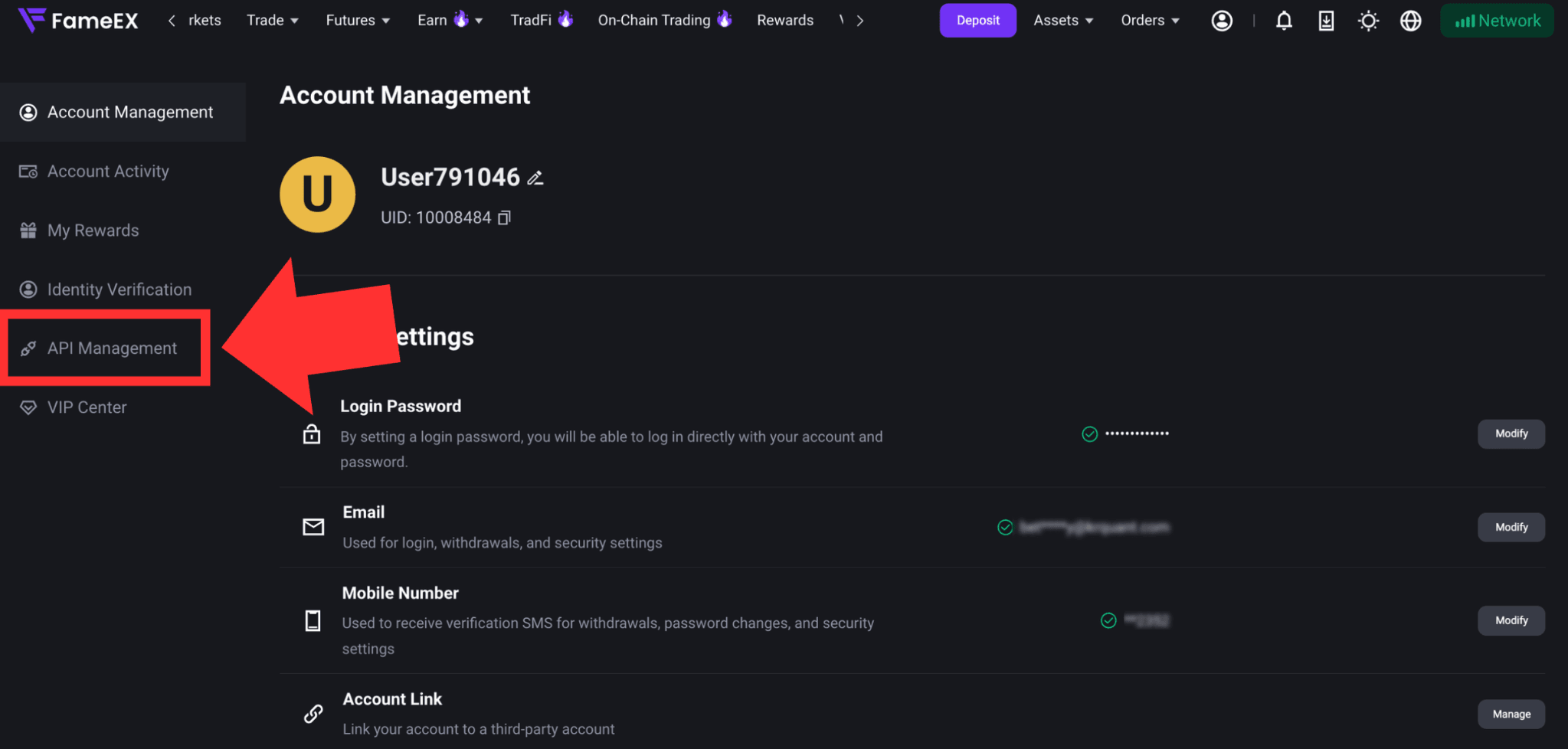
- You can also click the [Personal Center] icon to enter the Personal Center. Then select [API Management] from the menu on the left.
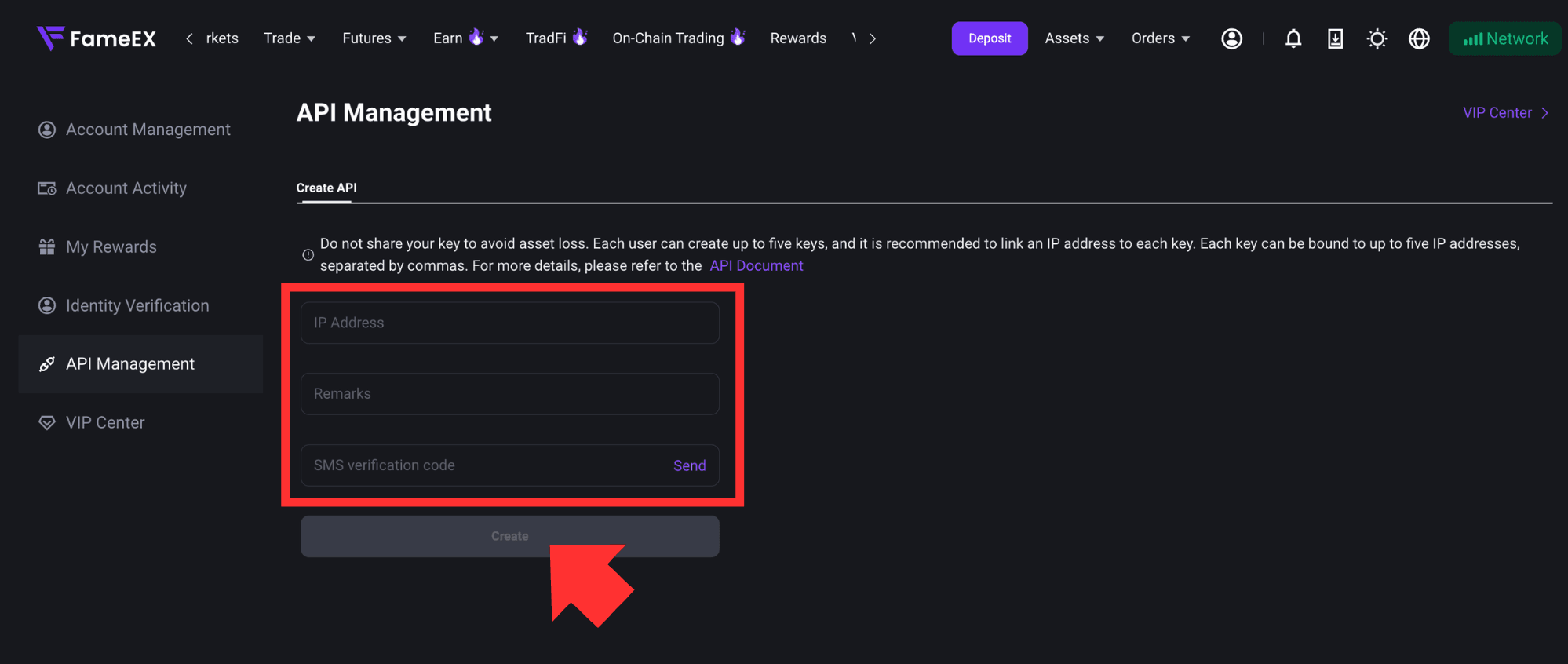
2. On the API KEY creation page, enter your IP address and note name as prompted. Enter your Google Authenticator code and SMS verification code. Review the information and click [Create].
3. Once the API KEY is created successfully, your Access Key and Secret Key will appear under [API Records] at the bottom of the page. Keep this information secure. Do not share your Access Key, Secret Key, or the contents of this page with anyone.
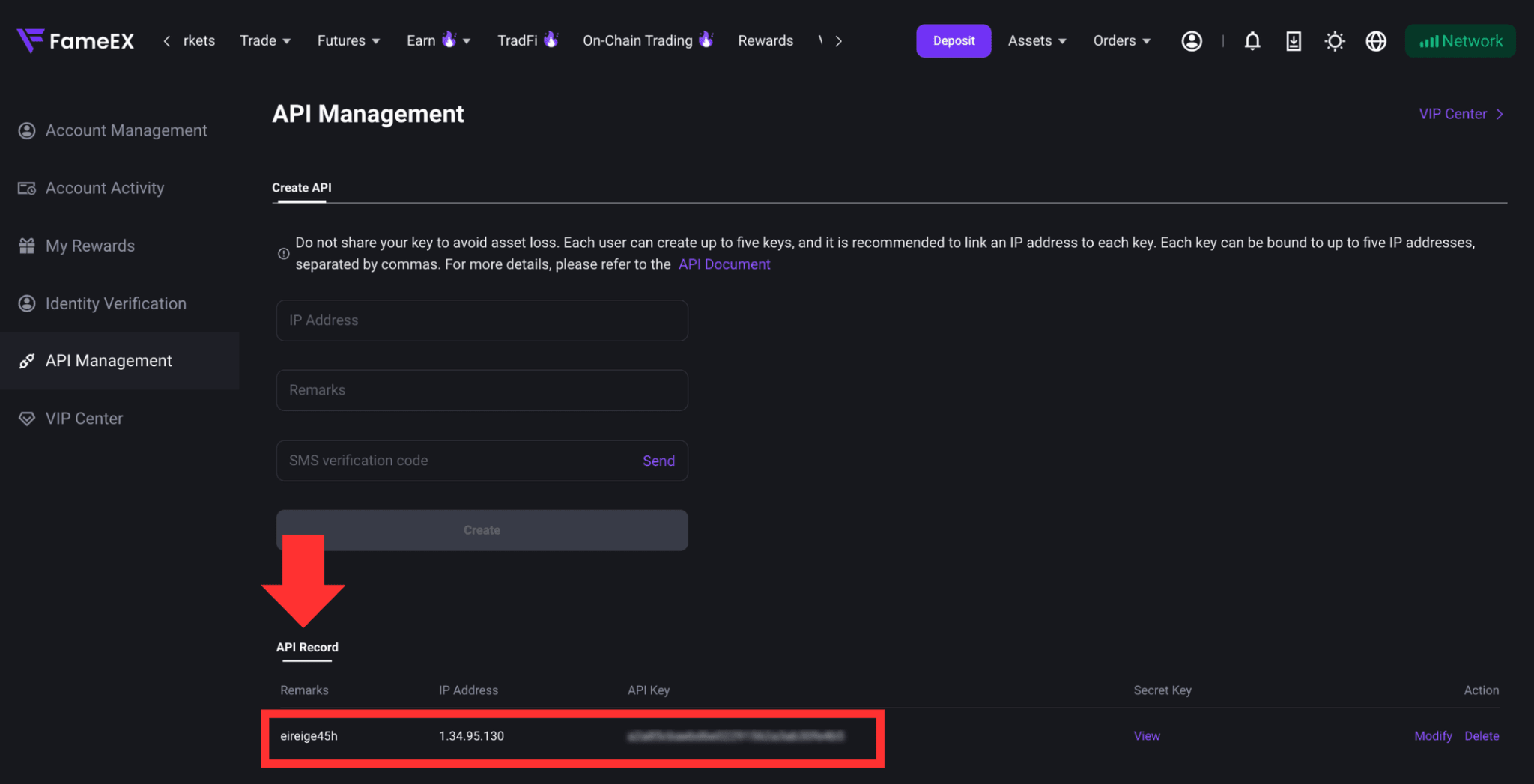
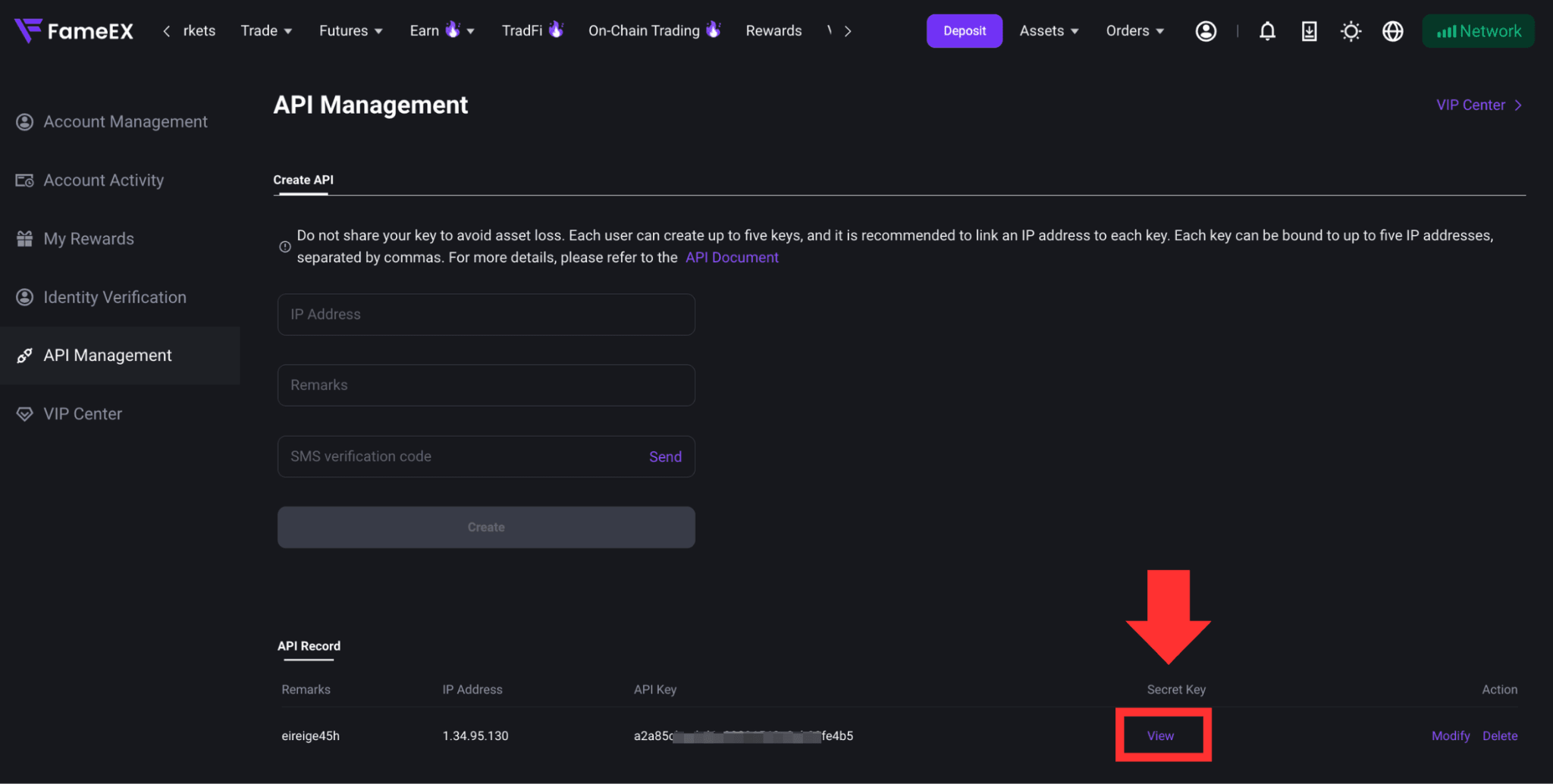
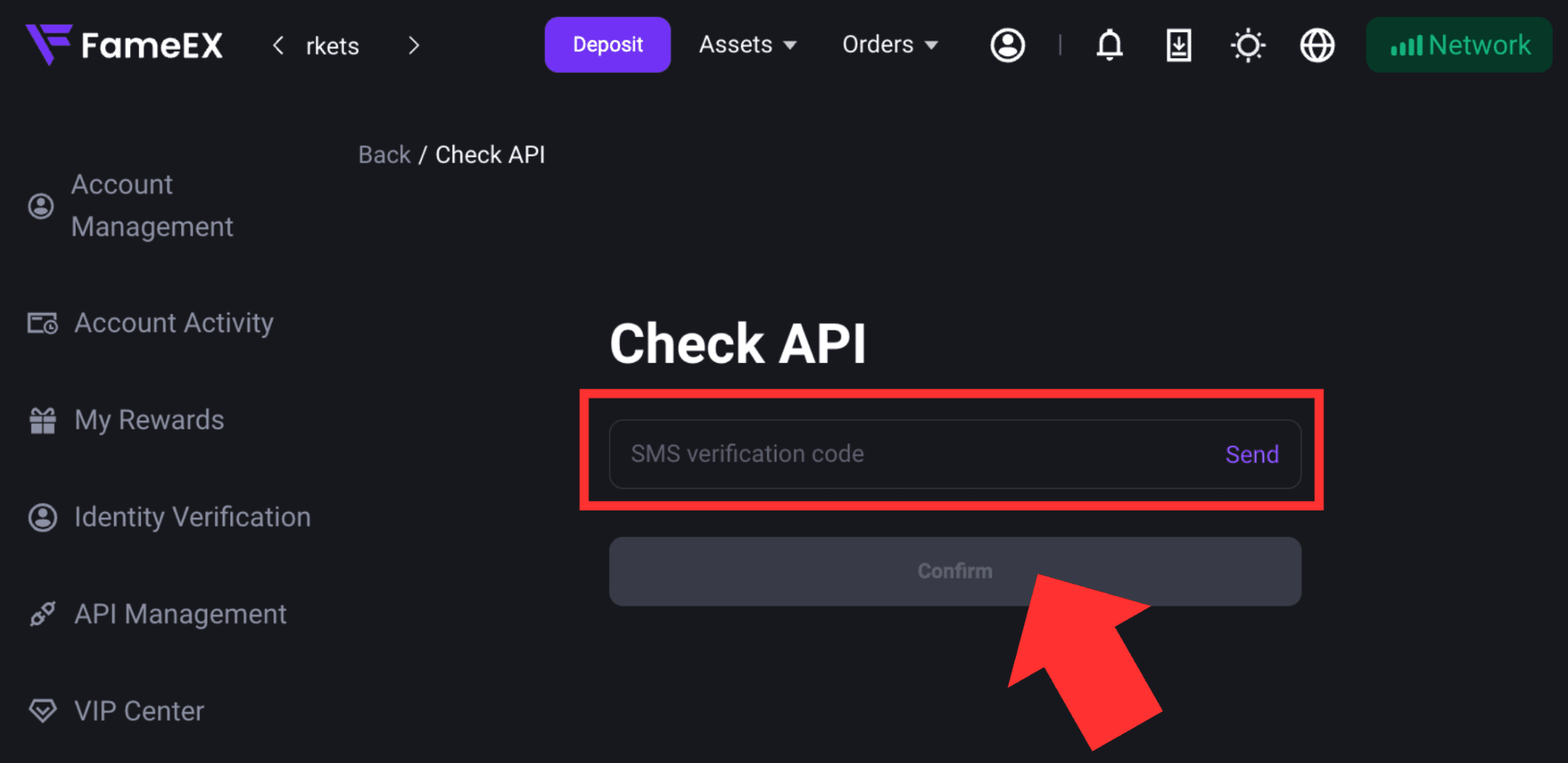
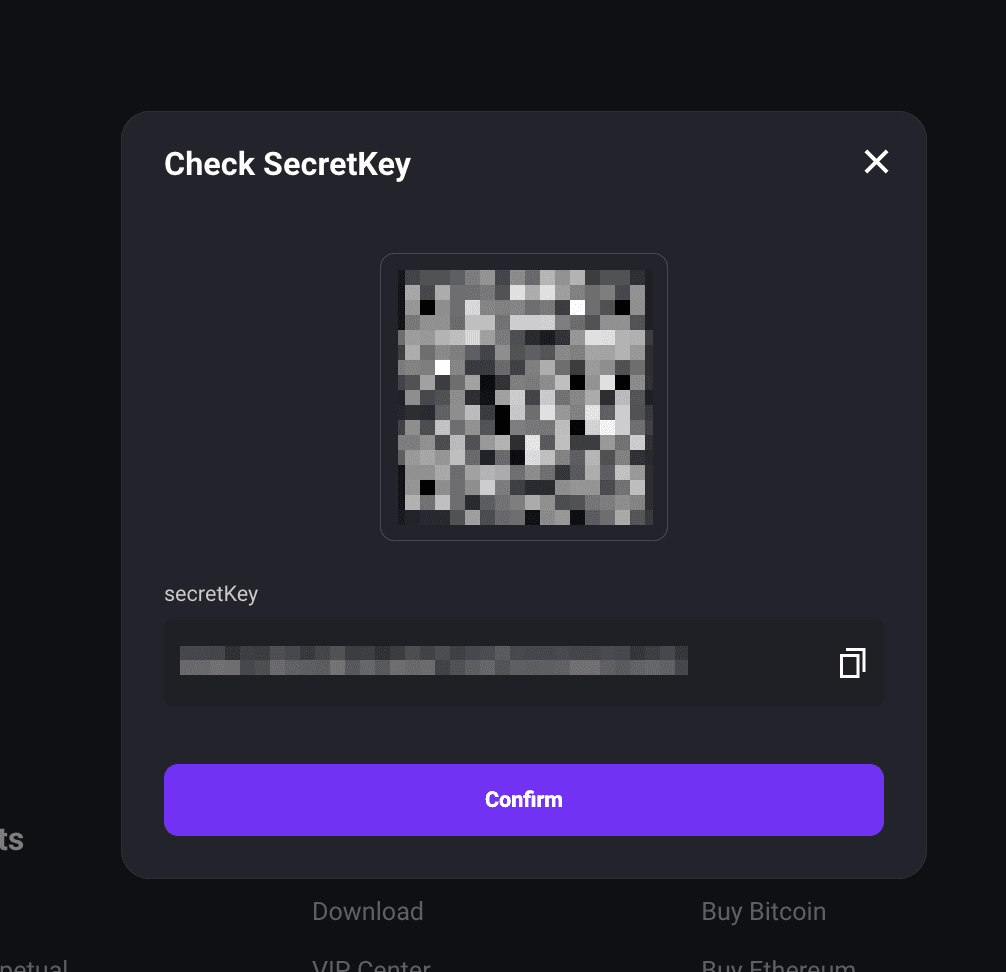
4. Under [API Records], you can view API KEY information, edit API trading permissions, or delete an API KEY you no longer use. To view the [Secret Key], click [View]. On the verification page, click [Send] and get the SMS verification code sent to your registered phone number. Then click [Confirm] to complete the verification and view your Secret Key.
Notes:
1. FameEX provides a simple yet powerful API that allows you to efficiently access market data and execute trades.
2. Each user can create up to 5 API KEY pairs.
3. A single IP address is limited to 1,000 requests per minute. If this limit is exceeded, the IP address will be locked for 1 hour and automatically unlocked afterward.
4. A single API is limited to 20 requests per second. Any requests exceeding this limit within one second will be considered invalid.
5. The candlestick data supports up to one request per second.
6. Users must complete KYC verification before creating API KEY.
7. If you encounter any issues while using the API, please contact FameEX Customer Support for assistance.
8. API KEY creation and management are currently only supported on the FameEX website.