How to Use FameEX Simple Earn? (Web)
2026-08-11 02:58:18FameEX Simple Earn offers Flexible and Fixed Products. You can subscribe using available assets in your Spot Account and Funding Account. You can also view your holdings and earnings in your Earn Account. Flexible Products have no fixed term. Interest is distributed hourly by default, and redemption is available at any time. Fixed Products have a specified term. Interest is distributed daily by default, and the principal is returned at maturity.
1. How to Subscribe to FameEX Simple Earn?
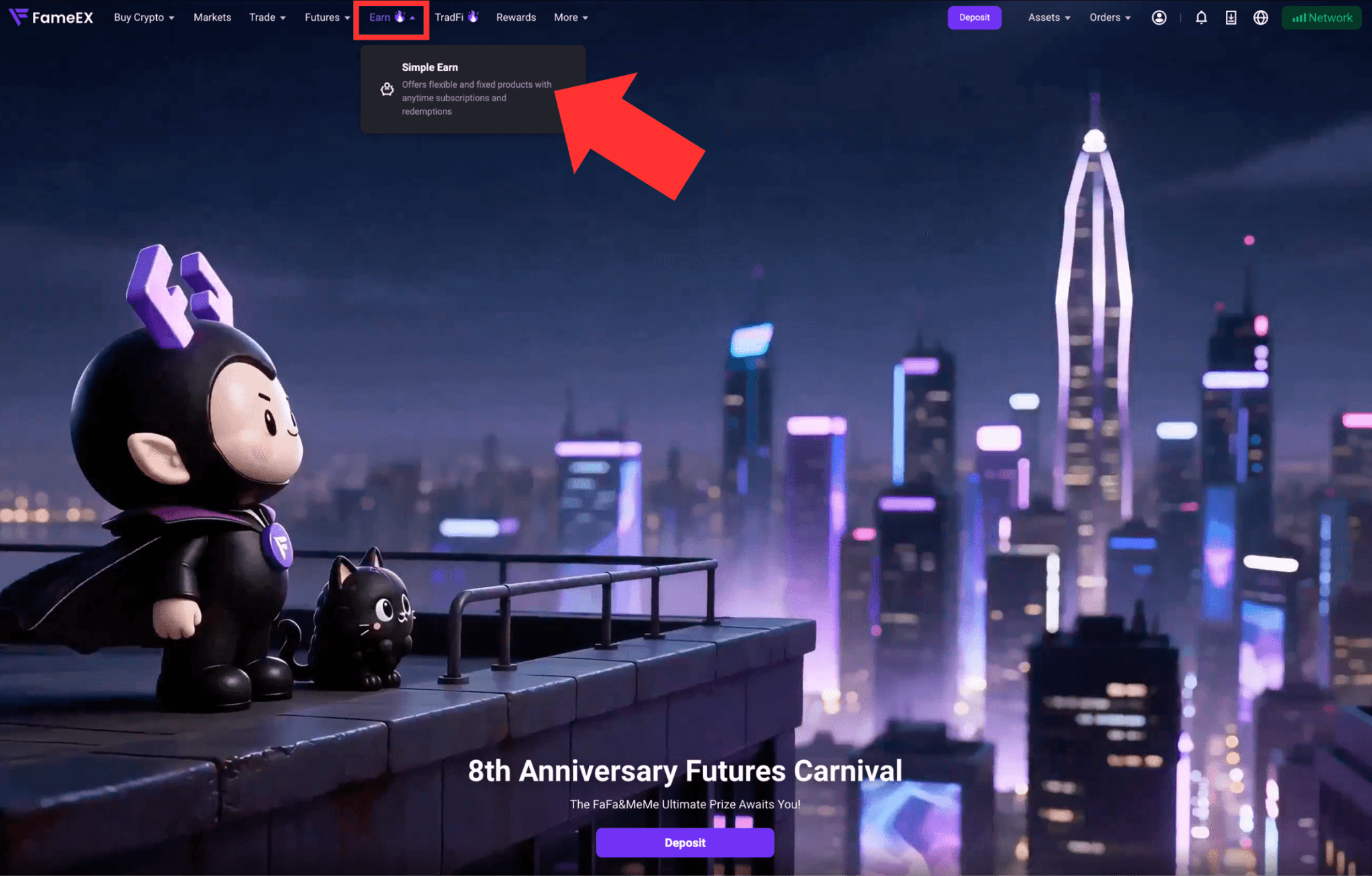
1) Click [Earn] and scroll down to [Simple Earn] in the top to enter the FameEX Earn page.
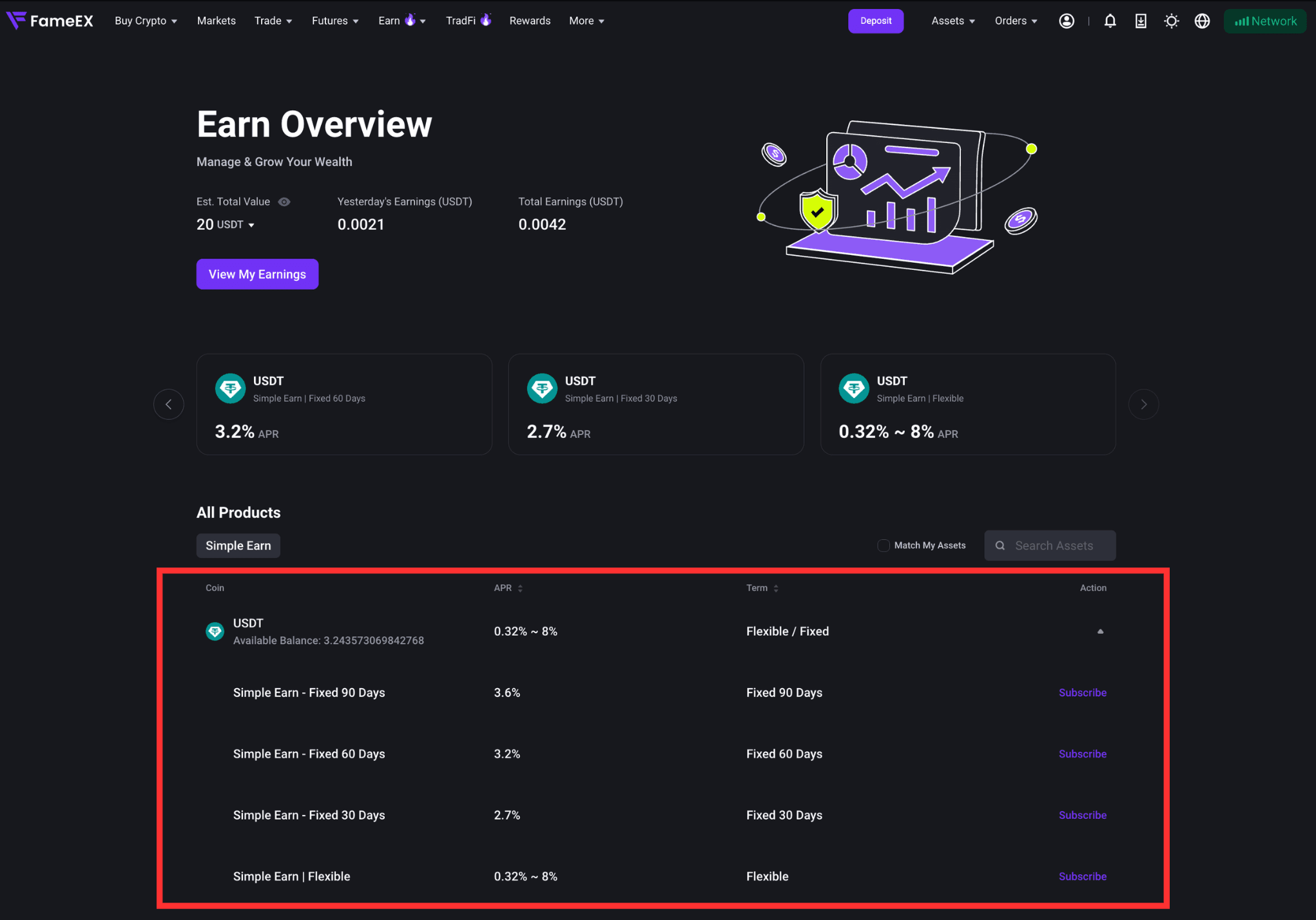
2) On the Simple Earn page, view the available coin, APR, terms, and other product information. Select the product you want to subscribe to.
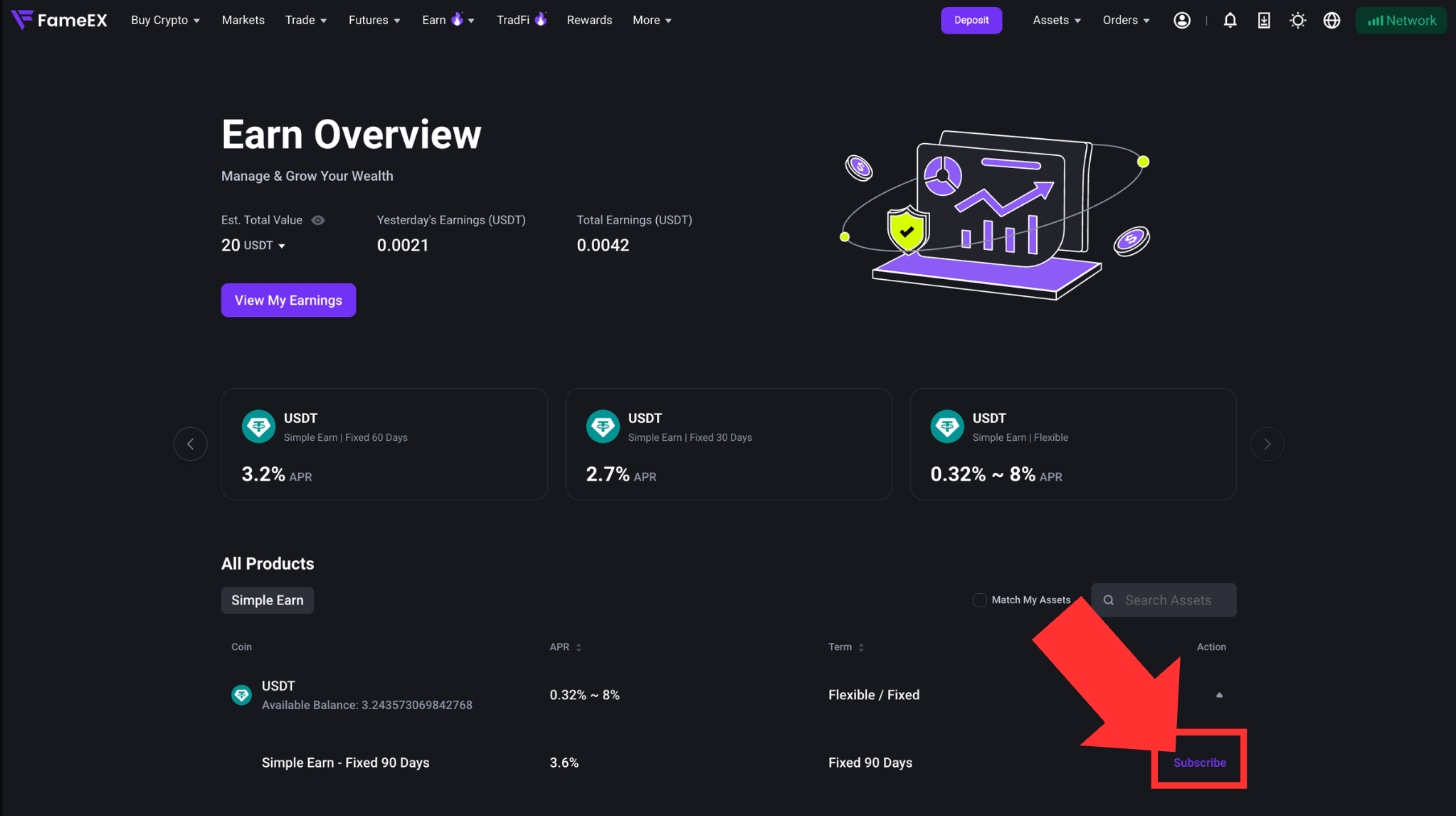
3) Find the product you want and click [Subscribe].
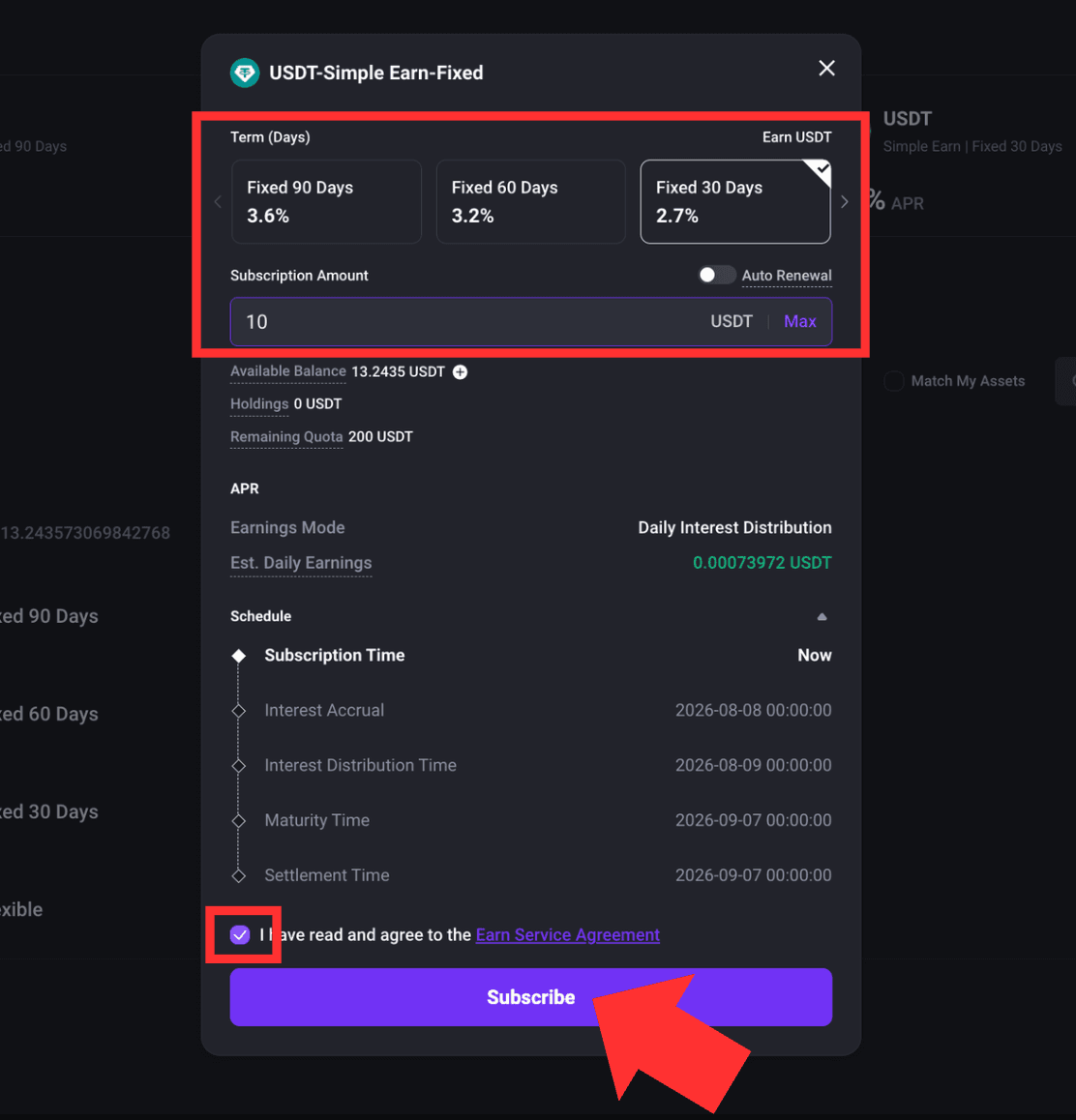
4) In the subscription pop-up, choose either Flexible or Fixed Product under [Term (Days)] and then enter the subscription amount.
Review the APR, estimated daily earnings, interest start time, and interest distribution time. If tiered APR applies, the APR for each amount tier will also be displayed. Read and select [I have read and agree to the Earn Service Agreement]. Review the subscription details and click [Subscribe] to confirm.
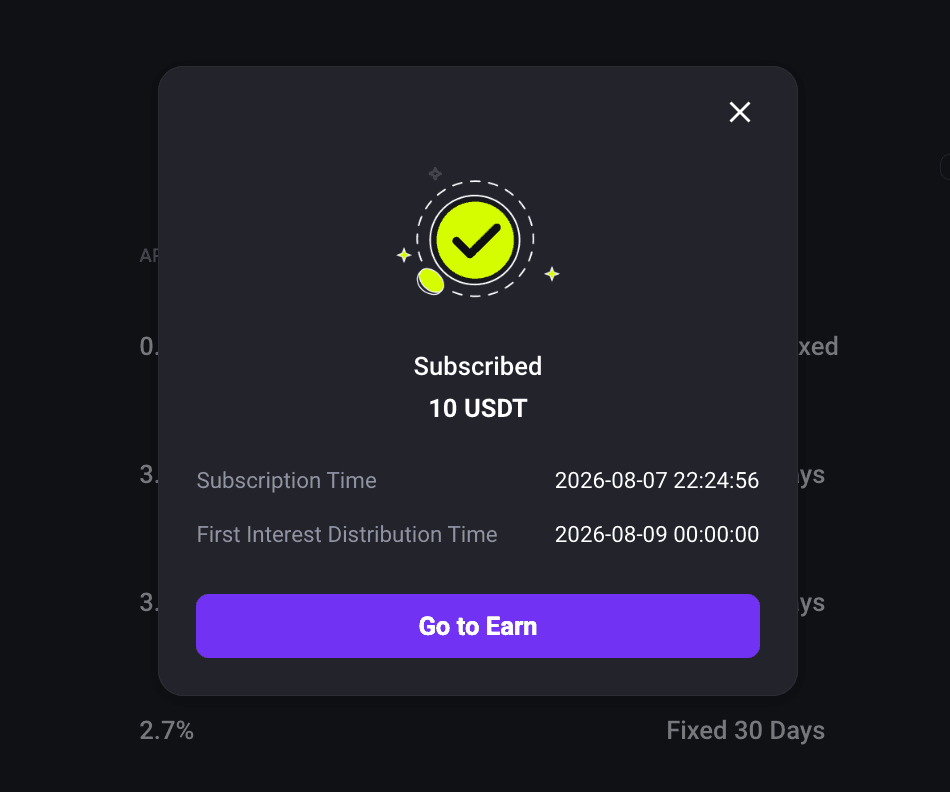
2. How to View Your Earn Holdings and Earnings?
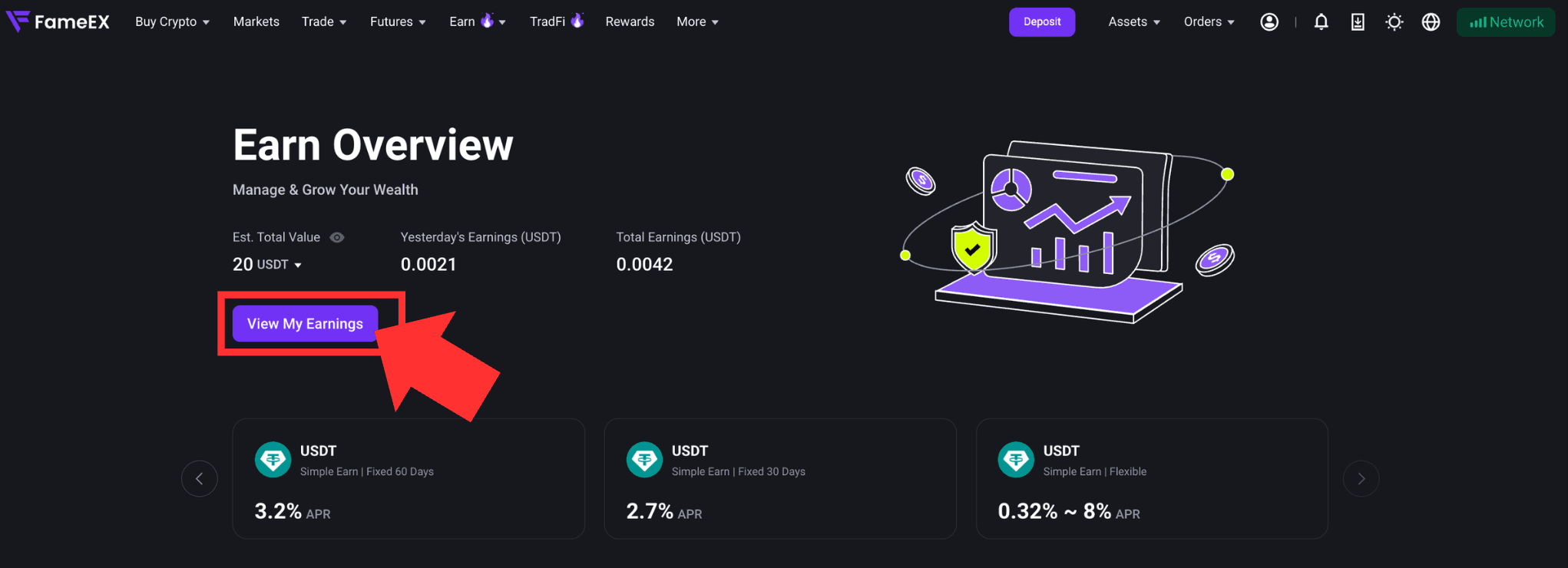
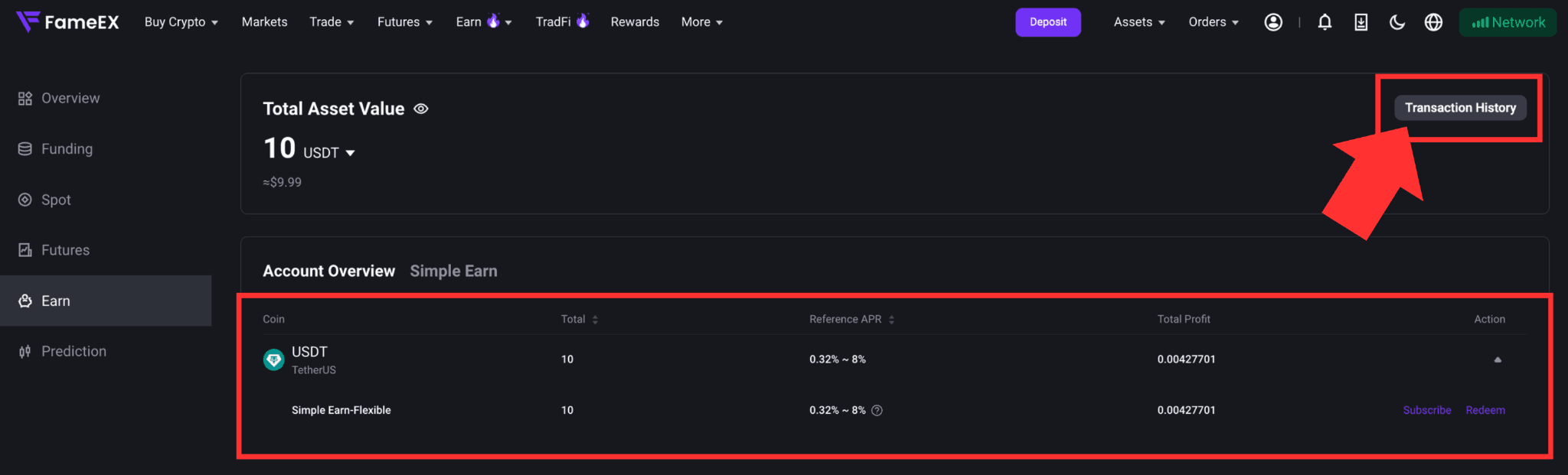
1) Enter the FameEX Earn page and click [View My Earnings]. You can view your total Earn assets, cumulative earnings, and transaction history in your Earn Account.
2) Click [Transaction History] to view details such as your holding amount, earnings, interest distribution time, and product term.
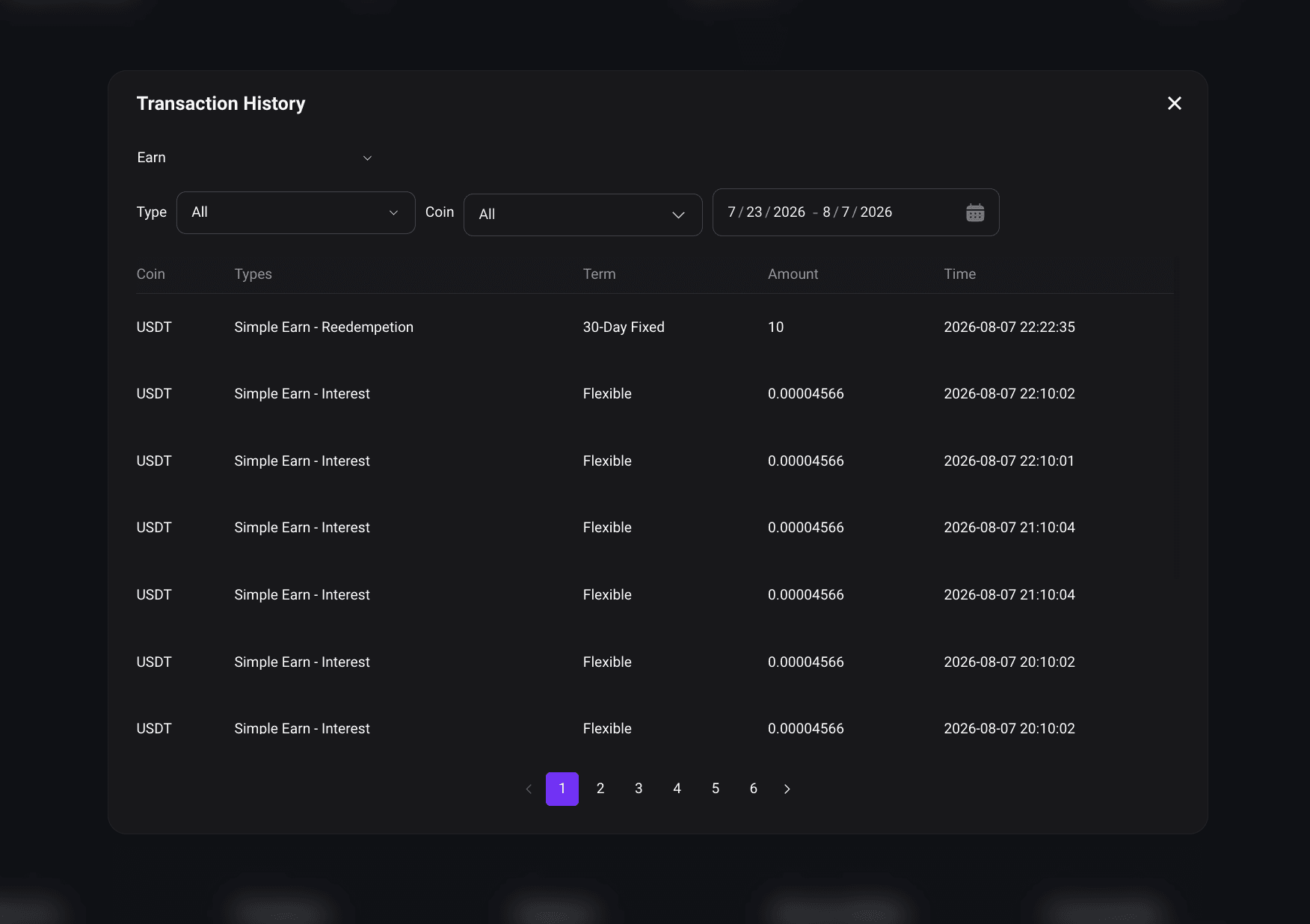
*Interest Calculation and Distribution:
Flexible Products generally begin accruing interest at the next full hour after subscription. The first interest payment is expected in the following hour. Each Fixed Product subscription accrues interest separately. Please refer to the page for the actual interest start time, distribution time, and maturity time.
3. How to Redeem Simple Earn Flexible and Fixed Products?
1) Enter your Earn Account and find the product you want to redeem. Open the [Action] drop-down menu and click [Redeem].
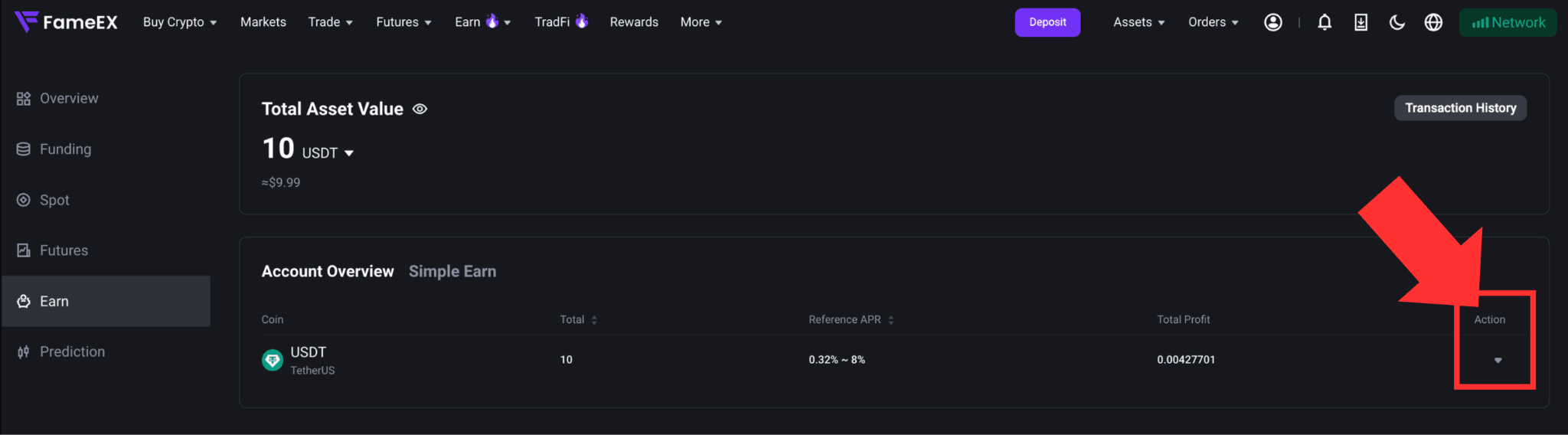
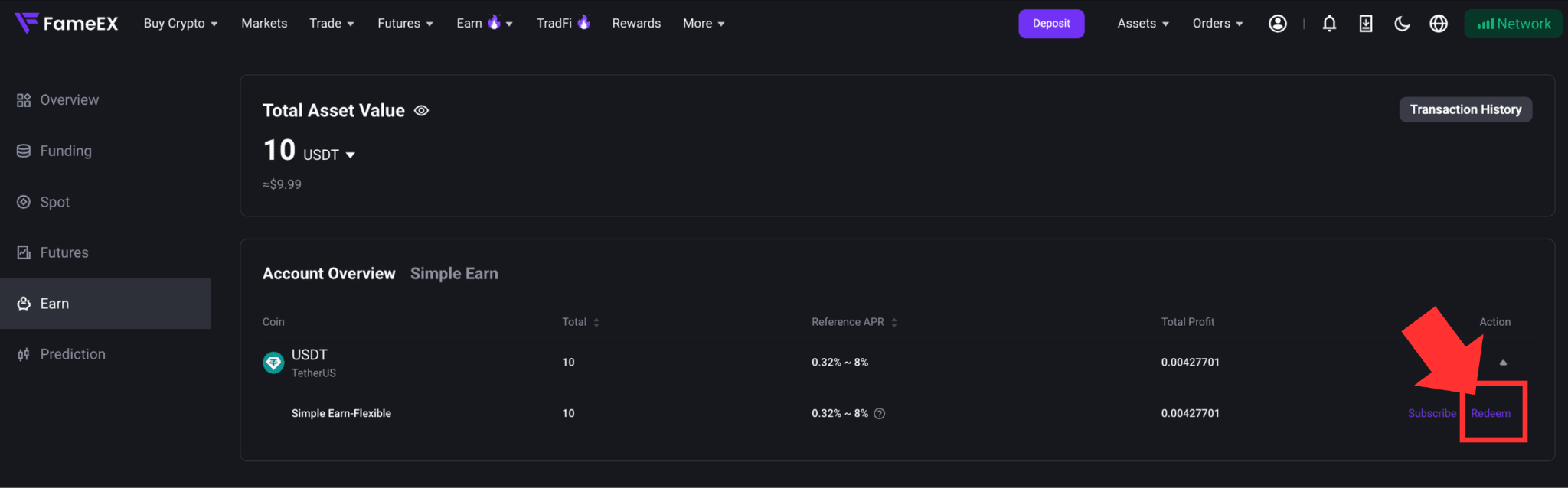
2) For a Flexible Product, enter the amount you want to redeem. Review the estimated credit time and click [Redeem] to confirm. Flexible Products support partial or full redemption. Once the redemption is completed, the principal will be credited to your Spot Account. Please refer to your account records for the actual credit time.
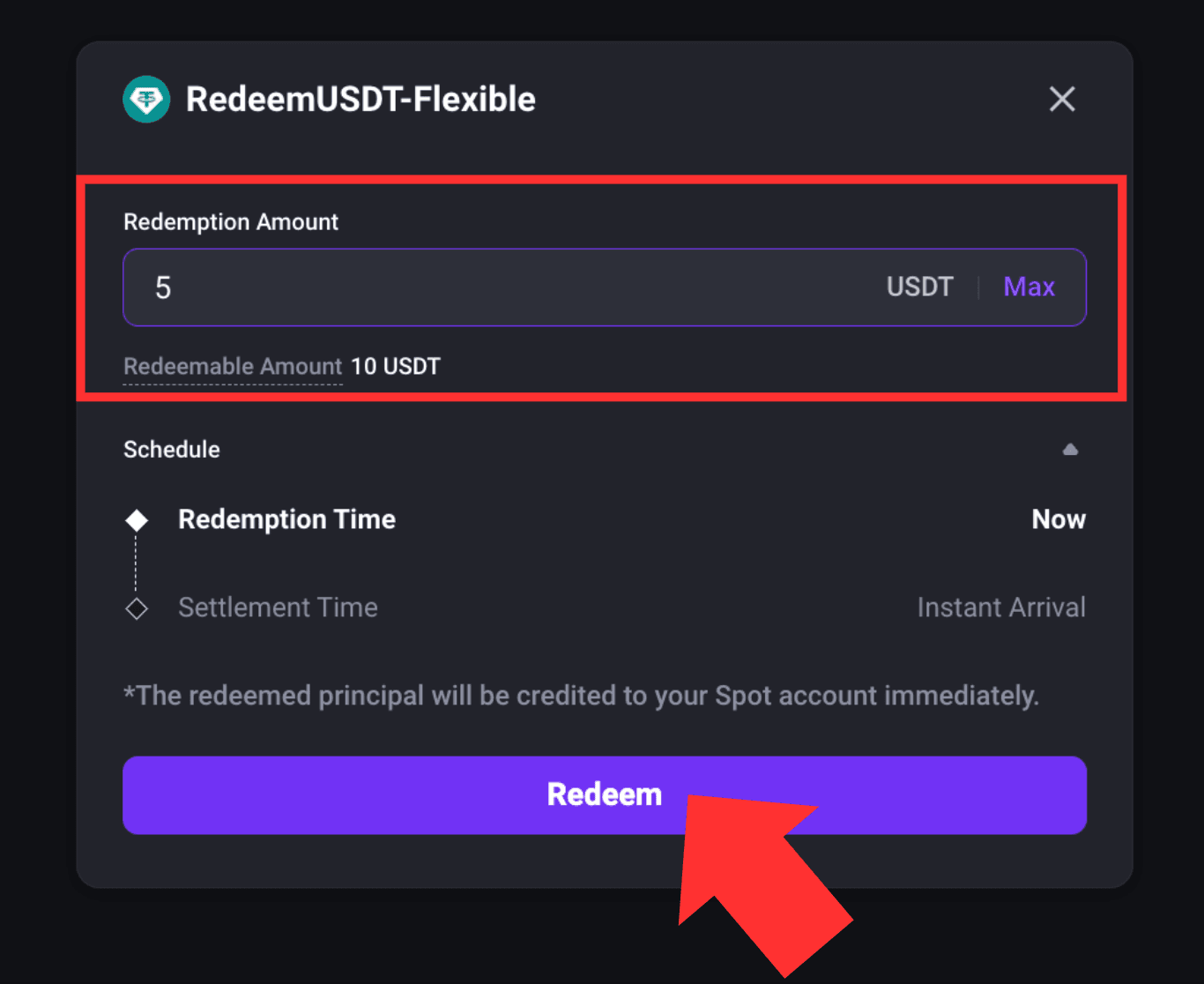
*Note: When redeeming a Fixed Product before maturity, the entire subscription must be redeemed. Partial early redemption is currently not supported. All interest already distributed for that subscription will be deducted from the principal. The remaining principal will then be credited to your Spot Account.
4. How to Enable or Disable Auto-Subscribe or Auto-Renewal?
Enter your Earn Account and click [Subscribe] for the product you want.
In the subscription window, enable or disable the available automatic feature.
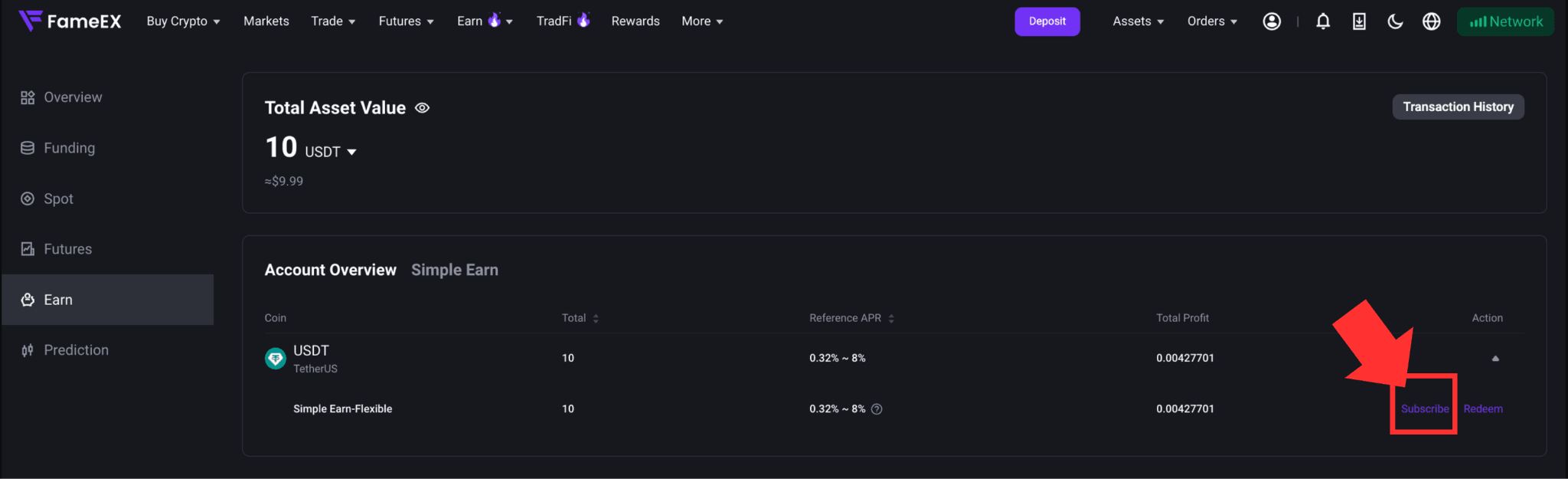
Flexible Products support [Auto-Subscribe], while Fixed Products support [Auto-Renewal]. When [Auto-Renewal] is enabled, the system will use the returned principal to subscribe to the same Fixed Product again at maturity.
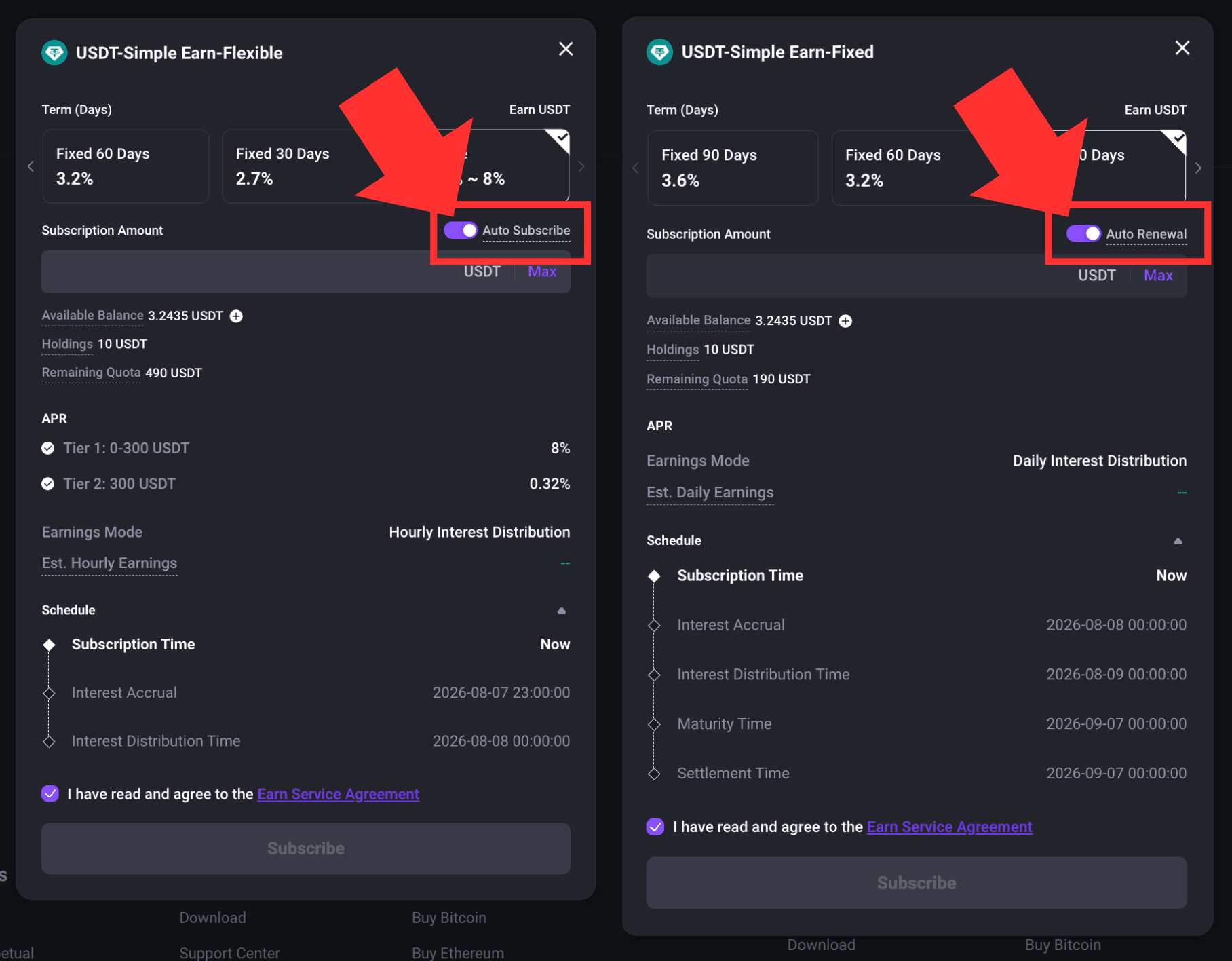
If the original Fixed Product has been delisted, the system will subscribe the principal to a Flexible Product in the same asset according to the applicable product rules. If the relevant product is unavailable or the asset has been delisted, Auto-Renewal will stop. The principal will then be credited to the Spot Account.
*Some feature names and page locations may change with platform updates. Please refer to the actual page for the latest information.