How to View Your FameEX Assets and Transaction History? (Web)
2026-09-10 07:42:51You can view assets across different FameEX accounts from the [Assets] page. For your orders, trades, balance changes, and other records, go to the corresponding trading or asset page. As each account and trading product generates different types of records, the available history is displayed separately on the relevant pages.
1. How to View Assets Across FameEX Accounts?
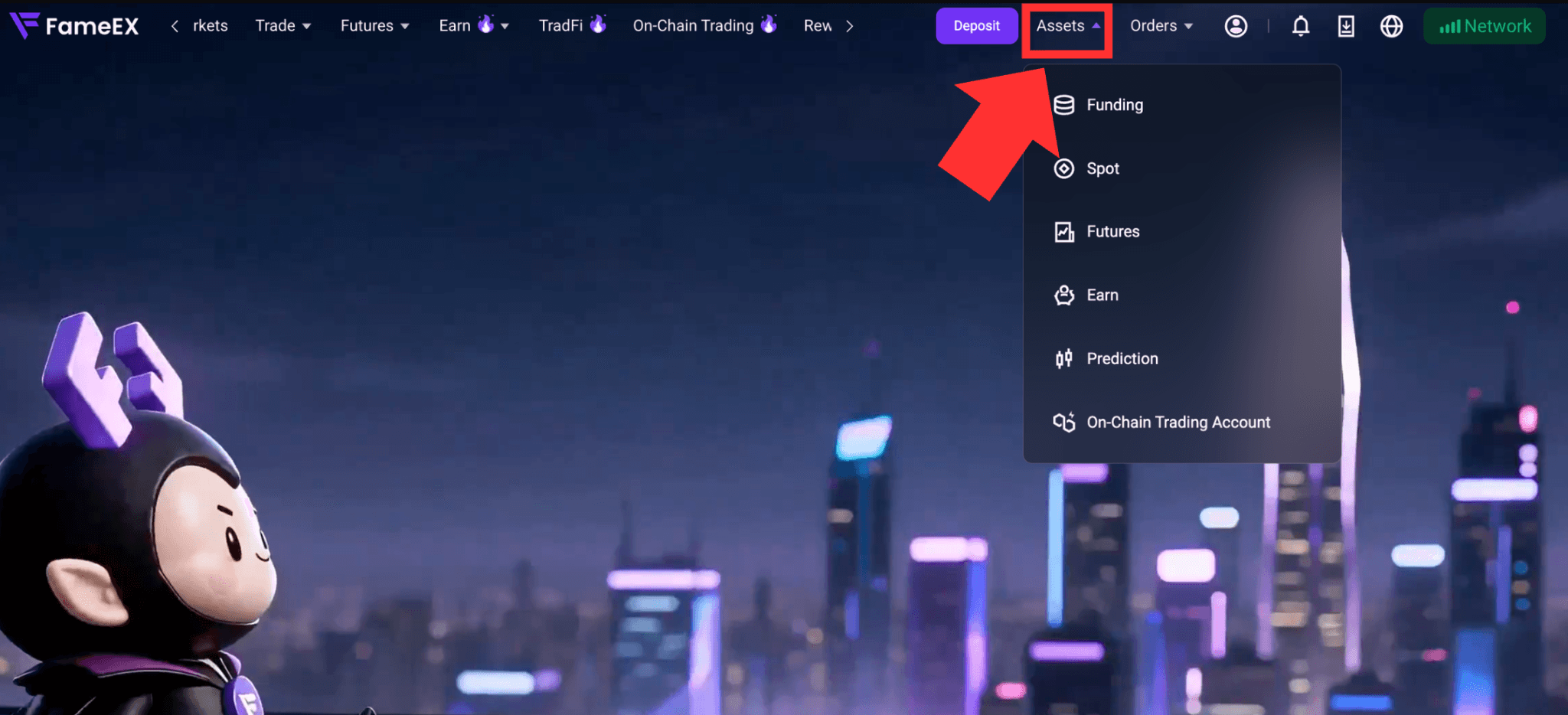
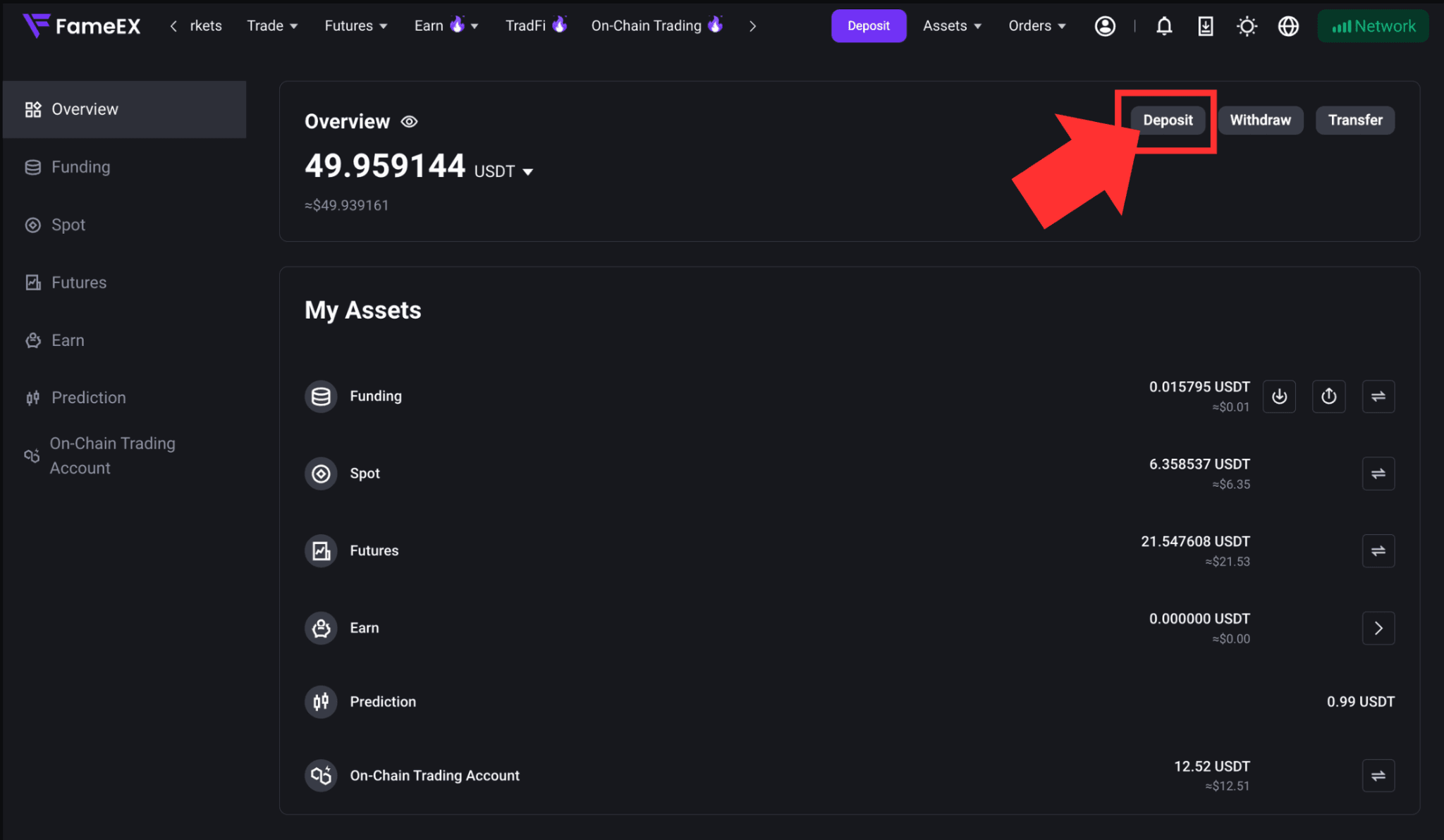
1) Visit the FameEX website and log in to your account. Click [Assets] in the upper-right corner to go to the Assets page.
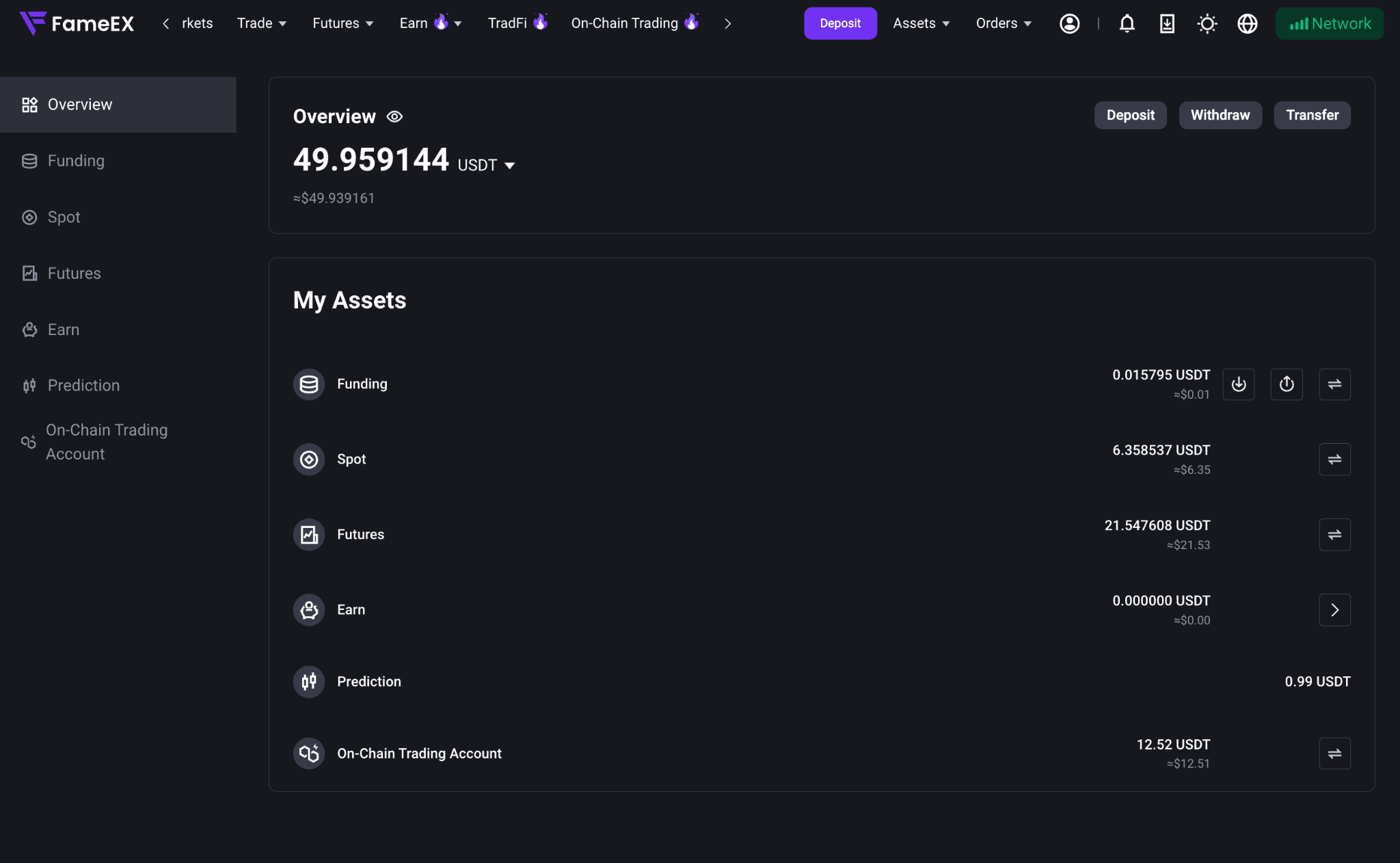
2) On the assets [Overview] page, you can view your total account assets and available balances.
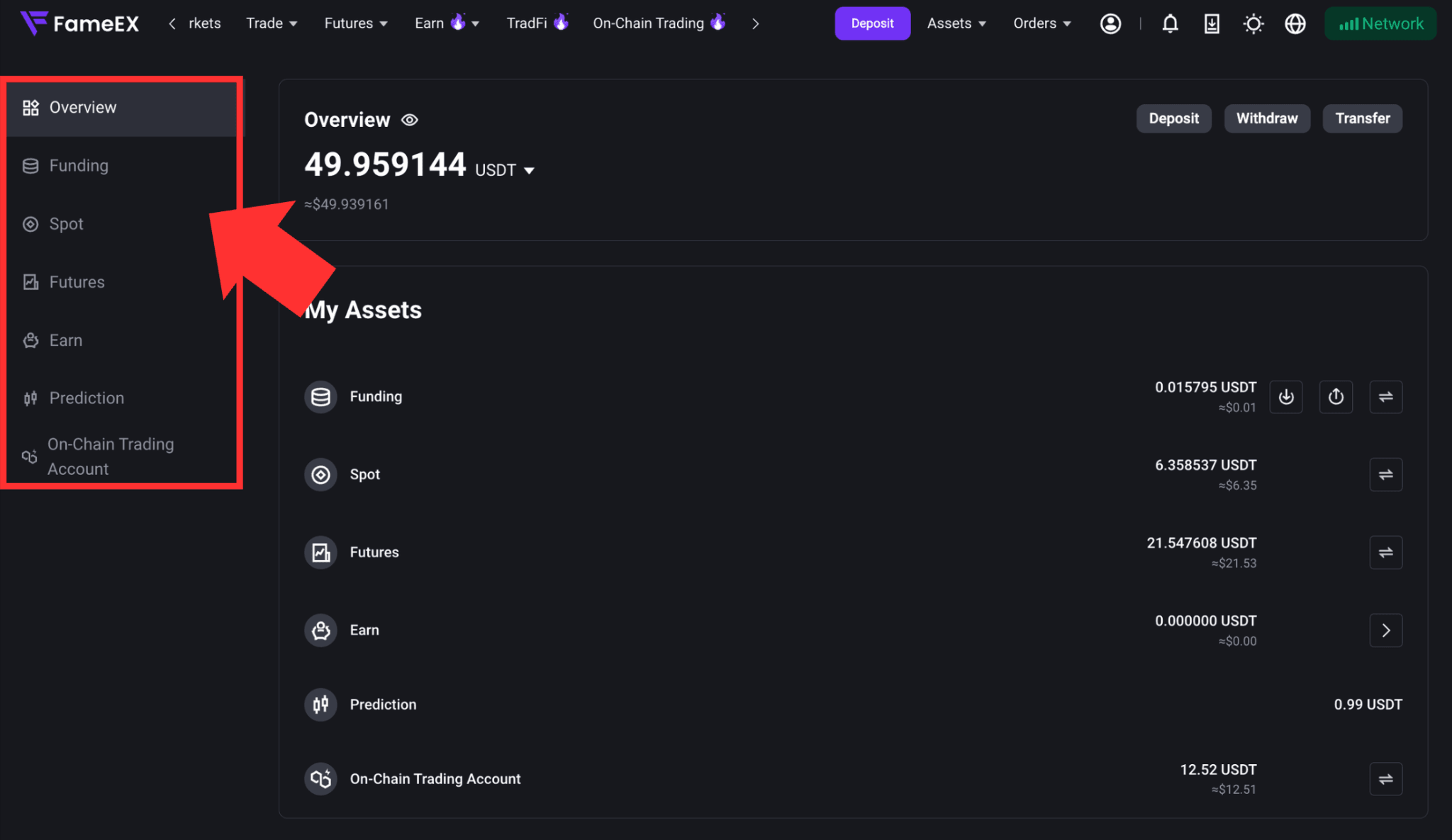
3) Under this page, you can view the current balance and estimated value of each account, including:
- Funding Account: Used for deposits, withdrawals, internal transfers, and other fund-related activities.
- Spot Account: Used for spot trading and related asset management.
- Futures Account: Used for futures trading, margin, and related PnL settlement.
- Earn Account: Used to manage Earn subscriptions, redemptions, holdings, and earnings.
- Prediction Market Account: Used for Prediction Market trading and related asset management.
- On-Chain Trading Account: Used for on-chain token trading and related asset management.
To review transactions or balance changes related to a specific asset, go to the corresponding asset or trading page.
2. How to View and Check Trading Account and Transaction History?
FameEX shows asset and transaction records on the relevant pages based on the type of trading activity. You can check the corresponding section for more details. The information available may vary by page.
1) For example, to review fund movements related to futures trading, go to [Transaction History] on the Futures Account page.
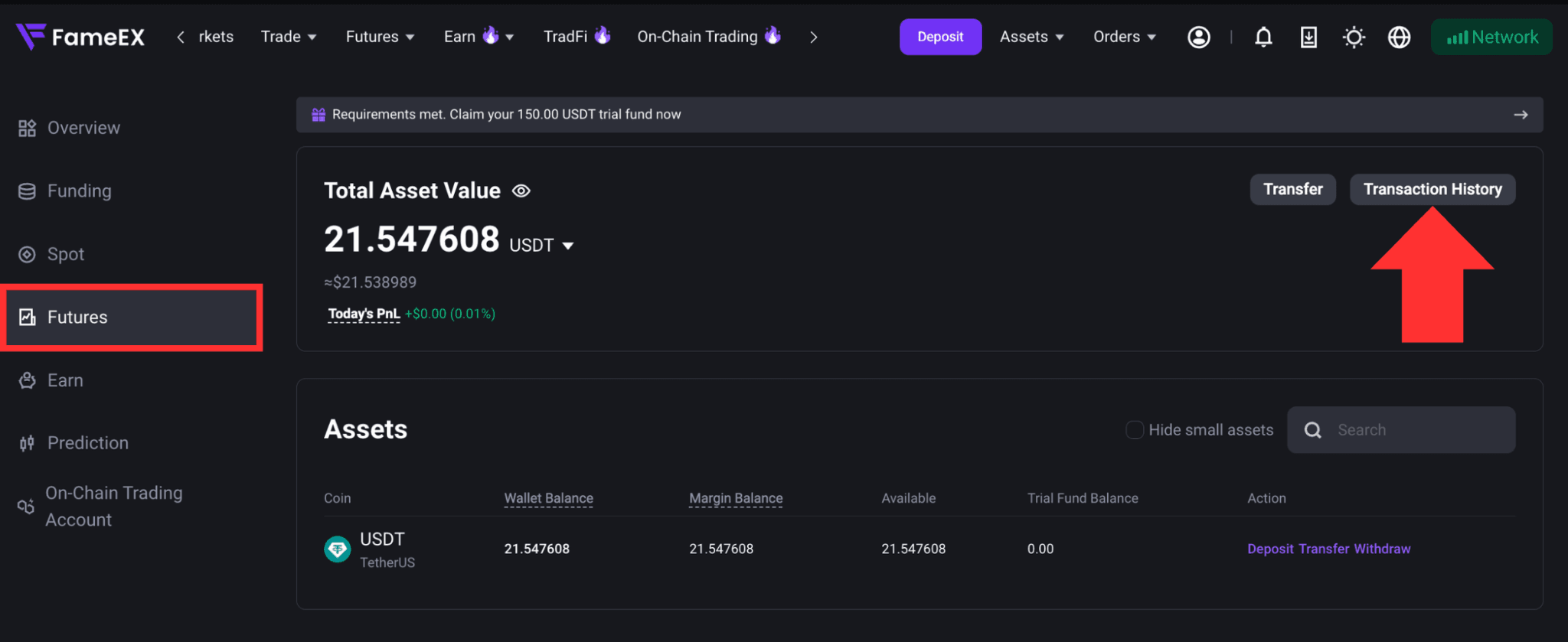
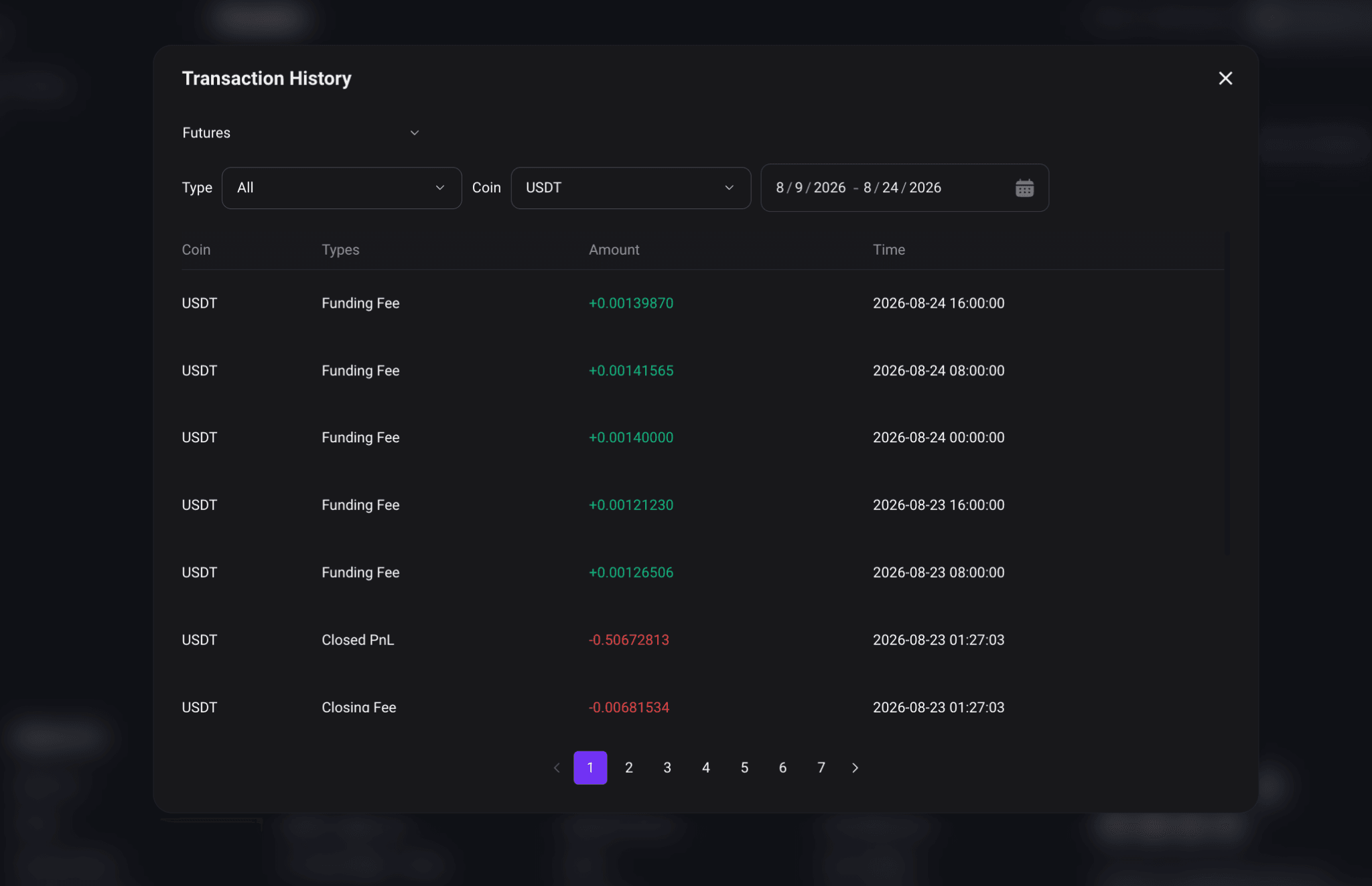
2) On the [Transaction History] page, you can also filter records by account type, activity type, coin, and date range.
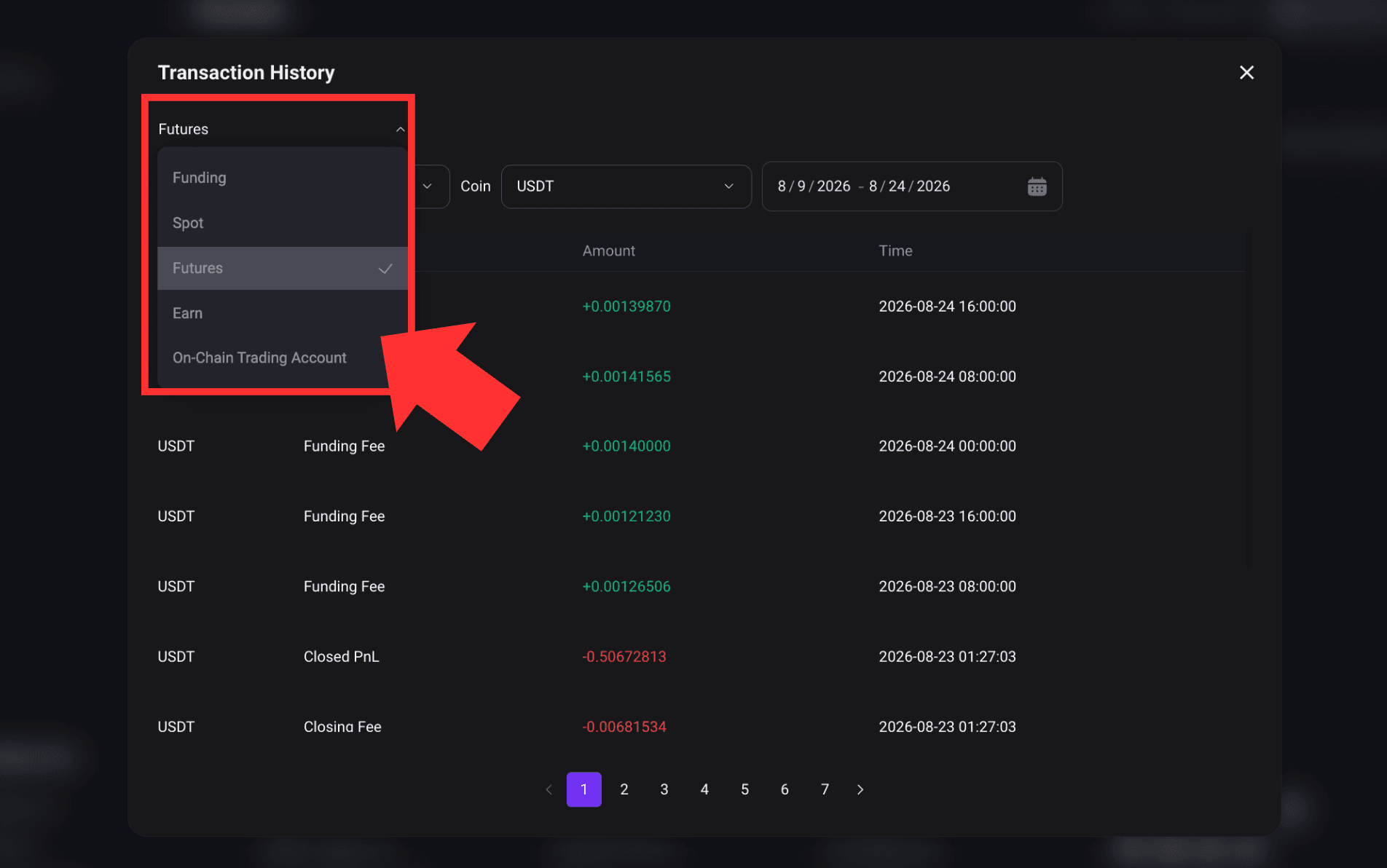
3. Common Record Types
Different FameEX record types provide different information. Common record types include:
4. How to Transfer Funds Between Accounts?
FameEX supports asset transfers between different accounts. You can select the source account, destination account, coin, and transfer amount based on your needs. Once the transfer is complete, the updated balance will appear in the corresponding account. Internal Transfers between FameEX accounts are free of charge.
For detailed instructions, refer to:
5. How to View Deposit History?
Go to [Deposit] and under [Recent Deposit Record], click [View all] to review your previous deposits and their crediting status. You can view details such as the coin, amount, deposit time, and address.
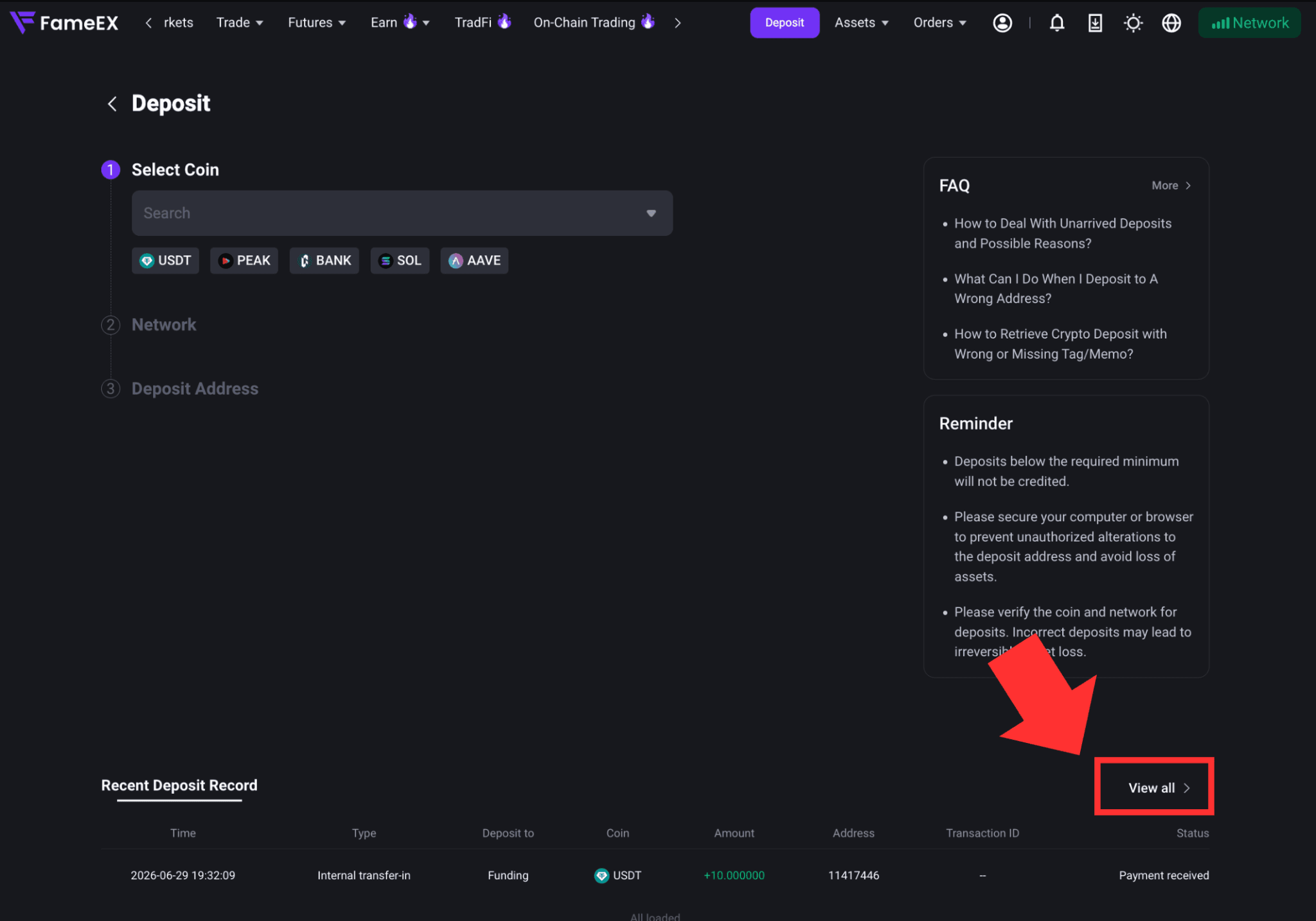
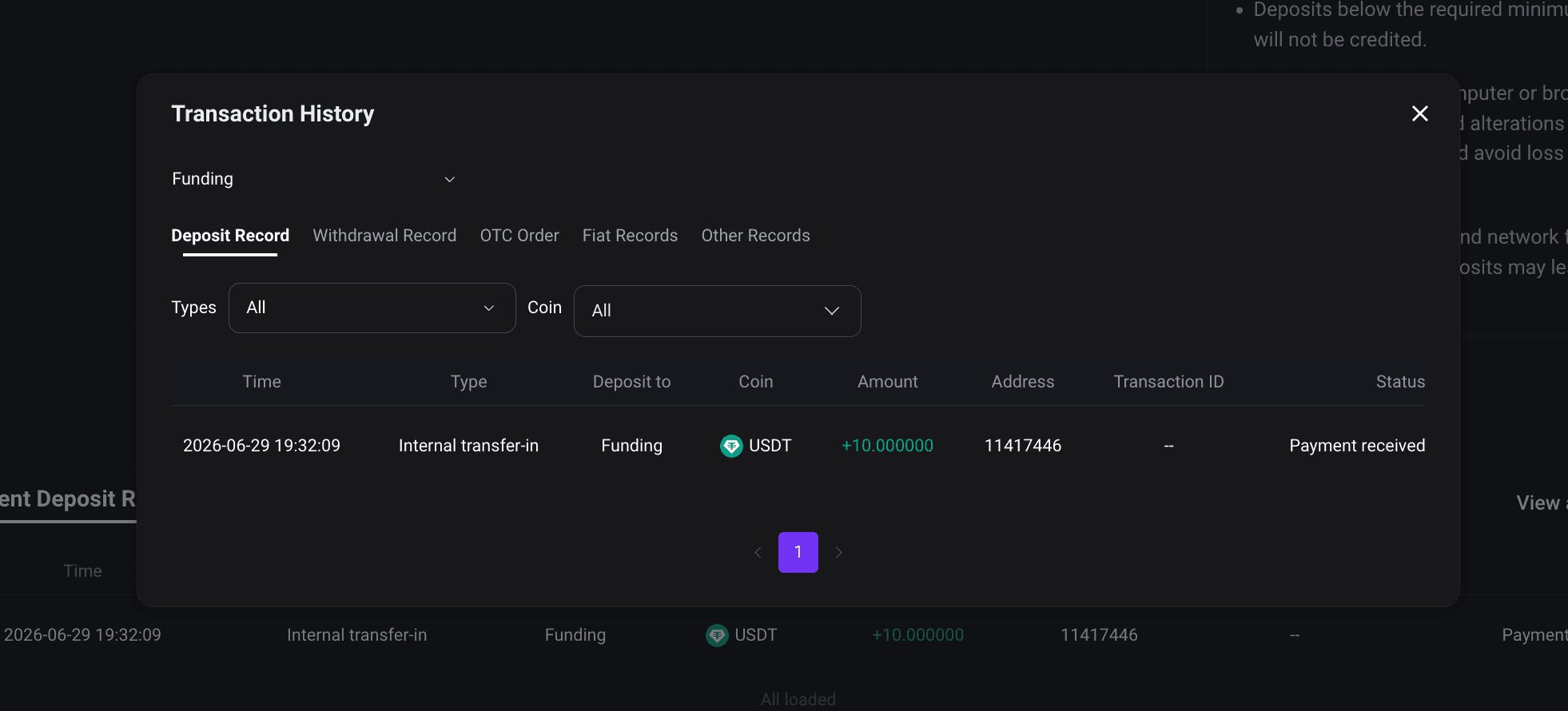
For more details on depositing to FameEX, including how to select a coin and network, obtain a deposit address, and complete a deposit, refer to the guide for your device:
6. Why Can’t I Find the Record I Need?
If you cannot find a specific record, check the following:
- Make sure you are on the correct asset or trading page.
- Confirm that you have selected the correct coin or trading pair.
- Check whether the selected date range covers the actual transaction time.
- Review any other active filter settings.
- Make sure you are checking the correct record type, such as order history, trade history, or transaction history.
- Check whether the trade, withdrawal, or other activity is still being processed.
For withdrawal issues, check the status under Withdrawal History first. If a TxID has already been generated for an on-chain withdrawal, you can also use it to check the transaction status on the corresponding blockchain.
If you still cannot find the record, contact FameEX customer support. Provide the operation time, coin, amount, order details, withdrawal ID, or TxID where applicable to help us review the issue.
Notes
- Records for different FameEX asset accounts and trading products are shown on their respective asset or trading pages.
- Available record types and filter options may vary by page. Please refer to the information displayed on the relevant page.
- Assets, orders, trades, transaction history, and withdrawal history represent different types of information. Select the appropriate record type based on what you need to check.
- Processing times for on-chain withdrawals and on-chain trades may be affected by blockchain network conditions.
*Some feature names and page locations may change as the platform is updated. Please refer to the latest information displayed on FameEX.