How to Withdraw Crypto on FameEX? (Web)
2026-09-10 07:19:401. What Is Crypto Withdrawal?
Crypto Withdrawal means transferring digital assets such as BTC or USDT from your FameEX account to another trading platform or personal wallet through a blockchain network.
2. What Should You Check Before Withdrawing?
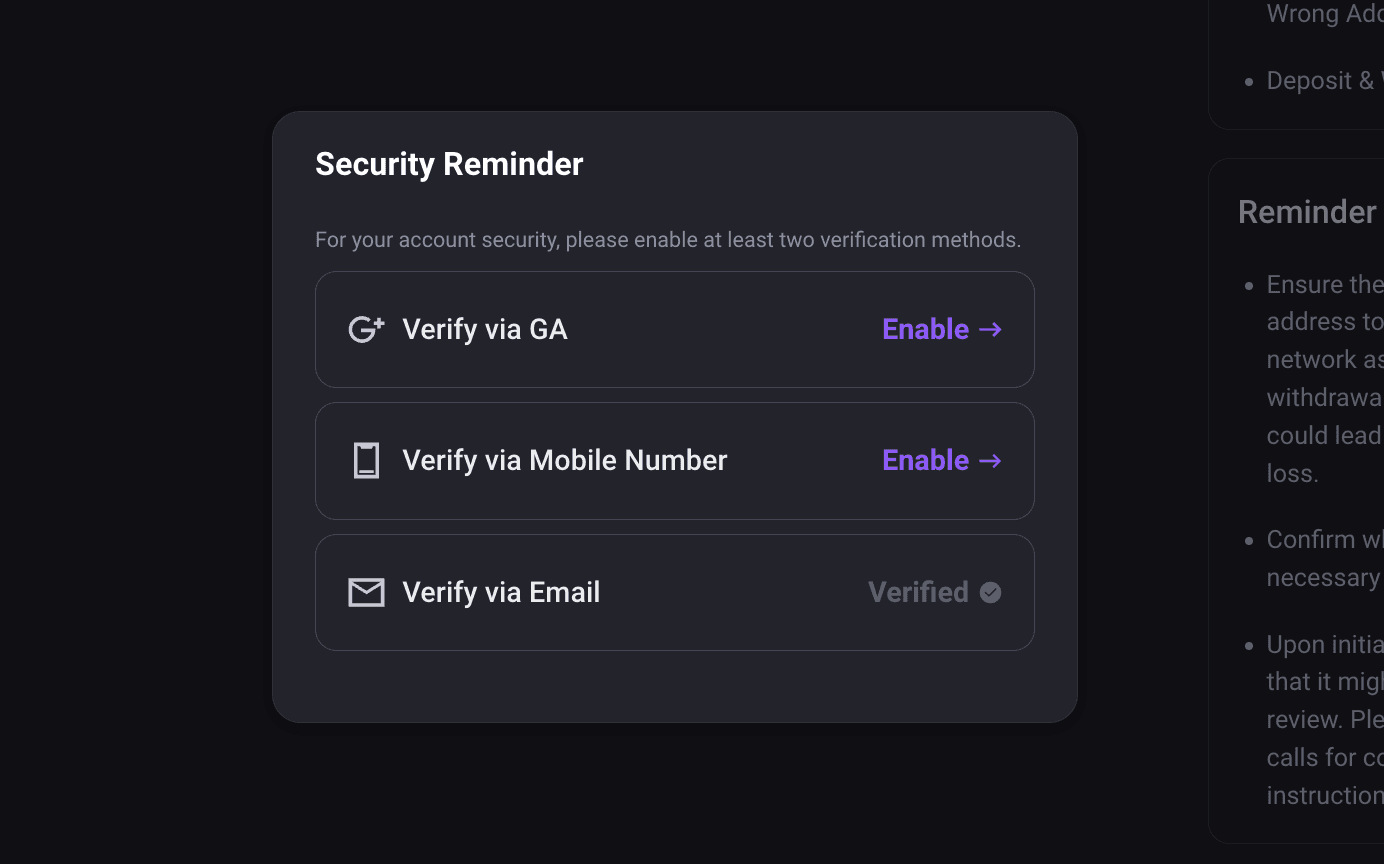
Before making a withdrawal, make sure your FameEX account has completed the required security setup. You must set up at least two security verification methods. If you have not completed the required setup, follow the on-screen instructions before proceeding.
For an on-chain withdrawal, make sure the withdrawal network selected on FameEX matches the deposit network supported by the receiving platform or wallet. Please also check the withdrawal address carefully. Some coins or networks require additional information such as a MEMO or Tag. If required, enter the information exactly as provided by the receiving platform or wallet. Once a blockchain transaction has been submitted and sent, it usually cannot be retrieved. Using the wrong withdrawal address, network, MEMO, or Tag may prevent the assets from being credited. In some cases, the assets may not be recoverable.
The minimum withdrawal amount, withdrawal fee, and amount received may vary by coin and network. Please refer to the information shown on the withdrawal page.
3. How to Withdraw Crypto on FameEX?
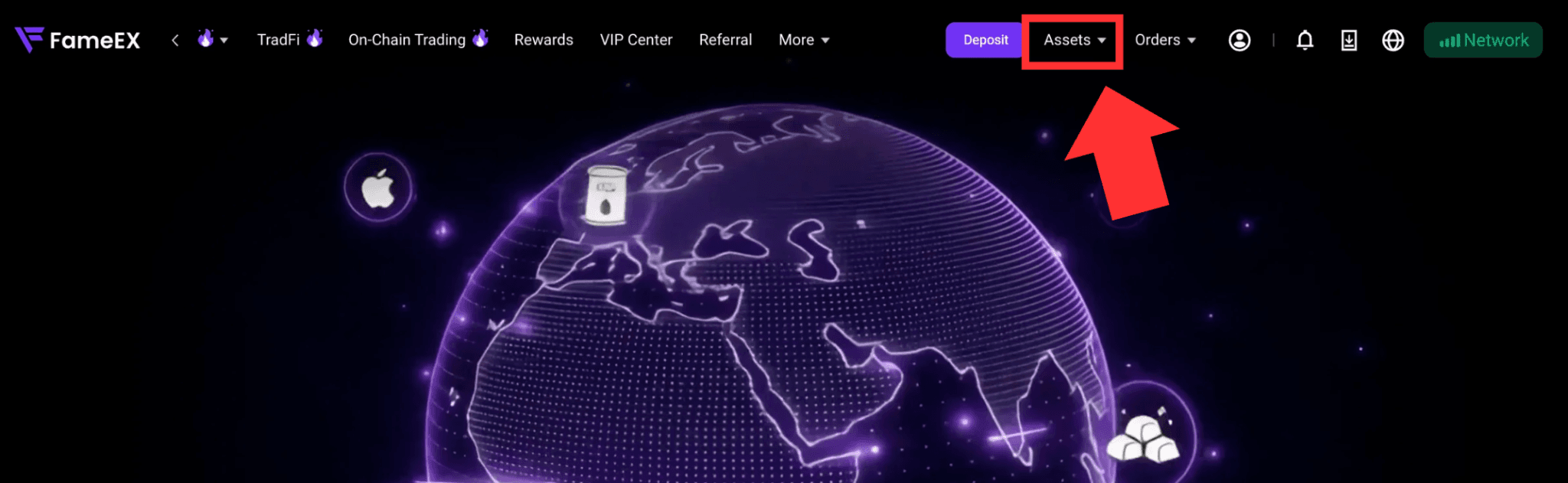
1) Go to the FameEX website and log in to your account. Click [Assets] in the upper-right corner to enter the page.
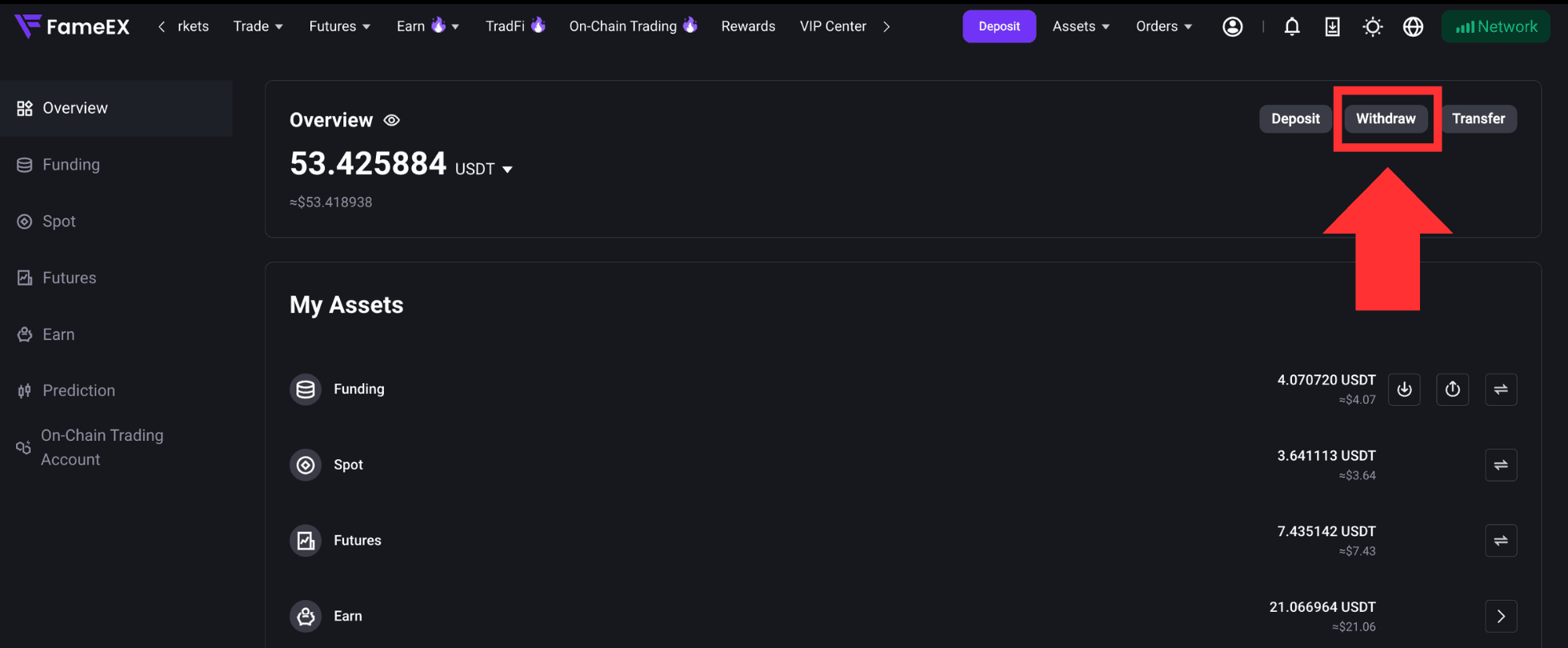
2) On the Assets page, click [Withdraw] to enter.
3) If your account has not completed the required security setup for withdrawals, follow the page instructions to complete it first. You must set up at least two security verification methods before proceeding.
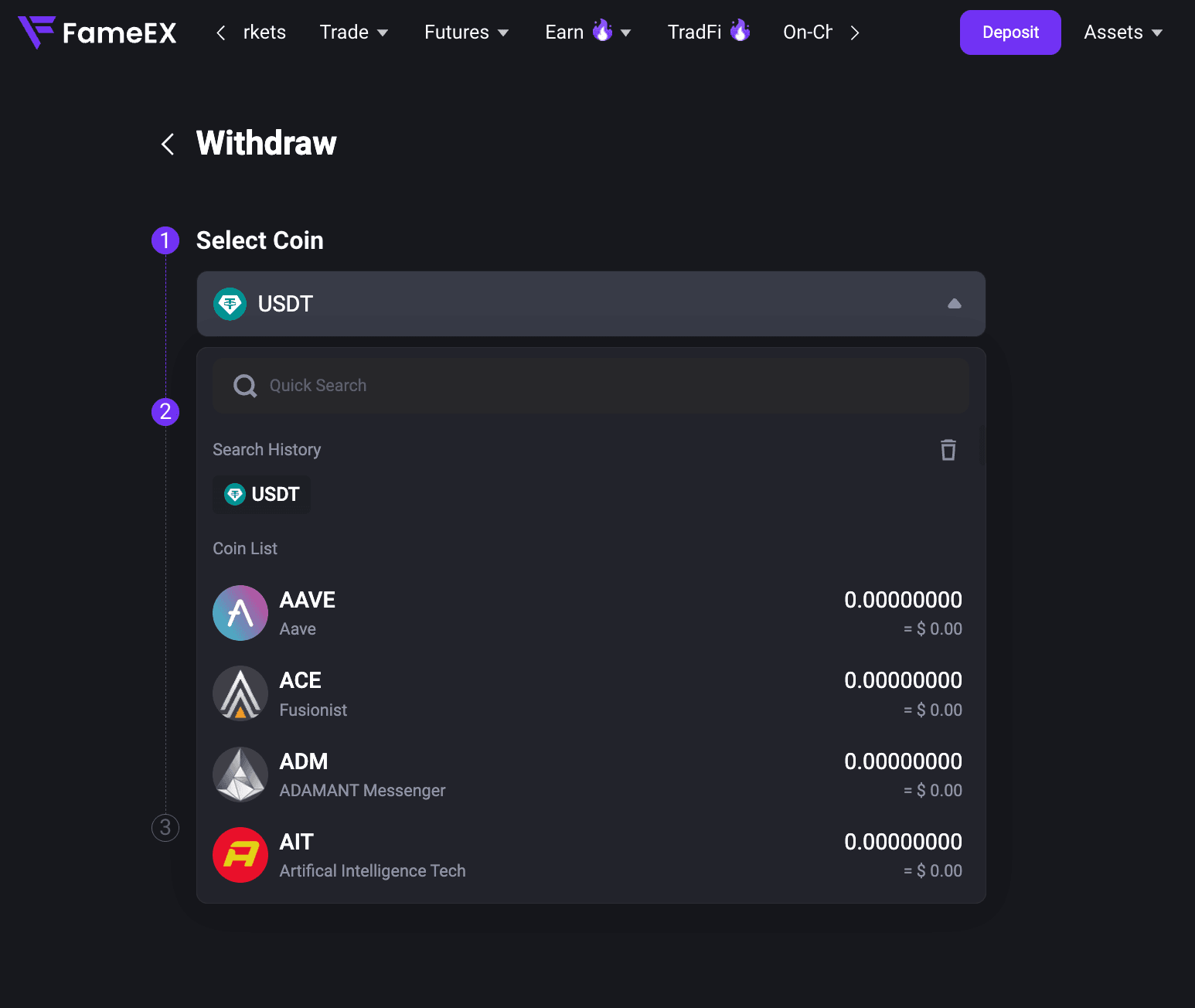
4) On the withdrawal page, select the cryptocurrency you want to withdraw, such as USDT.
5) Select [On-Chain] and choose the corresponding blockchain network. Make sure the withdrawal network selected on FameEX matches the deposit network provided by the receiving platform or wallet. Selecting the wrong network may prevent your assets from being credited.
In addition, [Internal Transfer] allows you to transfer assets to another FameEX account using the recipient's email address, phone number, or UID.
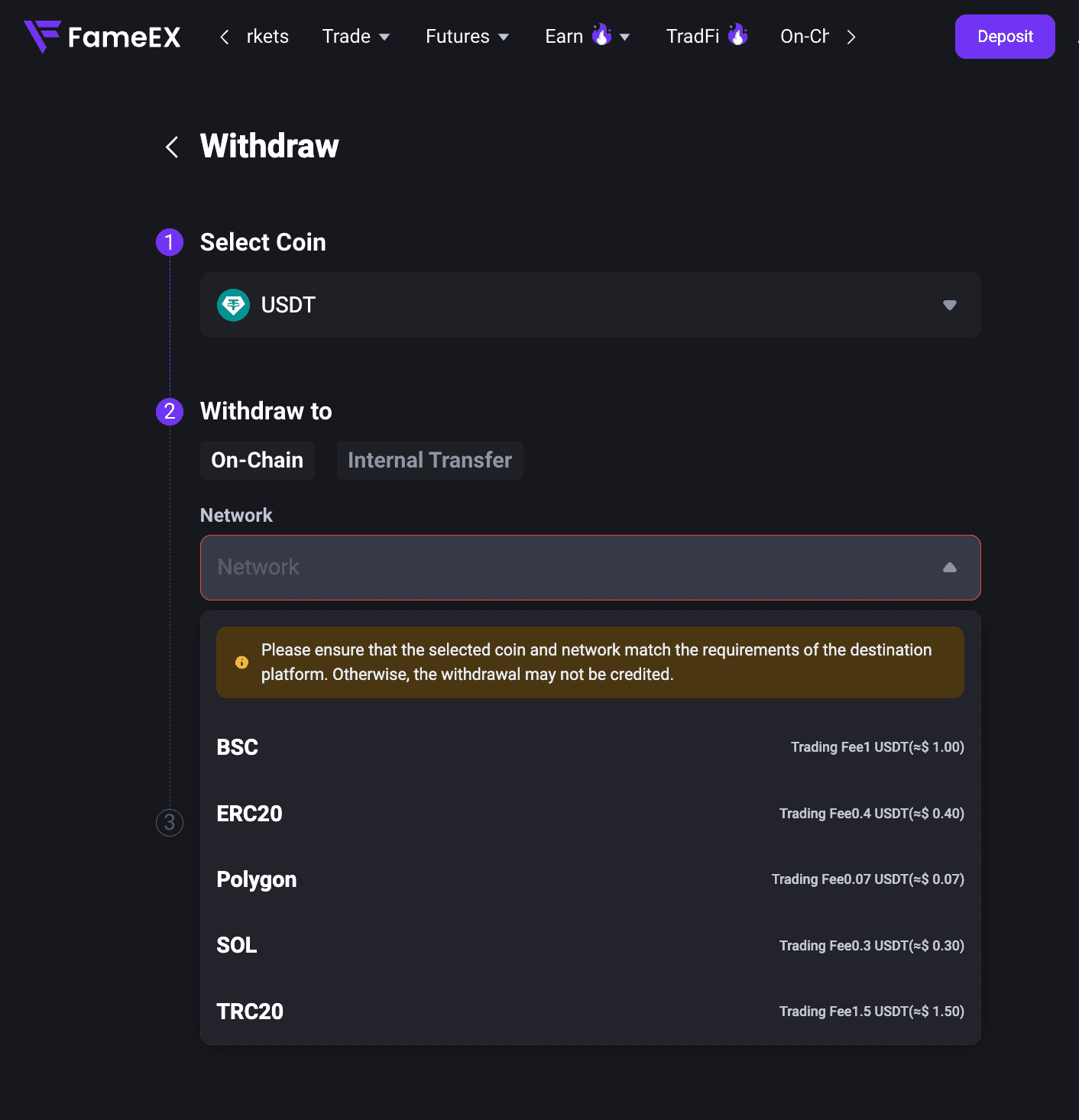
6) Enter the deposit address provided by the receiving platform or wallet in the [Withdrawal Address] field. If the selected coin or network requires a MEMO, Tag, or other additional information, enter it exactly as provided by the receiving platform or wallet. If no MEMO or Tag is required, leave the field blank.
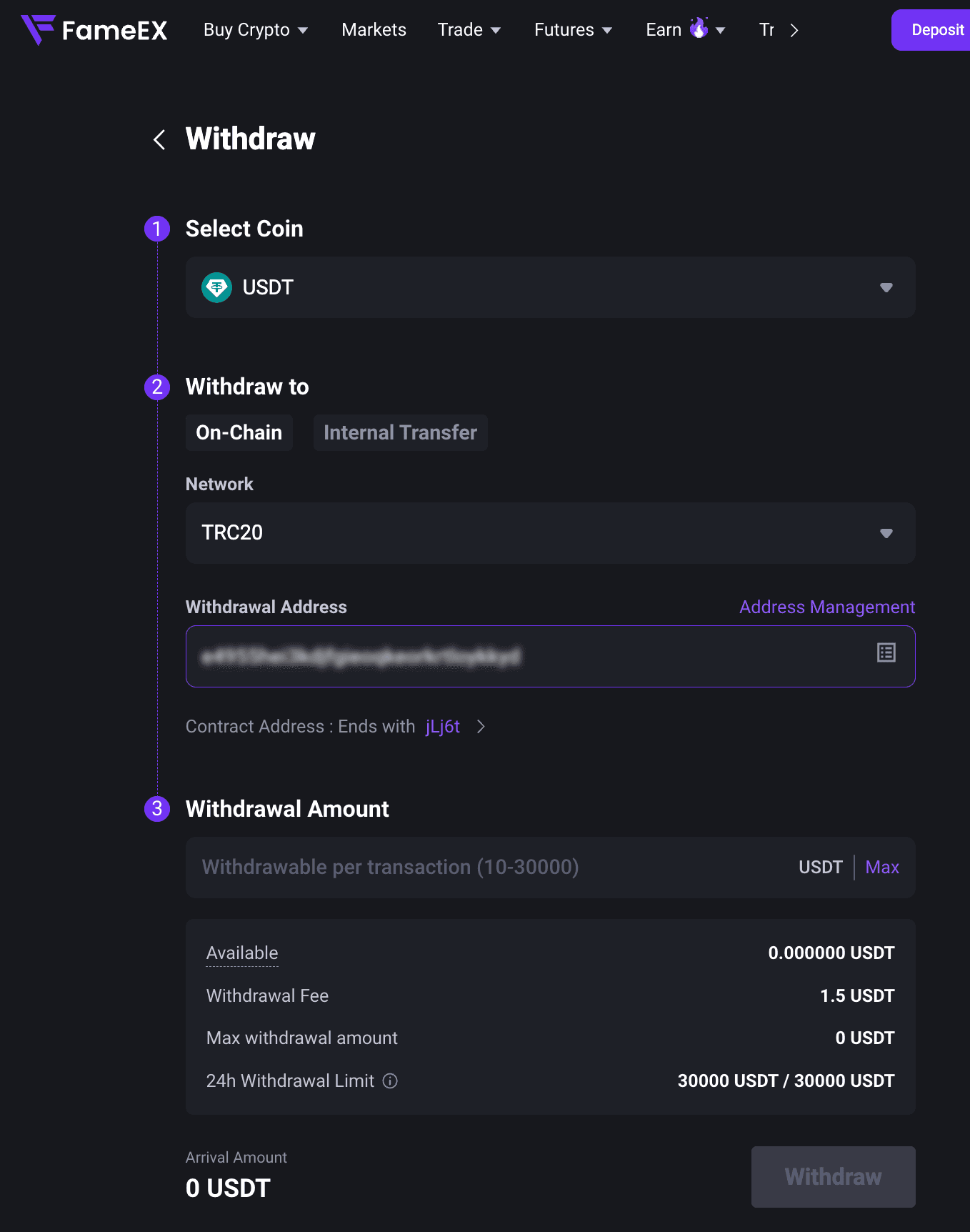
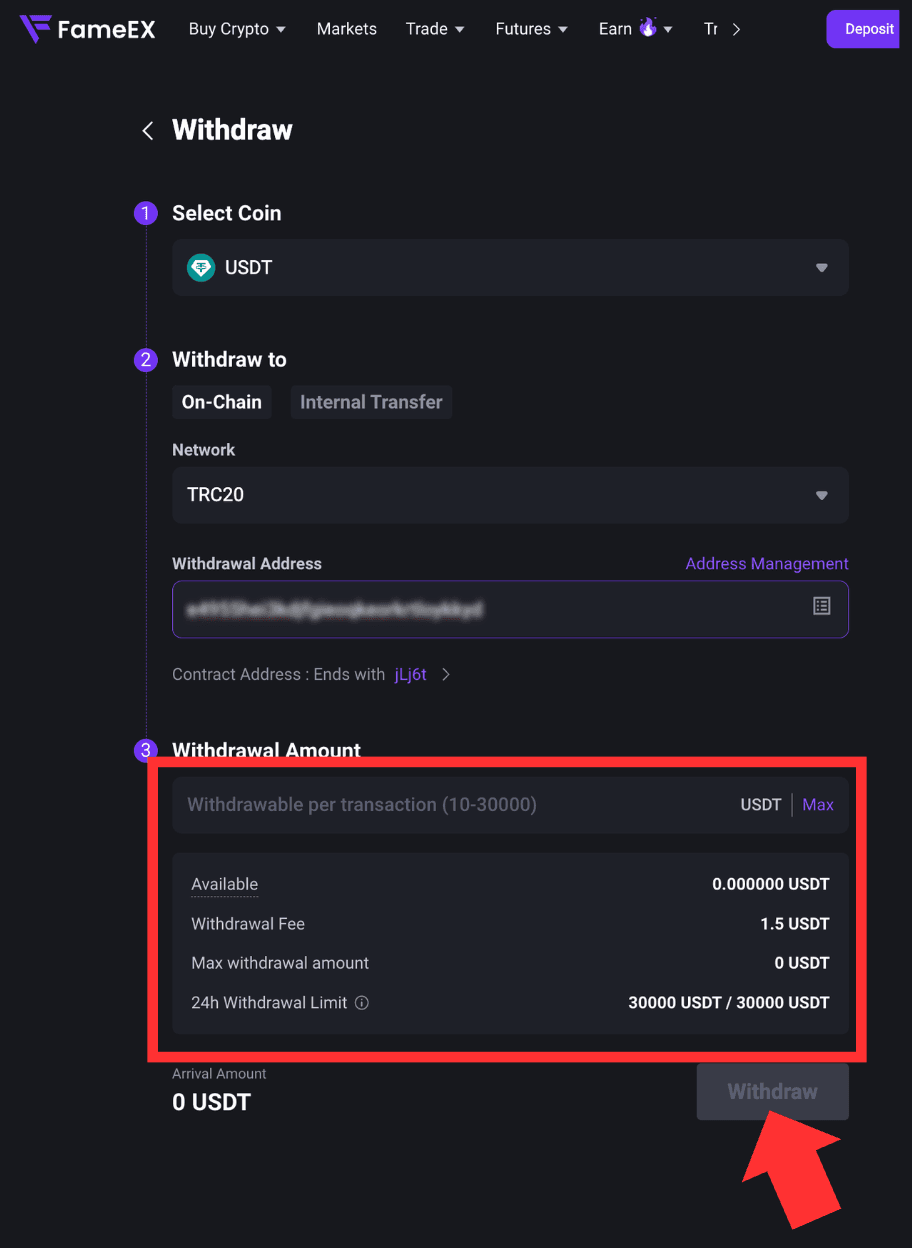
7) Enter the amount you want to withdraw. The page will show your available balance, withdrawal fee, and amount received based on the selected coin and network. Review the information and click [Withdraw].
Some withdrawals may be subject to additional review due to account security or risk control requirements. Please refer to the status shown on the page or any official FameEX notification. Once the withdrawal has been processed and your TxID has been generated, the transaction will be submitted to the corresponding blockchain network. The final arrival time depends on network conditions and the number of confirmations required by the receiving platform.
4. How to Check Your Withdrawal History?
After submitting your withdrawal, you can view recent transactions under [Recent Withdrawal History] at the bottom of the withdrawal page. Click [View All] to see more withdrawal records.
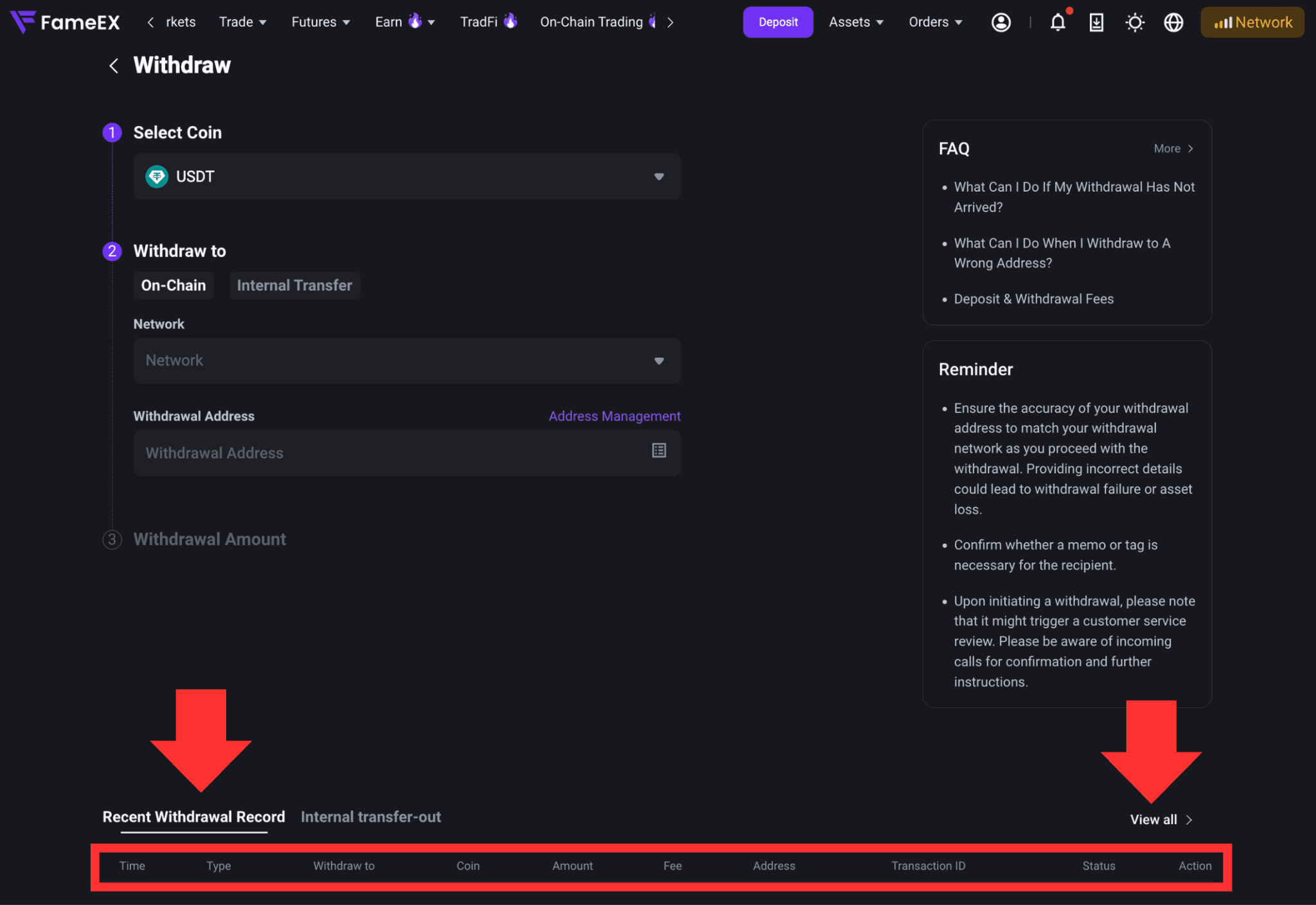
The withdrawal history shows the details and current status of each transaction. This includes the coin, amount, network, address, withdrawal fee, TxID, and other relevant information.
5. What Should You Do If Your Withdrawal Has Not Arrived?
If an on-chain withdrawal has not arrived, first check its current status in your FameEX withdrawal history. If the TxID has been generated, the transaction has already been submitted to the blockchain network. You can use a blockchain explorer to check its current confirmation status. Transactions may take longer to confirm when the network is congested.
If the blockchain shows that the transaction has been completed but the assets have not been credited by the receiving platform, check the number of confirmations required by that platform. You can also contact the receiving platform or wallet provider for further assistance. If the withdrawal status on FameEX has not been updated for an extended period or you are unable to confirm the transaction status, please contact FameEX Customer Support. Provide the withdrawal coin, amount, time, withdrawal ID, TxID, and other relevant information so the team can investigate further.
Notes
- Before making a withdrawal, make sure your FameEX account has completed the required security setup and has at least two security verification methods enabled.
- Before making an on-chain withdrawal, carefully check the coin, withdrawal address, blockchain network, and MEMO/Tag when applicable.
- The withdrawal network must match the deposit network supported by the receiving platform or wallet.
- Some coins require a MEMO or Tag to identify the receiving account correctly. Please follow the deposit requirements provided by the receiving platform or wallet.
- Minimum withdrawal amounts, withdrawal fees, and supported networks may vary. Please refer to the information shown on the FameEX withdrawal page.
- Blockchain transactions usually cannot be reversed once submitted. Using the wrong address, network, MEMO, or Tag may result in asset loss.
- Some withdrawals may be subject to additional review due to account security or risk control requirements.
*Feature names and page locations may change as the platform is updated. Please refer to the current interface for the latest information.